
The short version: a desktop 3D printer is far cheaper to run than most people assume. The average home printer draws roughly 60 to 150 watts while printing, about the same as a couple of LED light bulbs plus a laptop, which works out to roughly 1 to 3 cents per hour at typical US electricity rates. The sticker number on the spec sheet (the rated power) is not what the printer actually consumes, and the real driver of your electricity bill is print duration, not peak wattage.
The Direct Answer: How Much Electricity Does a 3D Printer Use?
- Typical FDM (filament) printer: 50 to 250 watts during a print, with 60 to 150W the normal range for a home machine printing PLA.
- Typical resin (SLA/DLP) printer: 30 to 60 watts, less than FDM, because UV curing replaces heated beds.
- Cost: at the average US rate of about 18 cents per kWh, a 150-watt printer running a 10-hour print uses 1.5 kWh, roughly 27 cents for the whole print. A 120-watt printer run 10 hours a day lands around $6.48 a month.
- Biggest misconception: the rated wattage on the box (for example 350W) is a maximum ceiling, not a constant draw. Real consumption swings between a high heat-up spike and a much lower steady-state draw.
If you only need the cheapest way to print: a resin printer like the Elegoo Mars 5 Ultra (72W on-mode per its official spec sheet) uses the least electricity of any mainstream technology. For filament printing, faster modern printers finish jobs sooner, which often beats a lower wattage figure on total energy per print.
This guide shows the simple math to work out your own running cost, then recommends the most energy-efficient 3D printers worth buying, plus the one tool that settles the question for your own setup.
3D Printer Energy Consumption Comparison Table
| Printer | Technology | Power figure | Build volume | Max speed | Energy angle | Amazon |
|---|---|---|---|---|---|---|
| Elegoo Mars 5 Ultra | MSLA resin | 72W on-mode (official) | 153.36 x 77.76 x 165 mm | 150 mm/h | Lowest draw of any pick; no heated bed | Check Price |
| Creality Ender 3 V3 SE | FDM filament | 350W rated (official) | 220 x 220 x 250 mm | 250 mm/s | Proven budget platform; real draw well under rating | Check Price |
| Anycubic Kobra 3 Combo | FDM filament | 400W rated (official) | 250 x 250 x 260 mm | 600 mm/s | High speed cuts print time, so less energy per print | Check Price |
| AnkerMake M5 | FDM filament | ~145W avg, 340W peak (measured) | 235 x 235 x 250 mm | 500 mm/s (Fast Mode) | Independently measured draw; speed keeps total Wh low | Check Price |
| P3 Kill A Watt P4400 | Plug-in monitor | Measures up to 1875 VA loads | n/a | n/a | Measures your printer's real kWh, not guesses | Check Price |
Power figures are the manufacturers' published ratings except the AnkerMake M5 row, which uses Notebookcheck's lab measurements, and the build volume and speed figures for the M5, which are AnkerMake's published specifications. Rated power is a power-supply ceiling, not a running draw; see the buying guide below.
Quick Picks
Short on time? These are our top recommendations: each button takes you to the exact product on Amazon.
Detailed Reviews
1. Elegoo Mars 5 Ultra: Lowest Energy Use
Verdict: The most energy-efficient printer in this roundup by a wide margin, and unusually for this category the figure is a hard official number: Elegoo's own spec sheet lists 72 watts on-mode power consumption (24V, 3A). That is roughly what a single bright LED bulb draws, and it makes sense once you know why: masked-stereolithography (MSLA) resin printers cure resin with a UV light source instead of heating a nozzle and a print bed above 200 degrees. No heated bed means the biggest single energy consumer in FDM printing simply does not exist here.
Key specifications: 7-inch 9K mono LCD (8520 x 4320, 18-micron pixels) · Build volume 153.36 x 77.76 x 165 mm · Up to 150 mm/h print speed · Automatic leveling · Wi-Fi plus USB · 4-inch capacitive touchscreen · Chamber camera with timelapse support · 72W on-mode power (24V, 3A).
Why we selected it: It is the only pick whose headline power figure is a manufacturer-published on-mode consumption number rather than a power-supply ceiling, which makes it the cleanest efficiency recommendation in the guide. Beyond efficiency it is a serious beginner-friendly resin machine, and its efficiency-adjacent features matter in practice: auto-leveling means fewer test prints wasted on a bad first layer (every failed print is wasted energy), the tilt-release vat mechanism is what Elegoo credits for its 150 mm/h top speed, and power-loss recovery means a brief outage does not scrap a multi-hour job.
Who it is for: Hobbyists printing small, highly detailed parts (miniatures, dental-style models, jewelry masters) who want the absolute lowest electricity draw.
Watch-outs: Resin requires gloves, a mask and a well-ventilated area, per the manual's safety information; resin printing also carries ongoing consumable costs (resin, isopropyl alcohol, washing and curing) that electricity math does not capture. The build volume is small compared with FDM machines, and Elegoo recommends keeping resin between 20 and 30 degrees Celsius for best results.
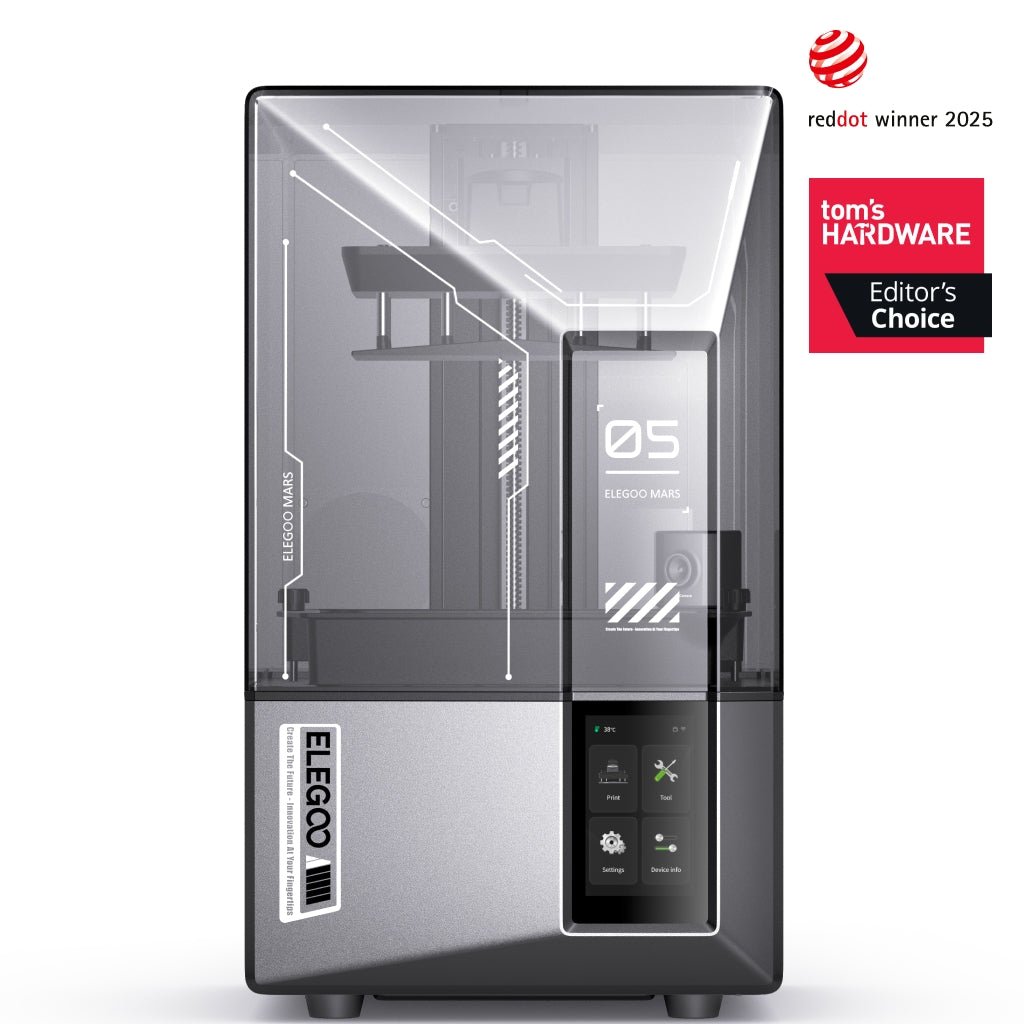
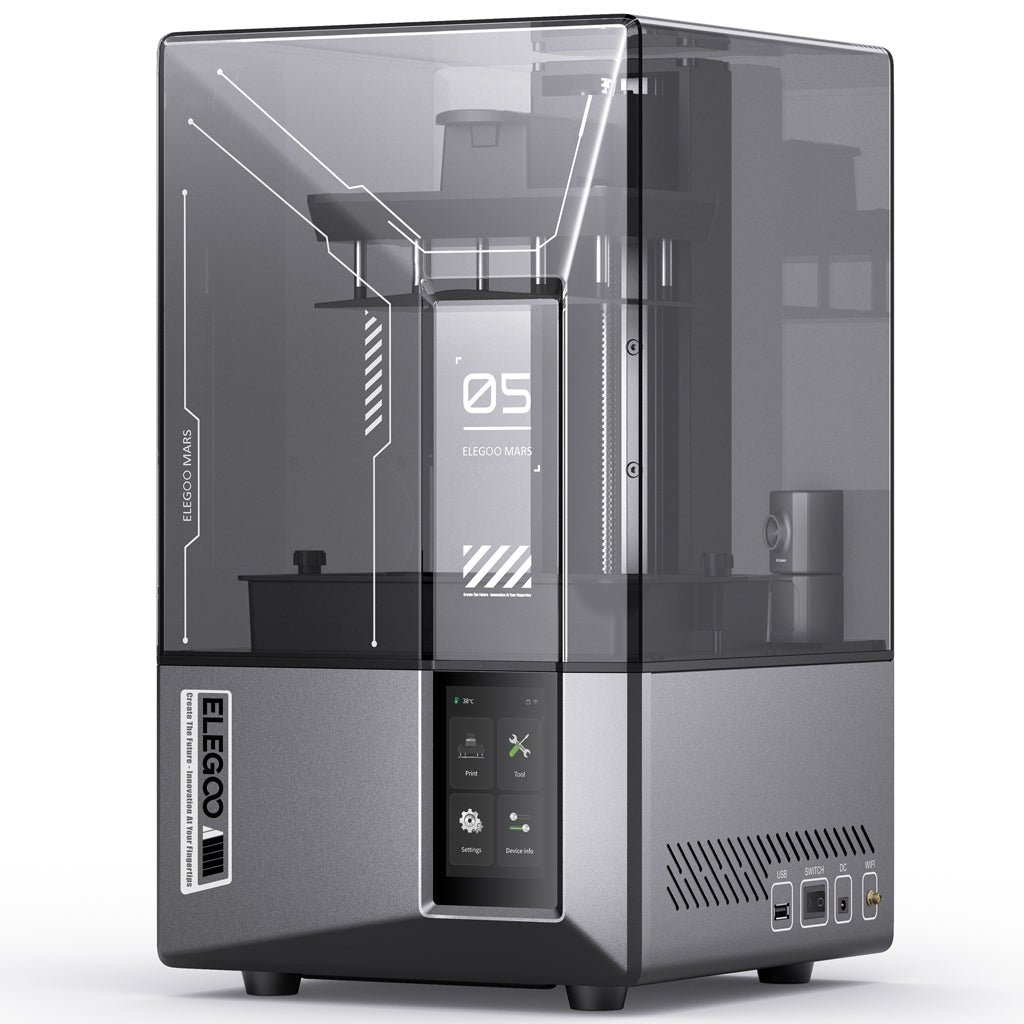
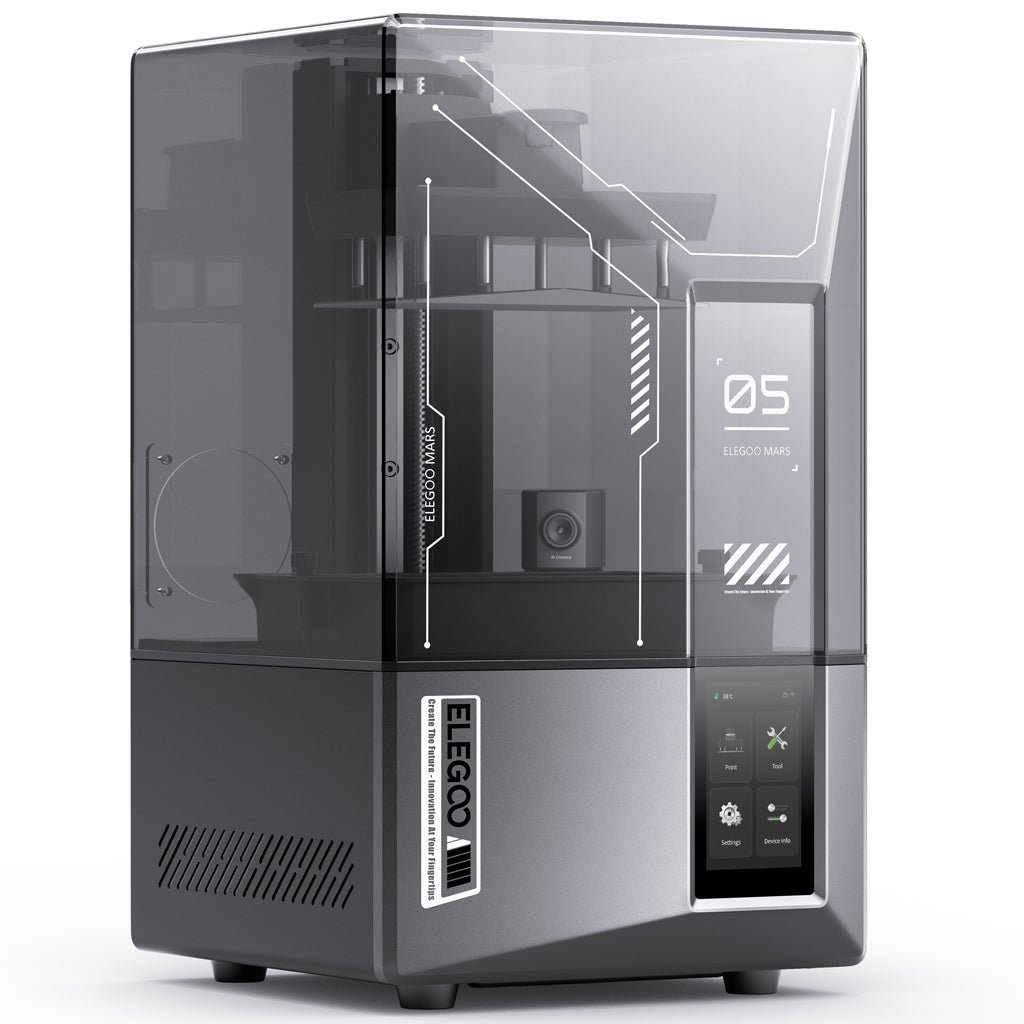
Elegoo Mars 5 Ultra
A 9K MSLA resin printer whose official on-mode consumption is just 72W, the lowest verified draw of any pick here, because UV curing needs no heated bed.
- 72W on-mode power published in Elegoo's official specification
- 7-inch 9K mono LCD with 18-micron pixels for fine detail
- Auto-leveling and power-loss recovery cut wasted prints and wasted energy
Important limitation: Small 153 x 78 mm build area, and resin handling needs gloves, ventilation and wash/cure consumables that add cost beyond electricity.
- Technology: MSLA resin, 7-inch 9K mono LCD
- Power: 72W on-mode (24V, 3A), official Elegoo spec
- Speed: Up to 150 mm/h with tilt-release vat
Best for: Detailed small parts at the lowest possible electricity draw
2. Creality Ender 3 V3 SE: Best Budget FDM
Verdict: The value reference point for entry-level FDM printing, and the clearest illustration in this guide of why rated power misleads. Its official rated power is 350 watts, a number that causes unnecessary anxiety: Creality's spec comparison and the machine's user manual both confirm the 350W rating, but rated power is the power supply's ceiling. During a typical PLA print the real draw is a fraction of that, with heat-up the only phase that approaches the peak.
Key specifications: Build volume 220 x 220 x 250 mm · Up to 250 mm/s maximum speed (180 mm/s typical) · CR Touch automatic bed leveling · Sprite direct extruder · 0.4 mm nozzle · 260 degree nozzle and 100 degree bed ceilings · PLA, PETG and TPU(95A) support · 350W rated power supply.
Why we selected it: It is the cheapest credible FDM machine with a huge troubleshooting community, and for energy-conscious buyers the meaningful specs are the temperature ceilings, because printing PLA (190 to 220 degrees at the nozzle, often no heated bed at all) keeps the heaters at their least demanding settings. An underappreciated efficiency point for beginners: the V3 SE ships mostly pre-assembled with one-tap calibration and auto-leveling, which means fewer ruined first layers. A failed 8-hour print is 8 hours of electricity for nothing, so anything that improves first-try success is an energy feature in practice.
Who it is for: First-time printer buyers who want the cheapest credible FDM machine with a huge community for troubleshooting.
Watch-outs: No filament runout sensor on the SE (unlike its KE sibling); file transfer is SD card only; and as with any open-frame FDM printer, printing ABS-style materials without an enclosure is both less efficient and more temperamental.

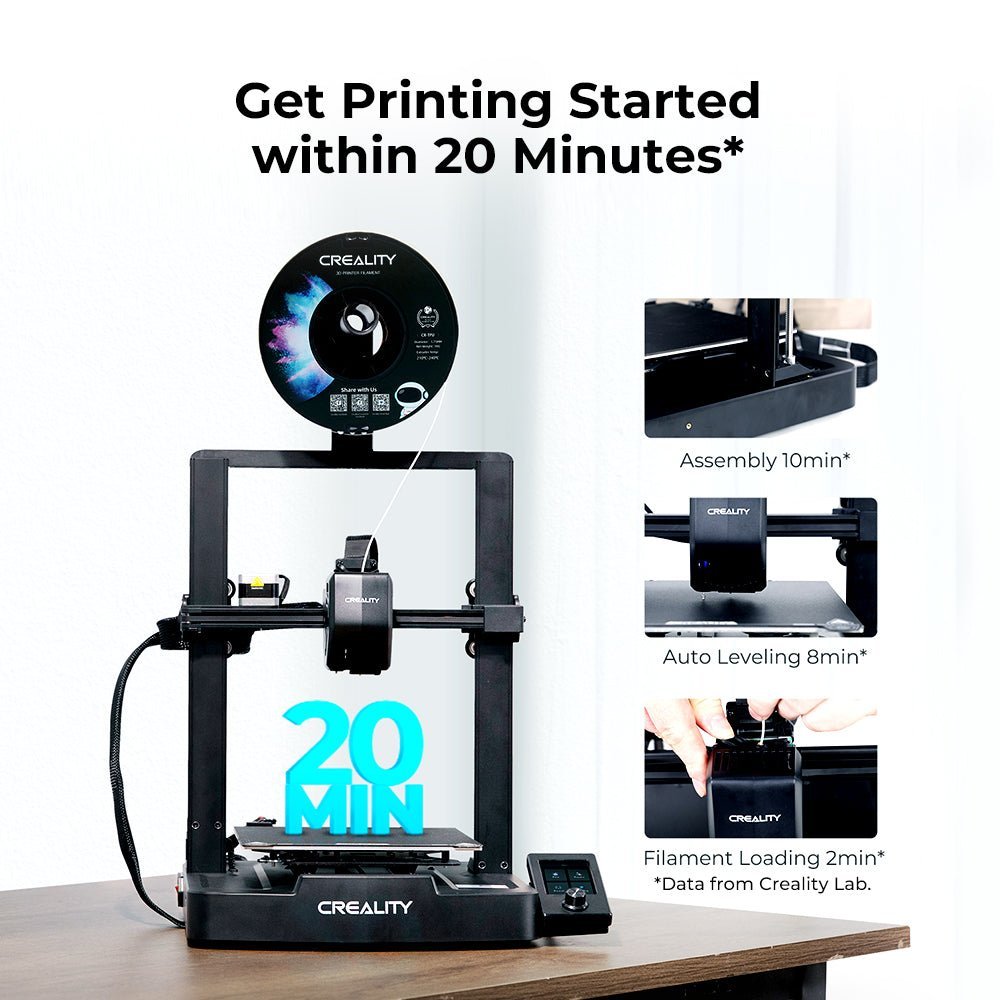

Creality Ender 3 V3 SE
The budget FDM reference point: a 350W rated supply that sounds alarming, paired with real-world PLA draw far below the rating and auto-leveling that cuts failed prints.
- CR Touch auto-leveling and mostly pre-assembled setup reduce failed first layers
- Sprite direct extruder handles PLA, PETG and TPU(95A)
- Enormous owner community for troubleshooting and profiles
Important limitation: No filament runout sensor and SD-card-only file transfer; the 350W figure is a supply ceiling, not a measured draw.
- Technology: FDM filament, Sprite direct extruder
- Power: 350W rated power supply (official)
- Build volume: 220 x 220 x 250 mm · up to 250 mm/s
Best for: First-time buyers who want the cheapest credible FDM machine
3. Anycubic Kobra 3 Combo: Best Speed-to-Energy Ratio
Verdict: The Kobra 3 takes a different route to efficiency: instead of minimizing wattage, it minimizes time. Its user manual rates the power supply at 400 watts, but it prints at up to 600 mm/s (300 mm/s recommended), so a job that takes a slower printer six hours can finish in far less time, and total energy per print (watt-hours) is what your bill actually measures. A 400W printer running for 2 hours uses less energy than a 150W printer running for 8. The linked configuration is the Kobra 3 Combo, which pairs the printer with the ACE Pro multi-color unit; the printer hardware and its 400W rating are the same as the base machine.
Key specifications: Build volume 250 x 250 x 260 mm · Up to 600 mm/s (300 mm/s recommended) · 300 degree hot end and 110 degree bed ceilings · 4.3-inch touchscreen · Wi-Fi · ACE Pro multi-color printing in the Combo (4 colors standard, 8 with a second unit) · 400W rated power supply.
Why we selected it: It is the clearest demonstration of the speed principle in this roundup: every hour shaved off a print is an hour the bed and hotend are not drawing power. Note the material nuance from the manual: the Kobra 3 supports PLA, PETG and TPU, while ABS and ASA are listed as printable but not recommended on the open-frame machine. Higher-temperature materials are where energy consumption climbs, so that is a genuinely energy-relevant limitation, not fine print.
Who it is for: Buyers who print a lot and want throughput; speed is an efficiency feature, not just a convenience one.
Watch-outs: The 400W rating is the power-supply ceiling, not the draw. Multi-color printing wastes filament (and therefore energy) on purge cycles, so factor that in if you mostly print single-color.


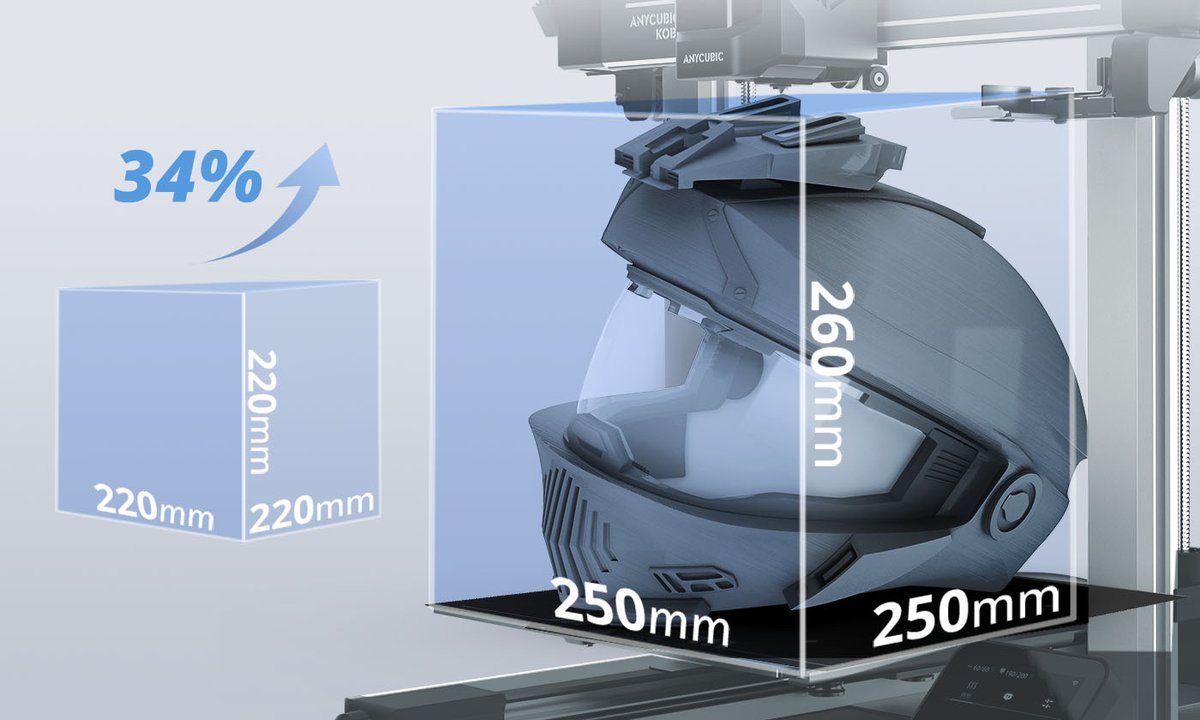
Anycubic Kobra 3 Combo
A 400W rated supply paired with 600 mm/s top speed: it finishes jobs so much sooner that total watt-hours per print undercut slower, lower-wattage machines.
- Up to 600 mm/s printing cuts hours, and therefore energy, per finished part
- Large 250 x 250 x 260 mm build volume with 300 degree hot end
- Combo includes the ACE Pro for 4-color printing out of the box
Important limitation: Multi-color purge cycles waste filament and energy, and ABS/ASA are not recommended on the open frame.
- Technology: FDM filament, ACE Pro multi-color (Combo)
- Power: 400W rated power supply (official manual)
- Build volume: 250 x 250 x 260 mm · up to 600 mm/s
Best for: High-volume printing where time on the heaters dominates the bill
4. AnkerMake M5: Best Independently Measured Draw
Verdict: The M5 earns its place for a rarer reason: it has genuinely measured power data from a reputable third party. Notebookcheck's lab review measured a 340-watt peak during the heat-up phase, about 110 watts while printing the first layer, and an average of roughly 145 watts once printing settled in. Their standardized 3DBenchy test consumed roughly 130 watt-hours, essentially the same total energy as the slower Anycubic machine they compared it against, because the M5's higher speed compensated for its roughly 30W higher draw. That single result demolishes the idea that wattage alone determines cost. AnkerMake's own lab testing tells the same story from the other side: the company measured a 110W average AC draw while printing and calculated a 59 percent energy reduction versus a conventional-speed printer, purely from finishing sooner.
Key specifications: Build volume 235 x 235 x 250 mm (manufacturer figure) · Up to 500 mm/s in Fast Mode (manufacturer figure) · Integrated AI camera monitoring · 4.3-inch touchscreen · 7x7 auto-leveling · Die-cast aluminum base · Measured: 340W heat-up peak, ~145W printing average, ~130 Wh per 3DBenchy (Notebookcheck).
Why we selected it: It is the pick for buyers who distrust spec-sheet math. Between Notebookcheck's independent measurements and AnkerMake's own published power testing, the M5 has the best-documented real consumption of any FDM machine in this guide, and it remains a strong choice for anyone whose priority is minimizing kilowatt-hours per finished print rather than minimizing the number on the spec sheet.
Who it is for: Buyers who want the fastest justifiable print with real measured consumption data behind it.
Watch-outs: Notebookcheck notes the open-frame fans run loud (up to about 65 dB(A) at 1 meter in their measurement), and, like all open FDM machines, material-dependent ventilation guidance applies.

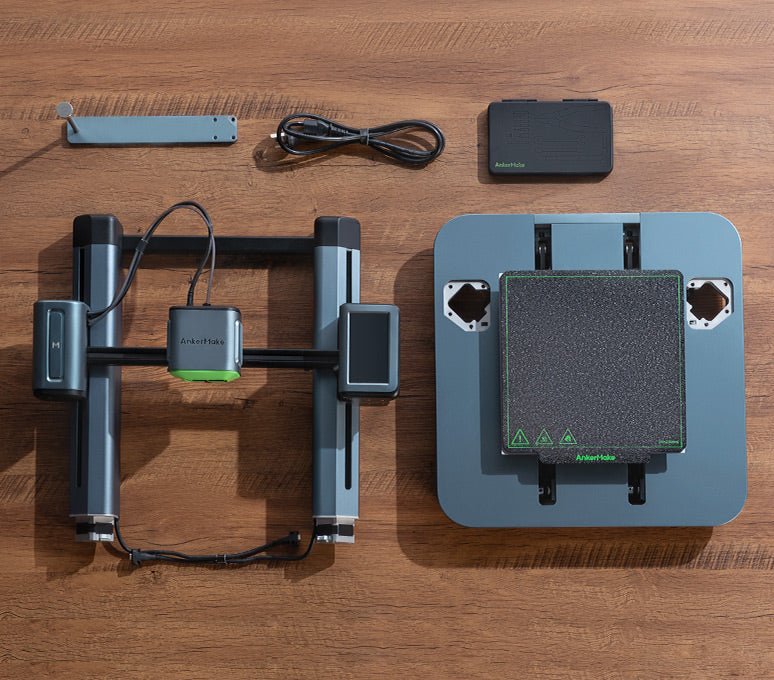
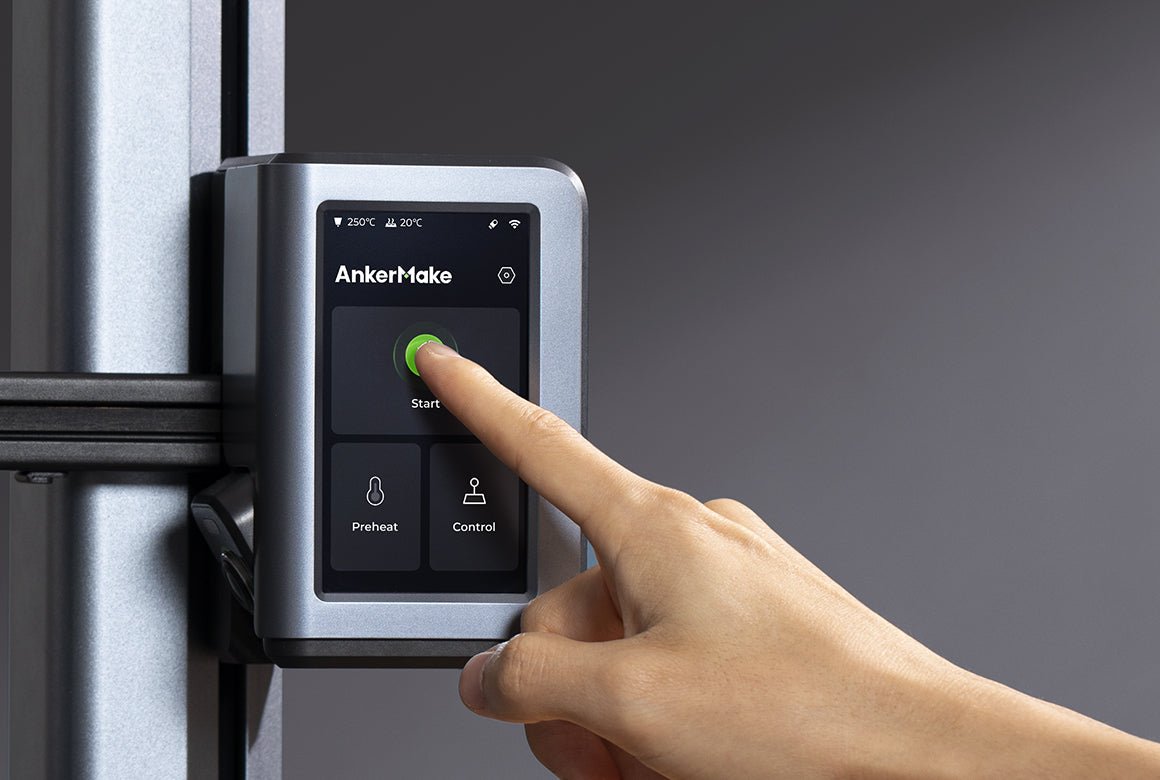
AnkerMake M5
The only pick with independent lab-measured consumption: about 145W average while printing and roughly 130 Wh per 3DBenchy, despite a 340W heat-up peak.
- Notebookcheck-measured draw: 340W peak, ~145W settled average
- Fast printing keeps total watt-hours per finished part low
- AI camera monitoring and 7x7 auto-leveling reduce failed prints
Important limitation: Fans measured up to about 65 dB(A) at 1 meter by Notebookcheck; open-frame design, so material ventilation guidance applies.
- Technology: FDM filament, die-cast aluminum base
- Power: ~145W average measured (Notebookcheck); 110W average in AnkerMake lab testing
- Build volume: 235 x 235 x 250 mm · up to 500 mm/s Fast Mode (manufacturer)
Best for: Buyers who want measured, not rated, energy numbers
5. P3 Kill A Watt P4400: Best Power Monitor
Verdict: Every figure in this guide, rated or measured, is someone else's printer, not yours. The P3 Kill A Watt P4400 is a plug-in electricity usage monitor: it sits between your printer and the wall outlet and shows you real volts, amps, watts and, crucially, cumulative kilowatt-hours over a full print. One measured print on your machine, with your filament and your room temperature, answers the question more accurately than any review table.
Key specifications: LCD shows volts, amps, watts/VA, frequency, power factor and cumulative kWh · Accuracy plus or minus 0.2 percent (manufacturer) · Operating voltage 115 VAC, max 125 VAC · Max current 15A · Max power 1875 VA · No batteries; powered from the outlet.
Why we selected it: It converts every estimate in this guide into a measurement for your exact setup, and it is the item here with the broadest use: once you have it, you can settle the same question for your TV, your space heater and every other suspect on your electricity bill. Practical tip: run it through one full print of a model you print often, note the cumulative kWh, then multiply by your utility's per-kWh rate from your bill. That single number, your real cost per print, is more useful than every estimate in this guide, and it is the number to use when deciding whether a printer upgrade would ever pay for itself in electricity savings. On the yearly figures in this guide, it almost certainly will not, which is liberating: buy the printer you want.
Who it is for: Anyone who wants a real number for their own setup instead of an estimate.
Watch-outs: It measures the whole printer at the wall, which is what you want, but it cannot split out the hotend versus the bed versus the motors; it is a total-consumption tool, and that is the correct tool for this job. Cumulative readings reset when power is interrupted, so note the kWh at the end of a print.


P3 Kill A Watt P4400
A plug-in meter that sits between printer and wall and reports cumulative kWh for a full print, turning every estimate in this guide into your own measured number.
- Cumulative kWh readout across a whole print, not just instant watts
- Also shows volts, amps, VA, frequency and power factor
- Manufacturer-rated accuracy of plus or minus 0.2 percent
Important limitation: Measures total wall draw only; it cannot separate hotend, bed and motor consumption, and totals reset when power is cut.
- Type: Plug-in electricity usage monitor
- Ratings: 115 VAC operating, 15A max, 1875 VA max
- Displays: Volt, Amp, Watt/VA, Hz/PF, cumulative kWh and elapsed time
Best for: Measuring your own printer's real cost per print
How We Chose These Picks
Every power figure in this guide is traced to a published source: the manufacturers' official specification sheets and user manuals for the Mars 5 Ultra (72W on-mode), Ender 3 V3 SE (350W rated) and Kobra 3 Combo (400W rated); Notebookcheck's lab measurements for the AnkerMake M5, cross-checked against AnkerMake's own published power testing; and P3 International's published specifications for the Kill A Watt P4400. Where a number is a rating rather than a measurement, the guide says so, because confusing the two is the single most common error in this topic. We did not buy or bench-test these machines for this guide; the recommendations rest on documented specifications, independent measured data where it exists, and the energy math set out below, which you can reproduce for any printer with the formula and a plug-in meter.
Buying Guide: How to Calculate Your 3D Printer's Energy Cost
The formula (one line)
Watts x hours / 1,000 x your electricity rate = cost. Watts divided by 1,000 gives kilowatts; kilowatts times hours gives kilowatt-hours (kWh), the unit on your bill.
Worked example using independently cited figures: the US Energy Information Administration's average rate of about $0.18 per kWh. A 150-watt printer running a 10-hour print: 150 x 10 / 1,000 x $0.18 = 1.5 kWh x $0.18 = $0.27. Twenty-seven cents for an all-day print. A 120-watt printer run 10 hours a day for a month: 120 x 10 x 30 / 1,000 = 36 kWh, or about $6.48 per month. For scale, a microwave draws 1,200 to 1,500 watts, roughly ten times a home 3D printer, per National Renewable Energy Laboratory figures.
What actually drives consumption
- The heated bed. For FDM printers this is typically the hungriest component during a print. PLA often needs no heated bed at all; ABS needs 80 to 110 degrees. Bigger beds need more power to hold temperature.
- The hotend. Melting filament takes 190 to 220 degrees for PLA versus 220 to 250 degrees for ABS, and the heater runs continuously. Typical draw cited for the hotend alone: 30 to 60 watts.
- Heat-up spikes versus steady state. The Notebookcheck M5 measurement is the cleanest illustration: 340W peak while heating, roughly 145W average while printing. Any cost estimate based on peak wattage overstates reality.
- Print duration. A 10-hour print at 100W uses 1 kWh (about 10 to 20 cents). Halving print time roughly halves energy, which is why a fast 400W printer can beat a slow 150W one on total kWh.
- Chambers and enclosures. Heated chambers (common on engineering-material machines) add a large continuous load; a passive enclosure that retains heat, by contrast, reduces the energy the bed and hotend must supply.
- Motors, fans and boards. Stepper motors, cooling fans and control electronics draw under about 20W combined: real, but minor.
Rated power is a ceiling, not a speedometer
This is the single most misunderstood number in 3D printer energy discussions. The "350W" on the Ender 3 V3 SE's spec sheet and the "400W" on the Kobra 3 describe the power supply's rated capacity, the maximum the machine is designed to pull, reached only in brief moments like initial heat-up. Reviewers who actually measure (Notebookcheck's 145W average on a machine whose class routinely carries 350W-plus supplies) consistently find steady-state draw far below the rating. If a forum post multiplies the rated wattage by your print hours to estimate cost, it is overstating, sometimes by two to three times.
How to cut your printer's energy use
- Print PLA when you can. Lower nozzle and bed temperatures mean measurably less energy, and PLA often skips the heated bed entirely.
- Enclose the printer. An enclosure (even a simple tent-style one) retains heat so heaters cycle less; multiple guides cite this as one of the most effective single changes.
- Batch your prints. One long print uses less energy than three short ones, because you pay the heat-up spike only once.
- Lower infill and raise layer height where strength allows: less material and less time.
- Do not heat what you do not need. Skip the heated bed for PLA; do not run a chamber heater for materials that do not require it.
- Turn it off. Idle and standby draw is small but nonzero; a printer sitting warm between prints for days is pure waste.
What a year of printing actually costs: three scenarios
Applying the formula (watts x hours / 1,000 x $0.18/kWh) to realistic usage patterns:
| User profile | Printer assumption | Print hours/week | Yearly kWh | Yearly cost |
|---|---|---|---|---|
| Weekend hobbyist | 100W avg draw | 5 | 26 kWh | ~$4.68 |
| Regular maker | 130W avg draw | 15 | 101 kWh | ~$18.27 |
| Small production run | 200W avg draw | 40 | 416 kWh | ~$74.88 |
Even the heavy user, 40 hours a week, every week, lands under $75 a year. These are electricity costs only, computed from the stated assumptions; filament and maintenance are separate costs, but the electricity side of the ledger is small enough that it should rarely decide between two printers you otherwise like.
Standby draw: the phantom nobody measures
Printers consume power even when idle, though far less than while printing. A UCL School of Pharmacy study that measured six benchtop 3D printers recorded standby-mode consumption ranging from 0.03 to 0.17 kWh across the tested machines (International Journal of Pharmaceutics, via UCL Discovery). That is small per hour, but a printer left powered on around the clock between weekend prints accumulates hundreds of idle hours a month. The fix is trivial: a switched power strip or smart plug (measured by the same Kill A Watt above) that cuts power completely when you are done.
Bad Advice to Ignore
"A 350W printer costs 350 watts times your hours." This conflates rated capacity with consumption. Measured steady-state draw is typically one-third to one-half of rated; Notebookcheck's M5 data (340W peak, roughly 145W average) is the documented proof. Any calculator that uses the power-supply rating as the draw figure is overstating your cost.
"3D printers are energy hogs." True of industrial SLS machines (1 to 5 kWh per hour per Sinterit) and large-format heated-chamber machines, not of the 60 to 150W desktop printers this guide's audience actually buys. Context matters.
"Resin printing is basically free to run." Electricity-wise it is cheap, but the claim ignores resin, gloves, isopropyl alcohol, wash and cure stations, and ventilation. Total cost of ownership is the honest comparison.
"Faster printing always saves energy." Usually true (time dominates the equation), but not when speed comes from a heated chamber running full-tilt for engineering materials, or when multi-color purge cycles waste the time you saved. Check the whole system.
3D Printer Types at a Glance (Energy Edition)
| Technology | Typical draw | Why | Best for |
|---|---|---|---|
| FDM (filament) | 50 to 250W | Nozzle plus heated bed do the work | General parts, functional prints, large objects |
| Resin (SLA/DLP/MSLA) | 30 to 60W | UV light cures resin; usually no heated bed | Miniatures, dental and jewelry detail work |
| SLS (powder, industrial) | 1,000W+ (1 to 5 kWh/h per Sinterit) | Heated build chamber plus laser | Industrial production, not a home purchase |
| Large-format FDM with heated chamber | 150 to 400W+ sustained | Chamber heater runs the whole print | Engineering materials (ABS/ASA/nylon) at scale |
The takeaway: for home buyers the choice that matters is FDM versus resin. Resin wins on raw wattage; FDM wins on build volume, material cost and safety simplicity.
Head-to-Head: The Comparisons That Actually Decide Purchases
Rated 350W vs. measured 145W: why both numbers are "true"
The Ender 3 V3 SE's 350W rating and the AnkerMake M5's roughly 145W measured average describe different things: capacity versus consumption. Think of it like a car's top speed versus its fuel economy at cruise. When comparing printers on energy, ignore rated watts for ranking purposes and look for measured steady-state figures or, better, watt-hours per standardized print, like Notebookcheck's roughly 130 Wh per 3DBenchy. Total energy per finished object is the number your bill reflects.
Fast 400W printer vs. slow 150W printer: the tortoise usually loses
Energy = power x time. Take the Anycubic Kobra 3 Combo (400W rated, 600 mm/s) against a generic 150W printer at modest speed: if the Kobra finishes a part in 3 hours that takes the slower machine 9, the Kobra uses roughly 1.2 kWh of rated-ceiling energy versus 1.35 kWh of real energy, and real draw is below rating on both, but the time ratio dominates. Speed is an energy feature. (Caveat: multi-color purge cycles and failed prints erase this advantage fast.)
PLA vs. ABS: the material tax
PLA prints at 190 to 220 degrees with an optional bed; ABS needs 220 to 250 degrees plus an 80 to 110 degree bed and ideally an enclosure. Every one of those differences is heater runtime you pay for. If your parts work in PLA or PETG, choosing them over ABS is one of the largest single energy savings available, before you touch any printer setting.
FDM vs. resin: watts vs. workflow
A 72W resin printer versus a 145W FDM printer looks like a two-times energy win for resin, and on electricity it is. But resin printing adds wash-and-cure stations (more plugs, more watts), consumable resin costs that dwarf electricity, and ventilation requirements. Compare total cost of ownership, not just the meter reading.
Common Buying Mistakes
- Multiplying rated wattage by print hours. The 350W and 400W figures are ceilings. Real steady-state draw is typically one-third to one-half of rated. Use measured figures or the 60 to 150W home-printer range for estimates.
- Ignoring print time. A "low-wattage" printer that takes 20 hours per print can cost more per part than a faster, higher-wattage one. Optimize watt-hours per print, not watts.
- Leaving the printer heated between prints. A hot bed and hotend idling for hours between jobs is the easiest waste to eliminate, and the most common.
- Buying a heated-chamber machine for PLA. If 90 percent of your printing is PLA or PETG, you are paying for a chamber heater you will rarely need. Match the machine to your materials.
- Forgetting the room. Printing in a cold garage in winter forces heaters to work harder than the same print in a 20 degree room. Ambient temperature is a real variable.
- Assuming resin is "free" because it is 72W. Electricity is the cheapest part of resin printing; resin, gloves, isopropyl alcohol and wash/cure equipment are the real costs.
Frequently Asked Questions
No, not by household-appliance standards. Home FDM printers typically draw 60 to 150 watts while printing, costing roughly 1 to 3 cents per hour at average US rates. A microwave uses about ten times as much power.
About 27 cents at average US electricity rates for a 150W printer: 150W x 10h = 1.5 kWh x $0.18/kWh. Your rate is the biggest variable, so check your utility bill.
Resin (SLA/DLP/MSLA) printers, at roughly 30 to 60W typical draw; the Elegoo Mars 5 Ultra's official spec lists 72W on-mode. They skip the heated bed, which is the hungriest component in FDM printing.
Yes. ABS needs a hotter nozzle (220 to 250 degrees versus 190 to 220 degrees for PLA) and a heated bed at 80 to 110 degrees, while PLA often needs no heated bed at all. Every degree is heater runtime on your bill.
No. Standby and idle draw is small but nonzero, and a printer sitting heated between prints wastes energy for zero output. Power down between jobs; the heat-up spike at the start of the next print costs less than hours of idling.
With a plug-in electricity monitor like the P3 Kill A Watt P4400: plug it between the printer and the wall, run a full print, and read the cumulative kWh. That single measurement beats every estimate.
Final Verdict
For most buyers, 3D printer energy consumption is a solved non-problem: a typical home print costs well under a dollar in electricity, often under thirty cents. Do not pick a printer on wattage alone. Pick it on what you print, then apply the efficiency basics (right material, enclosed if useful, batched prints, powered off between jobs).
If lowest possible draw is the priority, the Elegoo Mars 5 Ultra (72W official on-mode) is the clear answer for detailed small parts. For general FDM printing on a budget, the Creality Ender 3 V3 SE remains the value reference. If you print constantly and want minimum energy per finished part, the Anycubic Kobra 3 Combo's speed is an efficiency feature. And if you want to stop estimating and start knowing, the P3 Kill A Watt P4400 pays for itself in answered questions the first week.
Final Recommendations
Lowest Energy Use: Elegoo Mars 5 Ultra: 72W official on-mode draw, the lowest verified figure here.
Best Budget FDM: Creality Ender 3 V3 SE: real PLA draw far below its 350W rating, with auto-leveling that cuts failed prints.
Best Speed-to-Energy Ratio: Anycubic Kobra 3 Combo: 600 mm/s speed turns a 400W rating into low watt-hours per part.
Best Measured Draw: AnkerMake M5: independently measured at roughly 145W average and about 130 Wh per 3DBenchy.
Best Power Monitor: P3 Kill A Watt P4400: measure your own printer's real kWh instead of trusting estimates.
Related Guides
- Best 3D Printers 2026: 8 Top Picks Compared
- Ender 3 V2 Print Speed: Specs + Faster 3D Printers
- 3D Printer Ghosting: Causes, Fixes & Products That Help
Research date: October 2026. Power figures are the manufacturers' published specifications and manuals (Elegoo, Creality, Anycubic, P3 International), AnkerMake's published lab power testing, and Notebookcheck's independent M5 measurements; the electricity rate is the US EIA average of about $0.18 per kWh. Availability and variants change; confirm the exact model on the listing before buying. This guide is updated when models are discontinued or specifications change.