
A battery powered security camera watches the places a wired camera cannot reach: the side gate, the shed, the driveway corner with no outlet in sight. The trade is honest. In exchange for wire-free mounting in minutes, you give up continuous 24/7 recording: battery cameras wake on motion, record the event, and sleep again. If you need uninterrupted footage, you need a wired, PoE, or NVR camera instead.
This guide compares five battery cameras we could verify properly for 2026, using manufacturer specifications and credible third-party coverage. We did not receive test units or hands-on access to any camera here, and battery-life figures are manufacturer claims under controlled conditions, not measurements. Two cameras from the original research draft were cut from the recommendations: one premium pick whose exact-variant listing we could not verify to the standard this site requires, and one ecosystem pick for which we could not assemble the verified photo set our format demands. Both may return in a future update if the evidence clears.
If you're in a hurry, here's the short version.
The Short Answer
Best overall: the TP-Link Tapo C425: 2K QHD video, a 10,000 mAh battery rated for up to 300 days, free AI detection, and local microSD storage with no mandatory subscription.
Best for Google Home: the Google Nest Cam (Battery): free intelligent alerts and three hours of free event history, no plan required.
Best budget and longest battery: the Blink Outdoor 4: up to two years on two AA lithium batteries, the lowest total cost of ownership here.
Best 4K system with no subscription: the eufy eufyCam S330 2-Cam Kit: 4K cameras with integrated solar panels and a HomeBase 3 that stores everything locally.
Best ultra-wide standalone: the Reolink Argus 4 Pro with Solar Panel: 4K with a 180 degree field of view, the panel included, local storage, no subscription needed.
Quick Picks
Short on time? These are our top recommendations, each button takes you to the exact product on Amazon.
Comparison Table
| Product | Resolution | Battery (manufacturer claim) | Storage | Subscription needed? | Best for | Amazon Link |
|---|---|---|---|---|---|---|
| TP-Link Tapo C425 | 2K QHD | Up to 300 days (10,000 mAh) | microSD up to 512 GB | No | Best overall | Check Price |
| Google Nest Cam (Battery) | 1080p HDR | Up to 7 months | 3 hrs free history; on-device backup | No | Google Home users | Check Price |
| Blink Outdoor 4 | 1080p | Up to 2 years (2x AA lithium) | Cloud plan; local via Sync Module 2/XR | No | Budget / longest battery | Check Price |
| eufy eufyCam S330 2-Cam Kit | 4K | 365 days + integrated solar | HomeBase 3 (16 GB, expandable) | No | 4K system, no fees | Check Price |
| Reolink Argus 4 Pro + Panel | 4K | Rechargeable + 6W solar included | microSD | No | Ultra-wide view | Check Price |
Battery-life figures are manufacturer claims under controlled conditions; real-world life depends on motion frequency, temperature, resolution, and Wi-Fi strength. This guide quotes no prices: use the Check Price buttons for current pricing.
Detailed Reviews: The 5 Best Battery-Powered Security Cameras
TP-Link Tapo C425
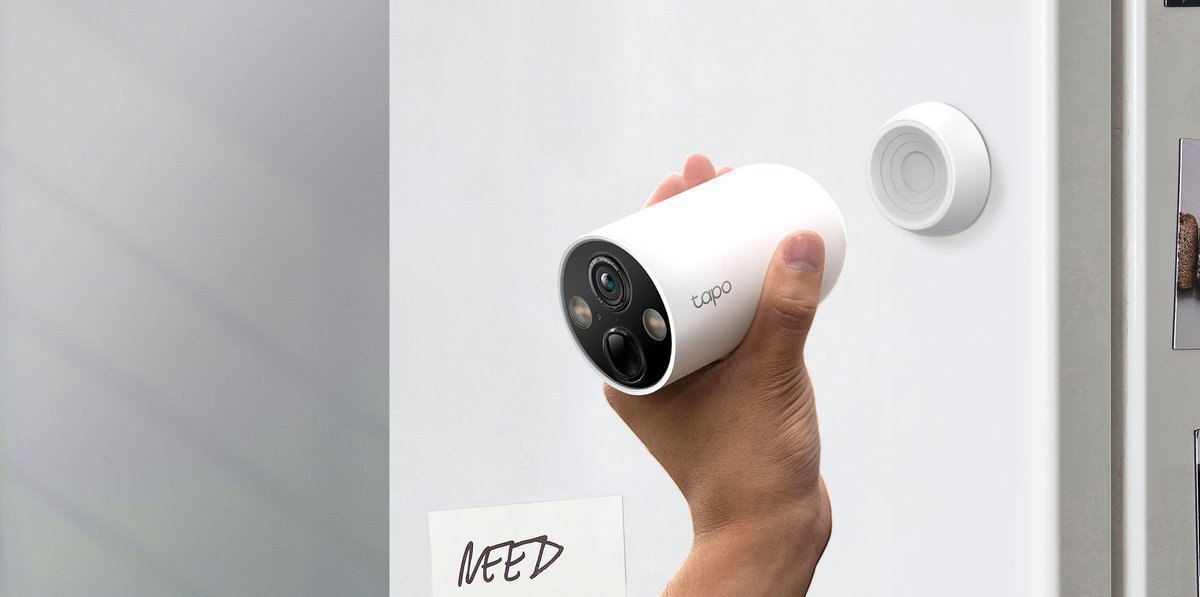
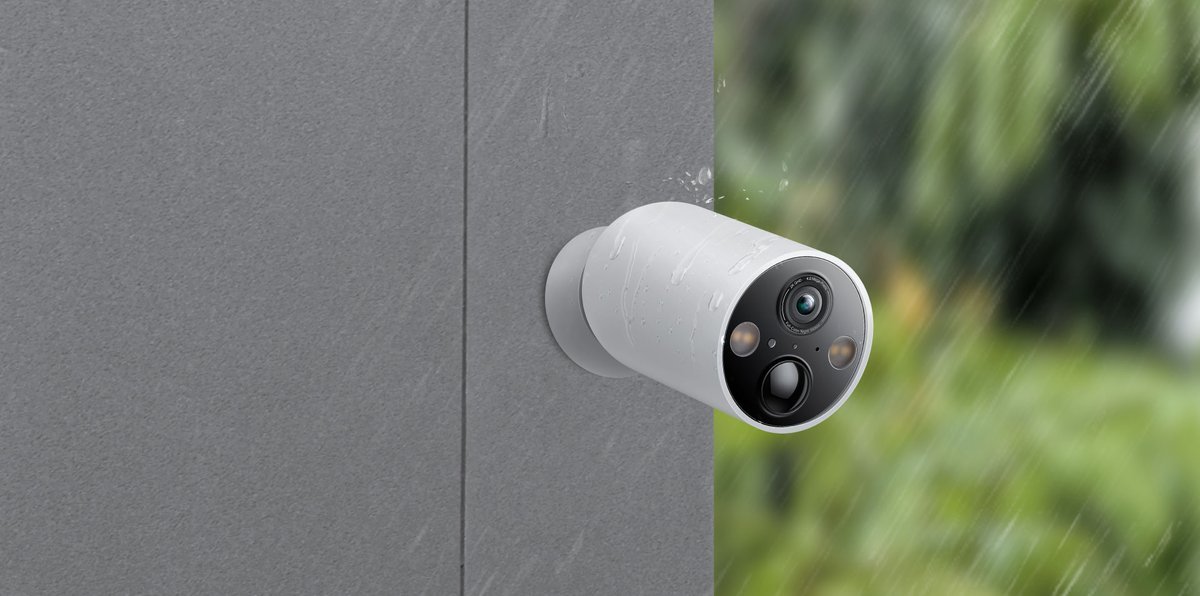
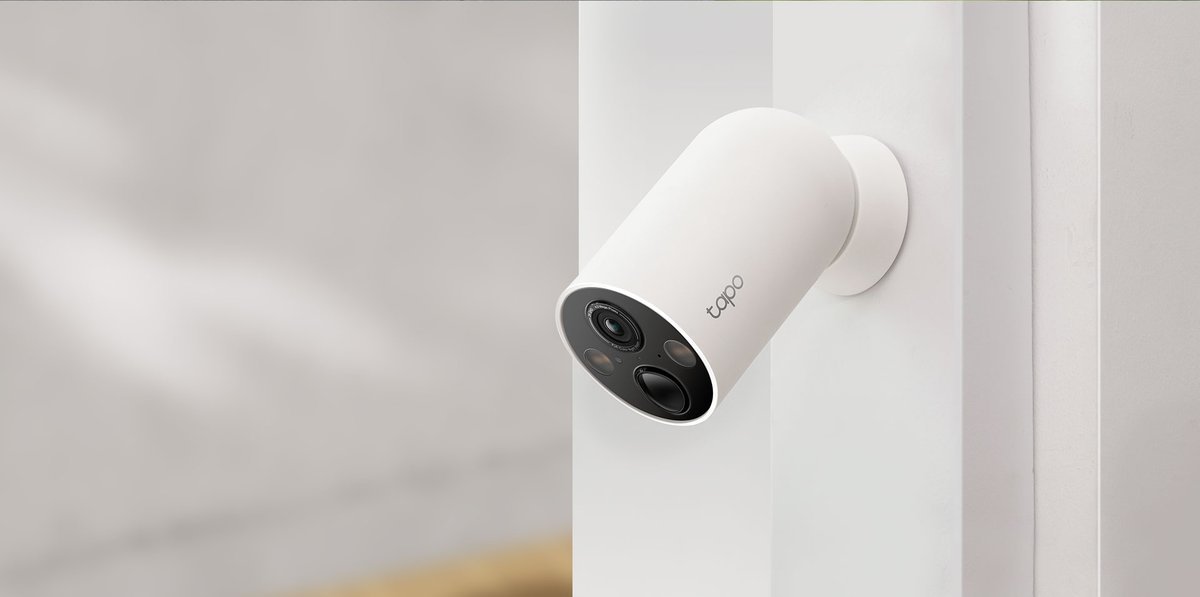
The Tapo C425 solves the two complaints that define this category: charging hassle and subscription lock-in. Its 10,000 mAh battery is rated for up to 300 days, and footage goes onto a microSD card up to 512 GB with no plan required. Free AI detection distinguishes people, pets, and vehicles, which matters because false motion alerts are the fastest way to drain a battery.
- 2K QHD (2560x1440) video, sharper than the 1080p cameras in this guide
- 10,000 mAh battery rated up to 300 days per charge (manufacturer figure)
- Free person, pet, and vehicle detection, no subscription needed
- Local microSD storage up to 512 GB, so footage is yours with no monthly fee
Reasons to avoid:
- Built-in battery: you take the camera down to charge it, though the magnetic mount makes that quick
- microSD card sold separately
- 2.4 GHz Wi-Fi only, no 5 GHz band
- Resolution: 2K QHD (2560x1440)
- Battery: 10,000 mAh built-in, up to 300 days (manufacturer claim)
- Field of view: 150 degrees diagonal
- Storage: microSD up to 512 GB (sold separately)
- Weather rating: IP66
- Hub required: No, connects direct to Wi-Fi
Best for: mount-and-forget buyers, the subscription-averse, and renters who cannot drill.
1. TP-Link Tapo C425: Best Overall
The hardware is genuinely outdoor-ready: IP66 weatherproofing, a 150 degree diagonal field of view, 2K QHD video, and color night vision via a starlight sensor plus dual spotlights that fire on motion at night. The magnetic mount snaps onto metal surfaces or screws to a wall; you can charge through an accessible port while mounted, or pop the camera off to charge indoors. An optional Tapo A200 solar panel keeps it topped up in good sun. It works with Alexa and Google Assistant, needs no hub, and connects directly to 2.4 GHz Wi-Fi.
Why it wins: nothing else in its price tier combines 2K resolution, a 300-day-rated battery, free local storage, and free AI detection. The draft research for this guide noted it has been covered as Wirecutter's top pick for cordless outdoor cameras and earned a PCMag Editors' Choice. One honest caveat on the battery figure: TP-Link's 300-day rating assumes roughly 230 seconds of recording a day, so a busy driveway lands lower. Realistically, expect one to two charges a year in a typical spot.
Best for: mount-and-forget buyers, the subscription-averse, and renters who cannot drill.
Watch out for: the built-in battery (take the camera down to charge, the magnet makes it quick); the microSD card is sold separately; Wi-Fi is 2.4 GHz only.

Google Nest Cam (Outdoor or Indoor, Battery)
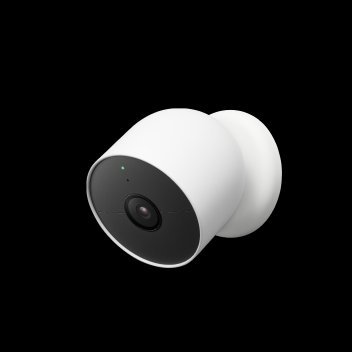
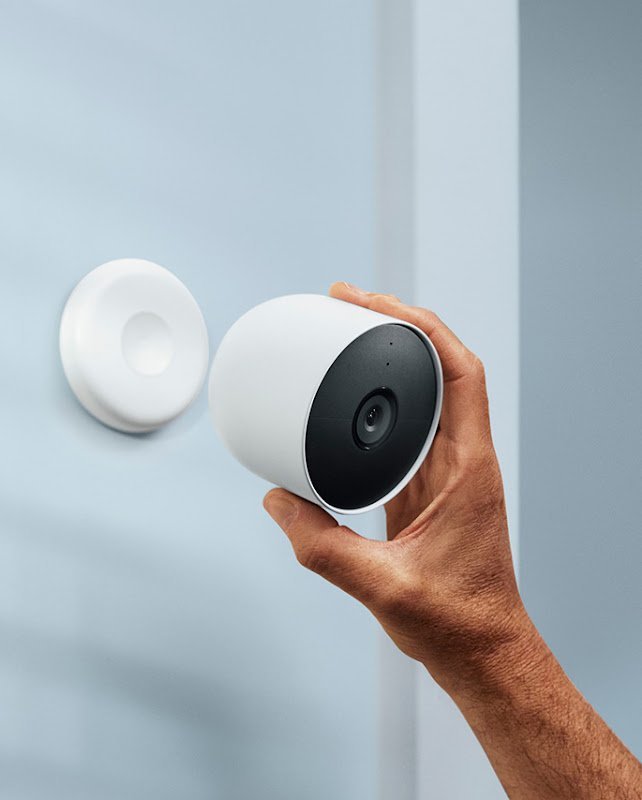
Google's battery camera is the pick for anyone already living in the Google Home app, and arguably the best no-subscription mainstream camera. You get free intelligent alerts (person, animal, and vehicle detection) and three hours of free event video history without paying anything, which is unusual in a market where most rivals gate nearly all of this behind plans.
- Free person, animal, and vehicle alerts with no plan required
- Three hours of free event video history included
- On-device backup keeps recording events during an internet outage, up to a week of events
- Magnetic mount is the easiest in this guide to attach and remove
Reasons to avoid:
- 1080p video is weaker for faces and plates at distance
- Battery will not charge in freezing temperatures; bring it inside in deep winter
- No microSD slot; extended history needs the optional Nest Aware plan
- Resolution: 1080p HDR
- Battery: Up to 7 months (manufacturer claim)
- Field of view: 130 degrees diagonal
- Storage: 3 hours free event history; on-device outage backup
- Weather rating: IP54
- Model: GA01317-US (2nd generation, 1-pack)
Best for: Google Home households and anyone wanting strong free features with the option of Nest Aware later.
2. Google Nest Cam (Outdoor or Indoor, Battery): Best for Google Home
The hardware is solid rather than class-leading: 1080p HDR video, IP54 weather resistance, and night vision rated to about 20 feet. Battery life is rated up to 7 months. The standout detail is resilience: built-in local storage keeps the camera recording events for up to a week even if your internet drops, something none of the other big-brand cameras here can claim.
The magnetic mounting system deserves a mention of its own. The camera snaps onto its base magnetically, so repositioning or bringing it in to charge takes seconds, and the wall plate can be angled to cover a door or driveway. In the Google Home app, familiar-face and package alerts sit behind the optional Nest Aware plan, but the core detection most people need is free out of the box.
Best for: Google Home households and anyone wanting strong free features with optional Nest Aware later.
Watch out for: 1080p is weaker for faces and plates at distance; the battery won't charge in freezing temperatures (bring it inside in winter); no microSD slot, so extended history needs Nest Aware.
Blink Outdoor 4 (1-Camera System with Sync Module Core)
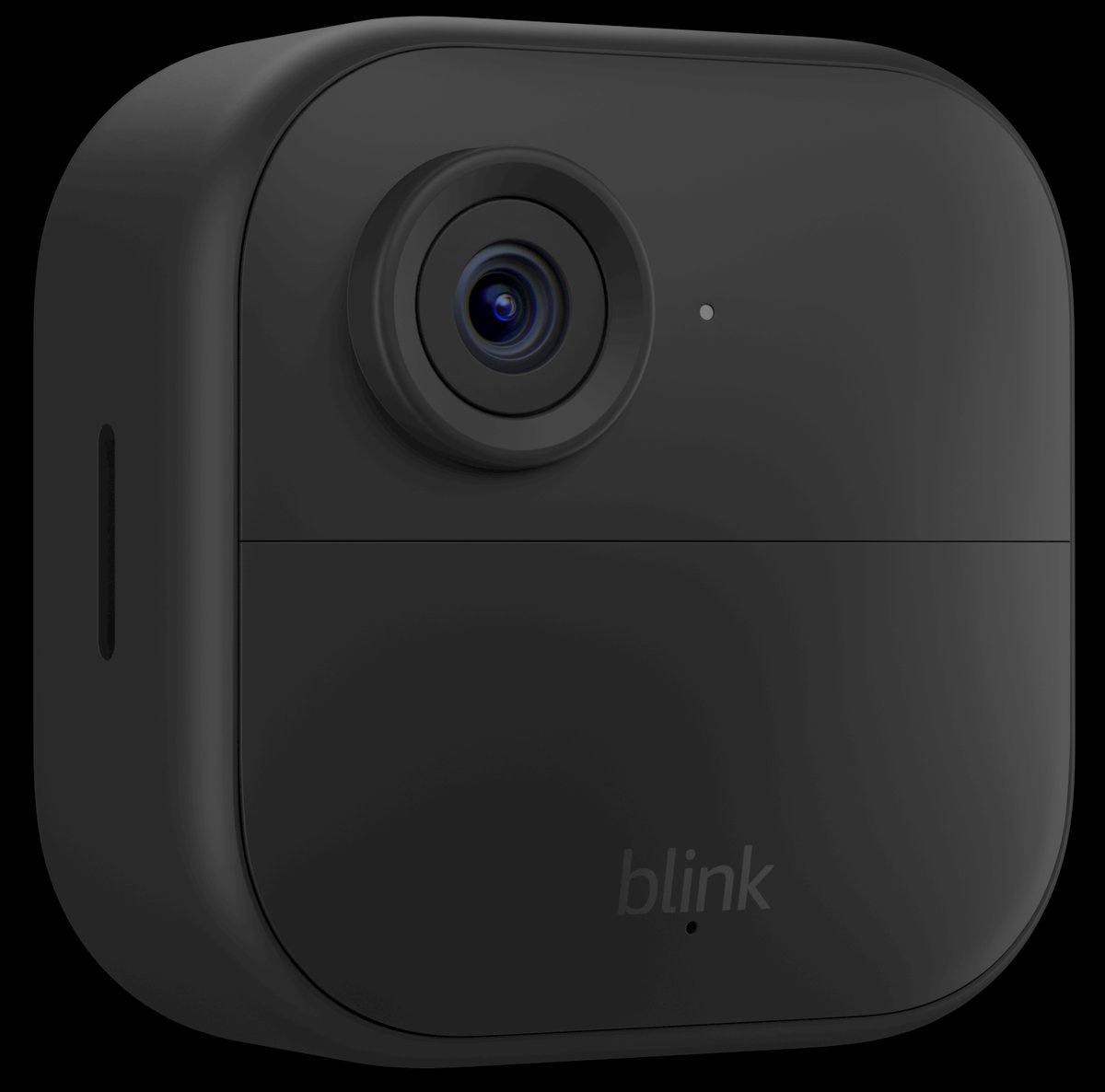
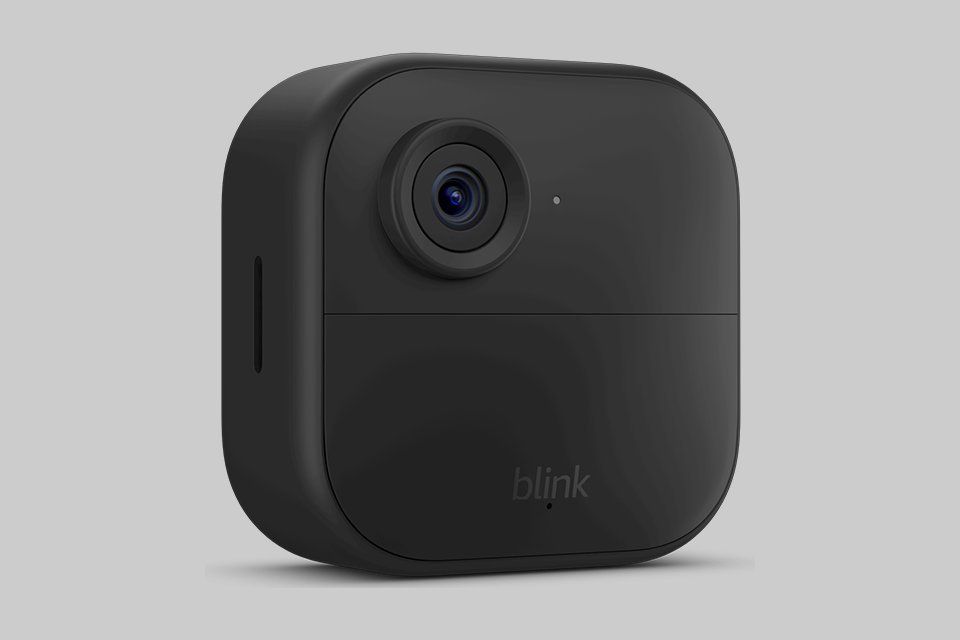
The Blink Outdoor 4 is the cheapest credible way to put cameras around a property, and paradoxically the longest-lasting. Instead of a rechargeable pack, it runs on two AA lithium batteries rated for up to two years. Low-traffic spots genuinely approach that, because AA lithium cells self-discharge slowly and the camera sips power in standby. For a camera mounted high on a garage where you never want to climb a ladder again, that is a superpower.
- Up to two years of battery life on two AA lithium batteries (manufacturer claim)
- Lowest total cost of ownership in this guide
- Compact, discreet body that suits sheds, gates, and side yards
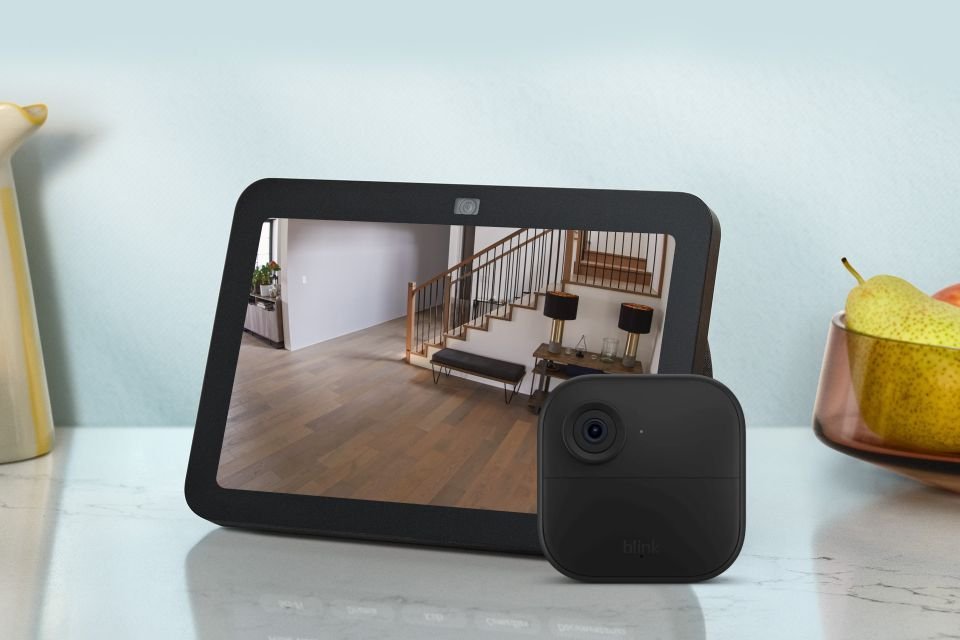
- Works with Alexa, including live view on Echo Show devices
Reasons to avoid:
- 1080p video: fine for knowing someone is there, weaker for forensic detail
- The included Sync Module Core has no local storage; local backup needs a Sync Module 2 or XR (sold separately) or a Blink subscription
- Person detection sits behind the optional Blink Subscription Plan
- Resolution: 1080p HD
- Battery: 2x AA lithium, up to 2 years (manufacturer claim)
- Field of view: 143 degrees diagonal
- Storage: Cloud with optional plan; local via Sync Module 2/XR (sold separately)
- In the box: 1x Outdoor 4 camera, 1x Sync Module Core
- Color: Black
Best for: budget multi-spot coverage and anyone whose priority is to install it and not touch it for a year.
3. Blink Outdoor 4 (1-Camera System with Sync Module Core): Best Budget
The trade-offs are honest. Video is 1080p, fine for "who's at the door," weaker for forensic detail. The app is deliberately simple: live view, clips, two-way audio, done. Person detection uses embedded computer vision and needs the optional Blink Subscription Plan, though at a few dollars a month it is the cheapest plan in this guide.
One correction to older coverage of this camera, including earlier drafts of this guide: the system linked here ships with the Sync Module Core, which does not offer local storage. If local backup matters to you, you need a Sync Module 2 or Sync Module XR with a USB drive or microSD card (sold separately), or the cloud plan. Check exactly which module is in the box before assuming your clips can stay local.
Best for: budget multi-spot coverage and anyone whose priority is 'install it and don't touch it for a year.'
Watch out for: the two-year figure assumes modest activity; a busy street drains AAs much sooner. Detection is the least sophisticated here, and local storage needs extra hardware.
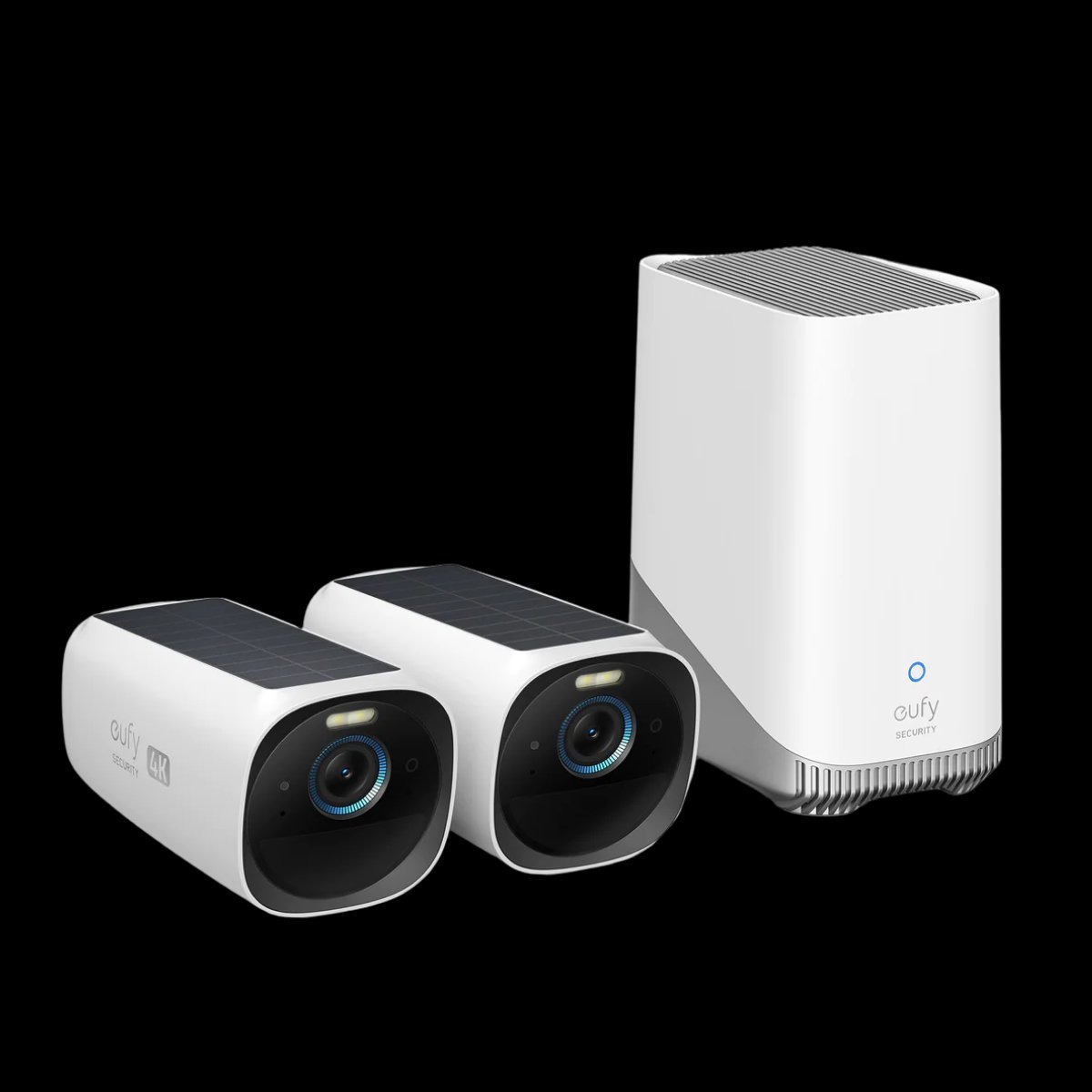
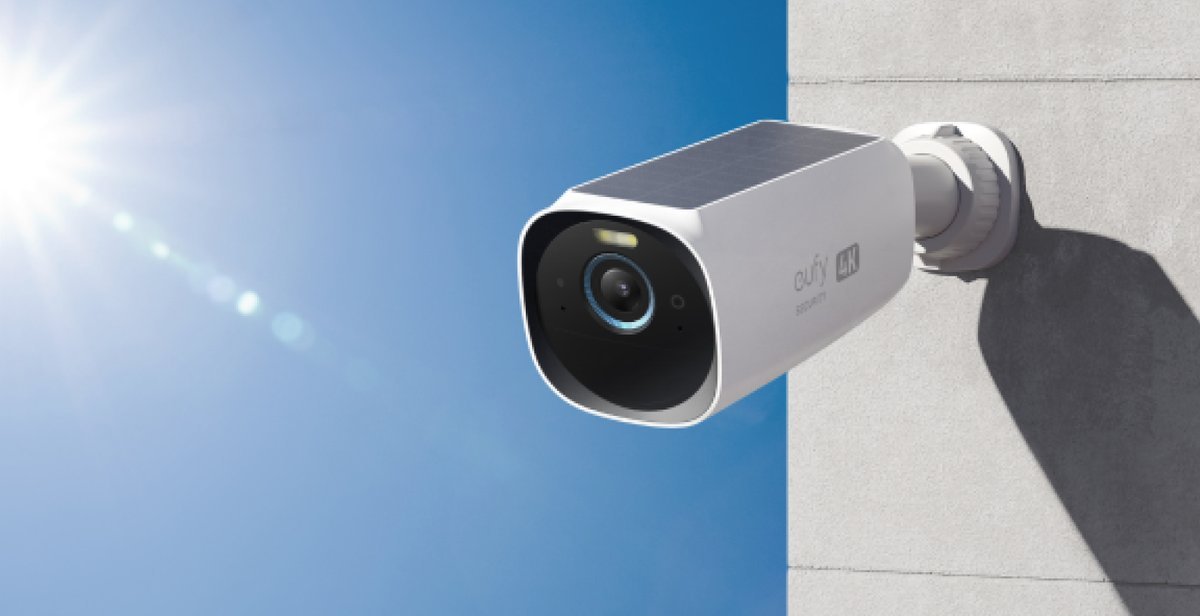
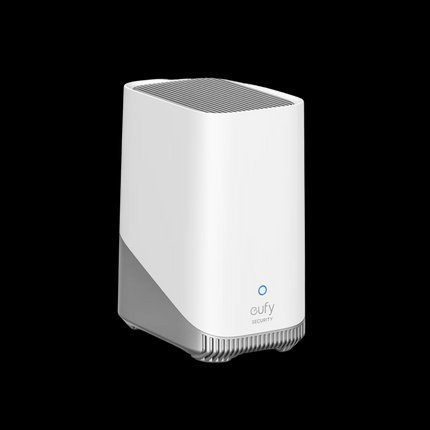
eufy eufyCam S330 (eufyCam 3) 2-Cam Kit with HomeBase 3
The eufyCam S330 is the answer to 'I want 4K and I never want a monthly bill.' Each camera shoots 4K (3840x2160) with a 135 degree field of view and IP67 weatherproofing, the toughest sealing here, and an integrated solar panel that eufy says extends the 365-day battery to effectively indefinite 'Forever Power' in adequate sun. No separate panel to buy or cable to route.
- True 4K video on both cameras in the kit
- Integrated solar panel tops up the 365-day battery in good sun
- HomeBase 3 stores everything locally: 16 GB built in, expandable up to 16 TB
- BionicMind AI (face, human, vehicle, pet) runs locally with no monthly fee
Reasons to avoid:
- A system, not a single camera: cameras require the HomeBase 3
- Higher upfront cost than any standalone camera here
- 'Forever Power' needs real sunlight; shaded walls fall back to the battery
- Resolution: 4K (3840x2160)
- Battery: 365 days plus integrated solar (manufacturer claim)
- Field of view: 135 degrees
- Storage: HomeBase 3: 16 GB built in, expandable to 16 TB
- Weather rating: IP67 (camera)
- In the box: 2x eufyCam S330 cameras, 1x HomeBase 3 (S380)
Best for: homeowners wanting a 4K multi-camera system with zero ongoing costs.
4. eufy eufyCam S330 (eufyCam 3) 2-Cam Kit with HomeBase 3: Best 4K System, No Subscription
Everything records to the included HomeBase 3: 16 GB built in (about three months of typical use), expandable with a hard drive or SSD up to 16 TB, all local, all free, and encrypted. The HomeBase runs eufy's BionicMind AI locally: facial recognition for familiar faces, plus human, vehicle, and pet detection. Those are smarts several rivals charge monthly for. Each camera also gets infrared and color night vision, a motion-activated spotlight, two-way audio, and a 100 dB siren.
The catch is the model itself: this is a system, not a single camera. Cameras require the HomeBase 3, which needs an indoor spot near the router, and the kit costs more upfront than any standalone camera here. That is the entire deal: pay once, pay nothing after.
Best for: homeowners wanting a 4K multi-camera system with zero ongoing costs.
Watch out for: the bigger upfront investment; the hub needs an indoor spot near the router; solar top-up needs real sunlight, and shaded walls fall back to the 365-day battery.
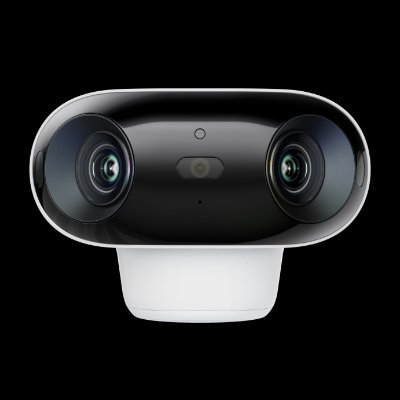
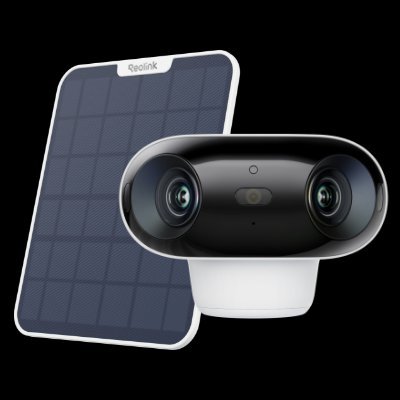
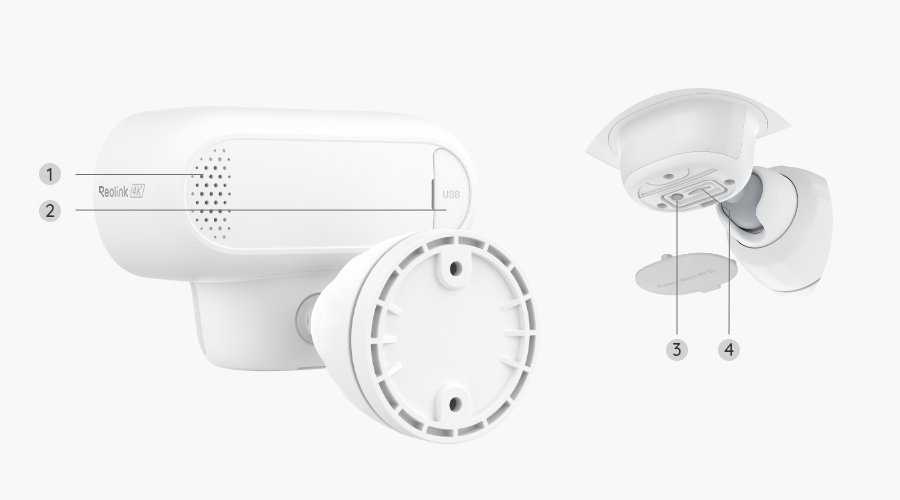
Reolink Argus 4 Pro with Solar Panel
The Reolink Argus 4 Pro earns its slot with the widest view here: a 180 degree field of view in 4K, stitched from dual lenses, so one camera can cover a whole driveway or yard corner that would take two narrower cameras. The version linked here includes Reolink's 6W solar panel in the box, and footage stores locally to microSD with no subscription: the clean total-cost story of the eufy, but as a standalone camera rather than a hub system.
- 180 degree panoramic 4K view: the widest in this guide
- 6W solar panel included in this version, so charging can be near-zero effort in good sun
- Local microSD storage, no subscription needed
- ColorX color night vision without a battery-draining spotlight
Reasons to avoid:
- MicroSD card sold separately
- Dual-lens stitching can show a seam on close subjects crossing the center
- Heavy motion traffic shortens real-world battery intervals
- Resolution: 4K (8 MP, dual lens)
- Battery: 5,000 mAh rechargeable, 6W solar panel included
- Field of view: 180 degrees
- Storage: microSD (sold separately)
- Weather rating: IP66
- In the box: 1x Argus 4 Pro camera, 1x 6W solar panel
Best for: wide-area coverage with fewer cameras: 4K and local storage without a hub system.
5. Reolink Argus 4 Pro with Solar Panel: Best Ultra-Wide
The dual-lens design is the whole point. Two lenses stitch a single 180 degree panorama, so a corner mount sees both sides of a house or the full width of a driveway. ColorX night vision keeps footage in color in low light without leaning on a spotlight, which saves battery and annoys fewer neighbors. SafeWise's 2026 roundup, a hands-on-tested review per their methodology statement, named the Argus 4 Pro their top outdoor pick, citing exactly that combination of ultra-wide 4K clarity and flexible solar and battery power.
A note on versions, because this camera is sold several ways: the listing linked in this guide is the bundle with the 6W solar panel included, not the camera-only package some older coverage describes as having an 'optional' panel. If you are comparing prices elsewhere, check whether the panel is in the box.
Best for: wide-area coverage with fewer cameras, 4K and local storage without a hub system.
Watch out for: supply your own microSD card; heavy motion traffic shortens real-world intervals; the stitched panorama favors distance over close-up detail at the center seam.
Buying Guide: How to Choose a Battery-Powered Security Camera
Battery cameras all solve the same problem, monitoring where there's no outlet, but they solve it with very different trade-offs. Here's what actually matters, in the order that determines whether you'll be happy with the purchase six months later.
1. Battery life: read the claim like an engineer
Every manufacturer quotes battery life under gentle lab conditions: a handful of motion events a day, mild temperatures, moderate resolution. What drains a battery, in order of impact:
- Motion frequency. A camera watching a quiet side yard sips power; one facing a busy sidewalk wakes hundreds of times daily. The single biggest variable.
- Temperature. Lithium-ion cells lose capacity in the cold: a camera rated for six months in summer may need charging every two or three months in winter. Google notes its Nest Cam battery won't charge in freezing temperatures.
- Resolution and night vision. 4K and spotlights cost more energy than 1080p with IR.
- Wi-Fi signal strength. A weak signal forces the radio to work harder and retry transmissions.
Practical rule: halve the manufacturer's number for a busy location; trust it (roughly) for a quiet one. Also weigh the charging experience: AA cells you swap in seconds (Blink Outdoor 4) or a magnetic mount you can pop off (Tapo C425, Nest Cam) beat a camera you must unmount and carry indoors, even at a shorter interval.
2. Resolution: match it to the job
- 1080p (Nest Cam, Blink Outdoor 4): fine for knowing that someone is there. Adequate for doorways at close range.
- 2K QHD (Tapo C425): the sweet spot: better faces and plates at distance, without 4K's storage and bandwidth appetite.
- 4K (eufyCam S330, Reolink Argus 4 Pro): maximum forensic detail for driveways and large yards, but bigger clips fill storage faster and strain weak Wi-Fi.
If identification detail matters (a plate from the street), 2K is the minimum worth buying in 2026. If you just want to know when the package arrived, 1080p is fine and cheaper to run.
3. Night vision: not all darkness is equal
Three approaches exist. Infrared (IR) gives black-and-white footage: reliable and cheap on battery, but poor for identifying clothing colors or car paint. Color night vision uses a sensitive sensor (sometimes plus a spotlight) to keep footage in color, far more useful after an incident. Spotlights add a visible deterrent but drain the battery faster and may annoy neighbors. In this guide, the Tapo C425 and eufyCam S330 use color night vision with spotlights; the Reolink Argus 4 Pro uses ColorX color night vision without a spotlight; the Blink and Nest lean on IR with color assists. Decide whether you want a deterrent (spotlight) or discretion (IR).
4. Storage and subscriptions: the real price of the camera
- Free local storage, no subscription (Tapo C425's microSD, eufyCam S330's HomeBase 3, Reolink Argus 4 Pro's microSD): you own your footage and pay nothing monthly. Capacity management is on you.
- Free tier plus optional plan (Nest Cam's 3-hour event history, Blink's optional cloud and person detection): usable without paying, better with a plan.
Ask the honest question: will I actually pay monthly for three years? If not, buy a camera designed to work fully without a plan, as all five picks here do, noting the Blink's person alerts and the Nest Cam's extended history as the two features that sit behind optional plans in this guide.
5. Smart home fit
A camera that talks to your existing system beats a slightly better one that doesn't. Nest cameras live in Google Home; Blink cameras trigger Alexa routines and Echo Show displays; Tapo, eufy, and Reolink work with Alexa and Google Assistant to varying degrees. Multi-camera households should buy one brand: four cameras from four brands means four apps and four subscription structures.
6. Weatherproofing and placement
Check the IP rating: IP54 (Nest Cam) shrugs off splashes under cover; IP66 (Tapo C425, Argus 4 Pro) adds protection against powerful water jets; IP67 (eufyCam S330) survives brief submersion. Placement matters more: mount 7 to 10 feet high, angled at approaches rather than the street (passing cars burn battery), and within solid Wi-Fi range. Test the signal at the mounting spot before drilling. Exterior walls eat Wi-Fi; a camera 50 feet from the router through two walls may stutter on 2K or 4K.
7. Solar: the closest thing to a free lunch
A well-placed solar panel (4 to 6 hours of direct sun daily) can keep a battery camera charged indefinitely. eufy integrates one into the S330; the Reolink Argus 4 Pro version in this guide includes a 6W panel in the box; Tapo sells the A200 panel as an add-on. But solar isn't magic: shade, north-facing walls, and short winter days limit it. Treat solar as a way to stretch charging intervals to "basically never," not as a replacement for the battery.
Types of Battery-Powered Security Cameras
Standalone single cameras (Tapo C425, Nest Cam, Blink Outdoor 4, Reolink Argus 4 Pro) are the default: one camera, one app, no hub. Best for one to three spots, renters, and starting small.
Hub and base-station systems (eufyCam S330 with HomeBase 3) centralize storage and AI in an indoor hub. Best for multi-camera homes wanting local storage and no fees; the hub needs power and a spot near the router.
Solar-assisted cameras (eufyCam S330's built-in panel; the Argus 4 Pro bundle's included panel; Tapo C425 with its add-on panel) suit sunny, hard-to-reach mounts where you'd rather never climb a ladder.
Cellular cameras skip Wi-Fi for mobile data. Best for cabins, construction sites, and boats; check carrier coverage and expect a data plan. None of the five picks here is cellular.
Budget AA-battery cameras (Blink Outdoor 4) trade rechargeability for simplicity: swap fresh lithium AAs every year or two. Best for low-priority spots and cold climates, where AA lithium handles low temperatures well.
Head-to-Head Comparisons
eufyCam S330 vs. Reolink Argus 4 Pro: two routes to subscription-free 4K
Both deliver 4K with local storage and no monthly fee, but they're different products. The eufyCam S330 is a system: HomeBase 3 with expandable storage, locally processed BionicMind facial recognition, integrated solar, IP67 sealing, at a higher upfront kit price with a hub to place indoors. The Reolink Argus 4 Pro is a standalone camera: 180 degree ultra-wide 4K, microSD storage, and a solar panel included in the version linked here: cheaper to start, simpler to deploy one at a time.
Battery-powered vs. wired cameras
Battery cameras win on installation: no drilling for power, mount anywhere in minutes, ideal for renters. Wired cameras (including PoE systems) win on capability: continuous 24/7 recording, no charging, no battery anxiety in winter. If you need uninterrupted footage, you need wired. Many homes sensibly run both: wired for the driveway, battery for the side gate.
7 Mistakes to Avoid When Buying a Battery-Powered Security Camera
- Believing the battery-life headline. Manufacturer figures assume light use in mild weather. Halve the claim for busy locations, and remember cold weather cuts lithium-ion capacity significantly.
- Expecting 24/7 recording. No battery camera records continuously: they wake on motion and sleep between events. If a listing implies always-on recording on battery power, it's misleading; continuous recording needs wired power.
- Ignoring the subscription math. A "cheap" camera whose best features need a mandatory plan costs more over three years than a pricier camera with free local storage. Add up the plan cost before you buy.
- Mounting it where Wi-Fi can't reach. Exterior walls and distance kill signals. Test Wi-Fi strength at the exact mounting spot with your phone before drilling: a camera that can't upload is a paperweight.
- Aiming at the street. Every passing car is a motion event that burns battery and storage. Angle the camera at your property's approaches and use activity zones to exclude the road.
- Buying a different brand for every camera. Four cameras from four brands means four apps, four logins, and four subscription structures. Pick one ecosystem for multi-camera setups.
- Forgetting about winter. Lithium batteries lose capacity in the cold and some won't charge below freezing. In cold climates, choose a sheltered mount, consider solar to offset the drain, or pick AA-lithium cameras (like the Blink) that handle cold better.
Frequently Asked Questions
It varies enormously. Manufacturers rate from a few months to a year or more: the Tapo C425 claims up to 300 days, the eufyCam S330 365 days plus solar top-up, the Nest Cam up to 7 months, and the Blink Outdoor 4 up to 2 years on AA lithium. Realistically, expect to recharge every one to six months in typical use. Heavy motion traffic, cold weather, high resolution, and weak Wi-Fi all shorten the interval.
Most do: Wi-Fi carries motion alerts, live streams, and cloud backups. But "battery-powered" doesn't always mean "Wi-Fi-dependent": cameras with local microSD storage (like the Tapo C425) keep recording events without a constant connection, and cellular models use mobile data instead, good for cabins or sites with no internet. For standard models, reliable Wi-Fi is strongly recommended.
Three designs exist. Built-in batteries (Tapo C425, Nest Cam) charge over USB, either through an accessible port while mounted or by popping the camera off its magnetic mount. AA lithium cells (Blink Outdoor 4) aren't recharged: you replace them every year or two. Solar panels (integrated on the eufyCam S330, included with the Argus 4 Pro version here) can keep any of these topped up in good sun.
Yes, but cold is the enemy of battery life. Lithium-ion cells lose capacity as temperatures drop: a camera lasting six months in summer might need charging every two to three months in winter, and Google notes its Nest Cam battery won't charge in freezing temperatures. AA lithium cameras (like the Blink Outdoor 4) handle cold better. In cold climates, use sheltered mounts, cut unnecessary motion triggers, and consider solar to offset the drain.
No. Battery cameras record motion-triggered events: they wake on movement, capture the clip, and return to low-power standby. Continuous recording would drain any battery in hours, so manufacturers don't offer it on battery power. For uninterrupted footage you need a wired, PoE, or NVR camera system.
Not with the five picks here. The Tapo C425, eufyCam S330, and Reolink Argus 4 Pro work fully without one, using free local storage; the Nest Cam gives free intelligent alerts and 3 hours of event history gratis. Two optional extras are worth knowing about: Blink's person detection and the Nest Cam's extended history sit behind their brands' optional plans. Over several years, plan costs on subscription-first cameras can exceed the camera's price, so factor that in before buying outside this list.
Yes. Modern ones are reliable, genuinely wire-free, and far easier to install than wired systems: 2K and 4K resolution, color night vision, AI detection, and solar charging have closed most of the quality gap. The remaining trade-offs are real but manageable: no continuous recording, periodic charging, weaker performance in extreme cold. For most homes, they're the simplest path to working outdoor security.
Final Verdict
The TP-Link Tapo C425 is the best battery-powered security camera for most people in 2026: 2K video, a 300-day-rated battery, free AI detection, and free local storage with no mandatory subscription, the exact combination that removes the two biggest pain points in this category.
Buy the Google Nest Cam (Battery) for the Google Home ecosystem and the strongest free tier. Buy the Blink Outdoor 4 if the budget is tight and you'd rather swap AA batteries every couple of years than ever think about charging. Buy the eufy eufyCam S330 if you want a 4K whole-home system with zero monthly fees. Buy the Reolink Argus 4 Pro with Solar Panel if one ultra-wide 4K camera should cover the whole yard.
Whatever you choose, mount it 7 to 10 feet high, point it at approaches rather than the street, test the Wi-Fi before you drill, and set activity zones on day one. A well-placed mid-range camera beats a poorly placed flagship every time.
Final Recommendations
Best Overall: TP-Link Tapo C425: 2K QHD; 300-day-rated battery; free AI detection and microSD storage.
Best for Google Home: Google Nest Cam (Battery): free intelligent alerts; 3 hours of free event history.
Best Budget: Blink Outdoor 4: up to 2 years on AA lithium; lowest total cost of ownership.
Best 4K System, No Subscription: eufy eufyCam S330 2-Cam Kit: 4K; integrated solar; HomeBase 3 local storage.
Best Ultra-Wide: Reolink Argus 4 Pro with Solar Panel: 180 degree 4K; panel included; microSD storage.
Research notes: This guide is research-based, not hands-on tested. Specifications were taken from manufacturer product pages and documentation (tapo.com, store.google.com, blinkforhome.com, eufy.com, reolink.com) and verified listing records in October 2026. Battery-life figures are manufacturer claims under controlled conditions. No prices are quoted; check current pricing via the links above.