
Researched October 2026
The Direct Answer: Which 3D Printer Should You Buy?
There is no single best 3D printer for everyone in 2026. The right machine follows the job. For technical materials in a sealed chamber, buy the Bambu Lab P2S Combo. For the best deal on PLA and PETG, buy the Flashforge Adventurer 5M. For enclosed high-temperature printing on a budget, buy the ELEGOO Centauri Carbon. For miniatures and fine detail, buy the ELEGOO Saturn 4 Ultra 16K resin printer. For very large prints, buy the Anycubic Kobra 3 Max Combo. Each pick below is verified against manufacturer documentation and independent roundups, with specs as documented and price references as dated reported listings, not live prices.
Buyers who need a sealed chamber for ABS, ASA, or fiber-filled filaments should look at the Bambu Lab P2S Combo (enclosed CoreXY, 600 mm/s, AI error detection) or the ELEGOO Centauri Carbon (enclosed CoreXY with a 320°C hotend at a much lower price point). Budget hunters get the best deal in years with the Flashforge Adventurer 5M. Miniature painters and jewelers need resin, not filament: the ELEGOO Saturn 4 Ultra 16K is the detail king. Large-format builders get the Anycubic Kobra 3 Max Combo with its 420 × 420 × 500 mm build volume.
One honest note before the details: no editorial team can claim hands-on testing it did not perform. Every verdict below is built from manufacturer-verified specifications, reputable independent roundups, and documented buyer consensus. Specs are manufacturer-documented; price references are reported listings from the stated date, not live prices.
Quick Picks
Short on time? These are our top recommendations. Each button takes you to the exact product on Amazon.
| Product | Key Specs | Best Use Case | Standout Feature | Amazon Link |
|---|---|---|---|---|
| Bambu Lab P2S Combo Best Premium Enclosed |
Enclosed CoreXY · 600 mm/s · 300°C · 110°C bed | Enclosed premium | The sealed chamber makes ABS, ASA and fiber-reinforced composites practical | Check Price |
| Flashforge Adventurer 5M Best Value |
CoreXY · 600 mm/s · 220³ · 280°C | Value | Real CoreXY speed at the best deal in years for PLA and PETG | Check Price |
| ELEGOO Centauri Carbon Best Budget Enclosed CoreXY |
Enclosed CoreXY · 320°C · 256³ · 500 mm/s | Engineering filaments | The cheapest credible way into enclosed, high-temp 3D printing | Check Price |
| ELEGOO Saturn 4 Ultra 16K Best Resin |
10" 16K MSLA · 14 × 19 µm pixels | Fine detail | Unmatched for miniatures and fine detail: 16K, not the older 12K | Check Price |
| Anycubic Kobra 3 Max Combo Best Large Format |
420×420×500 mm · ACE Pro · 600 mm/s | Large prints | The only rational pick for big, multi-color prints | Check Price |
Bambu Lab P2S Combo: Best Premium Enclosed
Type: Enclosed CoreXY FDM printer with AMS 2 Pro (Combo configuration) · Build volume: 256 × 256 × 256 mm · Max toolhead speed: 600 mm/s · Max nozzle temp: 300°C (hardened steel) · Max bed temp: 110°C · Camera: 1080p at 30 fps · Filtration: Activated carbon
The P2S Combo is the enclosed step up from an open-frame beginner machine. The sealed chamber, a plastic-and-glass enclosure with a 50°C-rated chamber, makes ABS, ASA, and fiber-reinforced composites practical instead of experimental. The hardened-steel 0.4 mm nozzle swaps in about 30 seconds without tools, and Bambu Lab pairs it with a servo extruder rated at higher extrusion force than the previous generation. AI error detection watches the 1080p camera feed for spaghetti and blob failures, which matters when a single failed print can waste a full day and a spool of expensive PA-CF.
Multi-color comes through the AMS 2 Pro combo version, which adds active filament drying, genuinely useful in humid climates, since damp filament is a top cause of ugly prints. This pick is the Combo configuration (printer plus AMS 2 Pro); the standalone P2S is a separate listing. The 110°C bed and 40 mm³/s maximum hotend flow keep the machine credible for engineering work, not just decorative prints.
The honest downside is price and lock-in: the P2S Combo sits in a higher price band than open-frame budget machines, and you are still inside Bambu Lab's ecosystem.
Pros - Enclosed chamber unlocks ABS, ASA, and carbon-fiber filaments - Quick-swap hardened-steel nozzle; no tools, no waiting for cooldown gymnastics - AI failure detection plus a real 1080p camera for remote monitoring - Activated-carbon filtration for VOCs and particulates
Cons - Noticeably more expensive than open-frame budget machines - Proprietary parts and software ecosystem - Heavier and larger: 14.9 kg with a 392 × 406 × 478 mm footprint
Bottom line: the safest single purchase for a serious maker who prints technical materials.
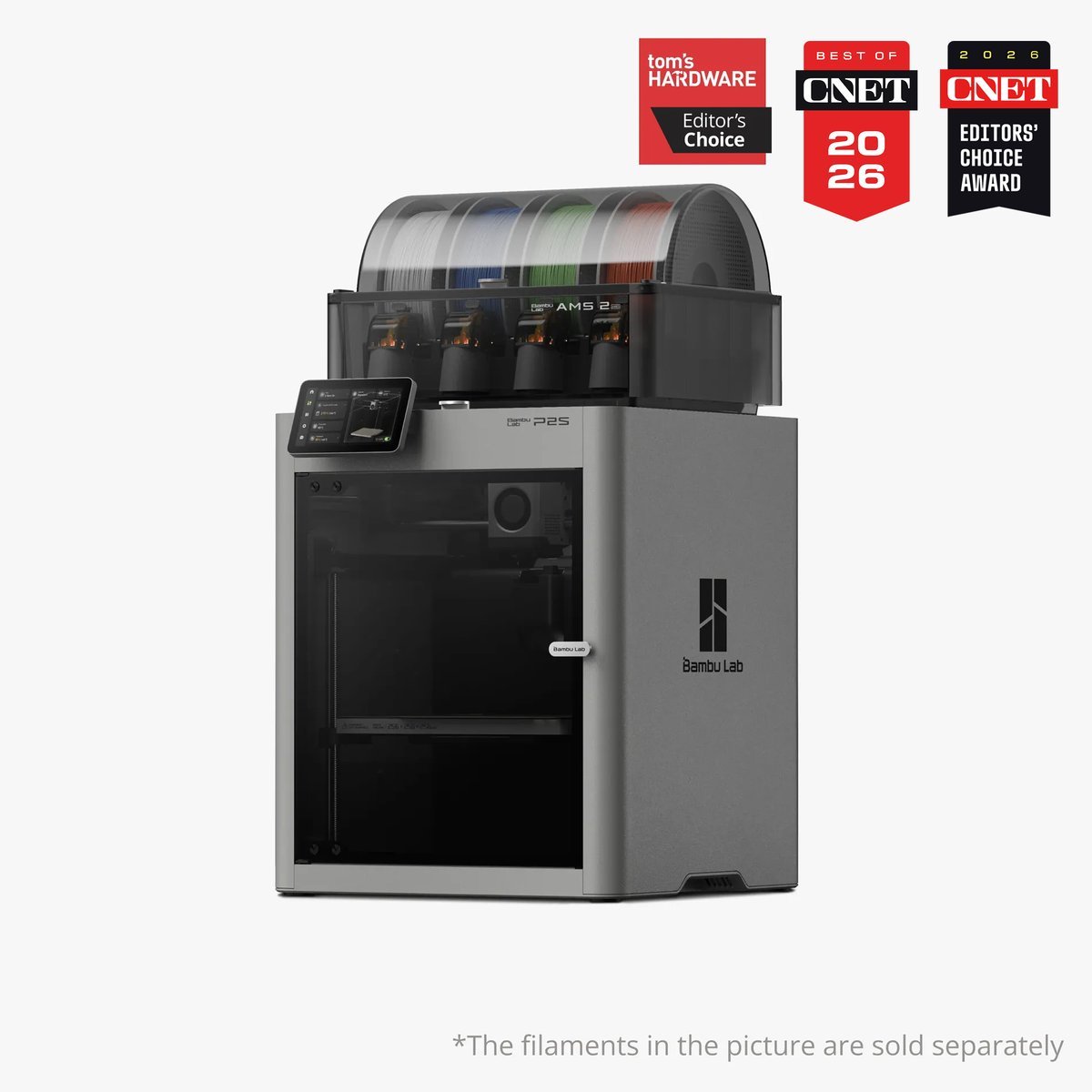
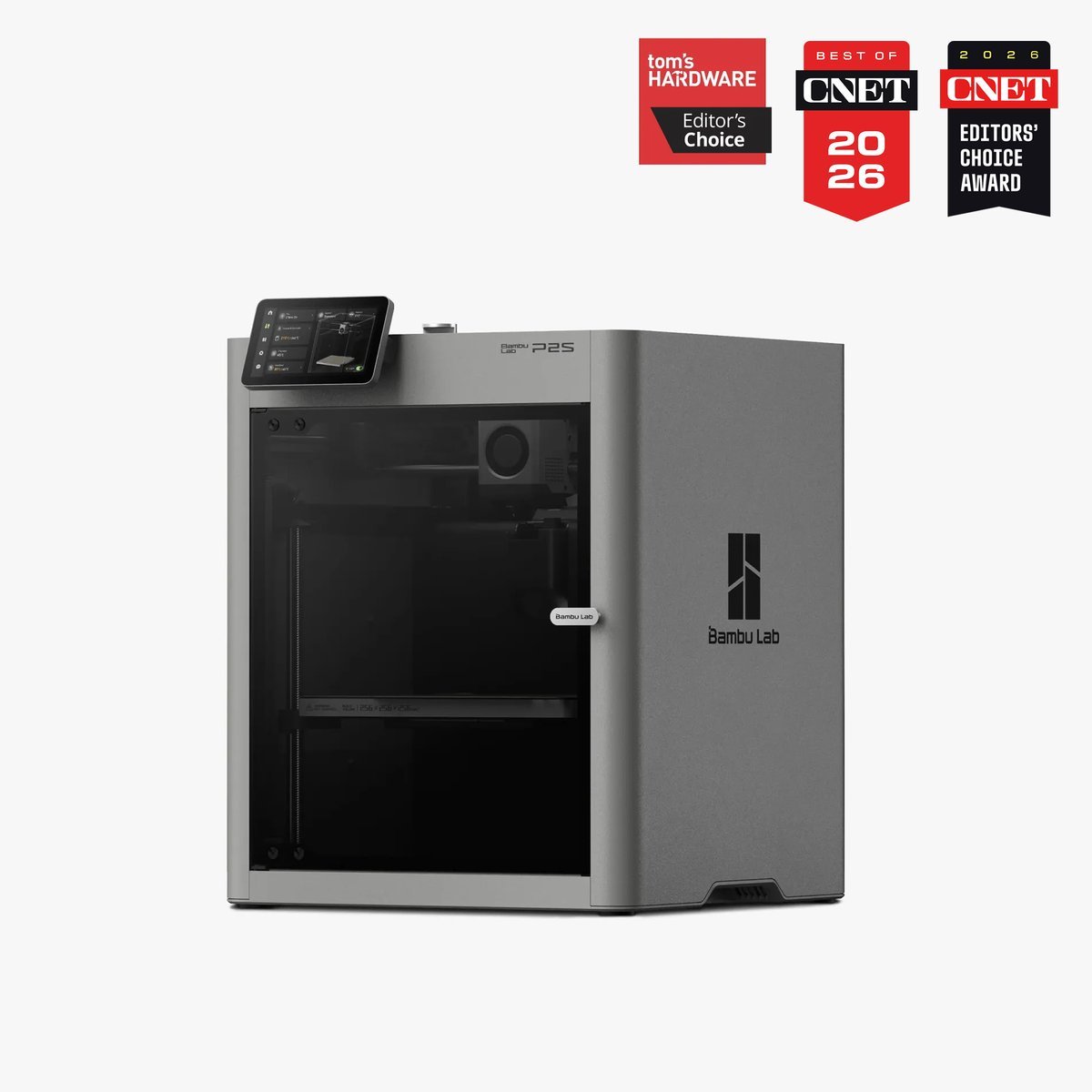
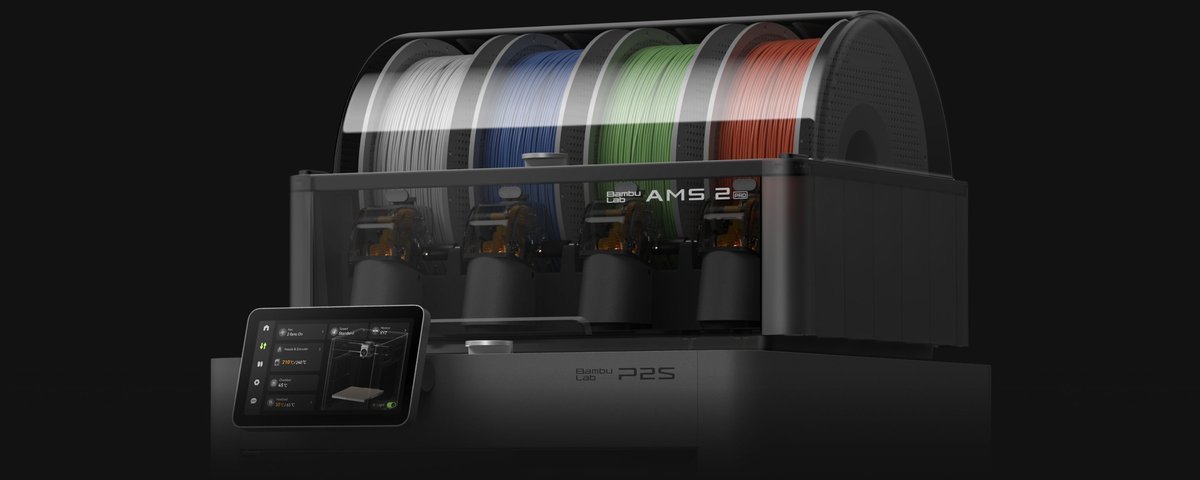
Bambu Lab P2S Combo
The enclosed CoreXY step up from an open-frame beginner machine: a sealed chamber makes ABS, ASA and fiber-reinforced composites practical instead of experimental. Quick-swap hardened-steel nozzle in about 30 seconds, AI error detection on a real 1080p feed, and the AMS 2 Pro combo adds active filament drying for humid climates.
- Enclosed chamber unlocks ABS, ASA, and carbon-fiber filaments
- AI failure detection plus a 1080p camera for remote monitoring
- Activated-carbon filtration for VOCs and particulates
- Higher price band than open-frame budget machines
- Still inside Bambu Lab's proprietary parts and software ecosystem
- 14.9 kg with a 392 × 406 × 478 mm footprint
- Build volume: 256 × 256 × 256 mm
- Max speed: 600 mm/s toolhead
- Hotend: 300°C hardened steel, 110°C bed
Best for: Serious makers who need a sealed chamber, speed, and AI monitoring
Flashforge Adventurer 5M: Best Value
Type: Open-frame CoreXY FDM printer · Build volume: 220 × 220 × 220 mm · Max speed: 600 mm/s · Max nozzle temp: 280°C · Max bed temp: 110°C (spec varies by source 100–110°C) · Extruder: Direct drive, quick-swap nozzle
The Adventurer 5M is the deal of this roundup: a rigid all-metal CoreXY frame, a 600 mm/s advertised top speed, full-auto bed leveling, a direct-drive extruder, and a 3-second tool-free nozzle swap. US roundups reported it at $239 on Amazon in March 2026 (down from a $299 list). Two years ago this hardware spec cost twice as much.
Where the savings show: the open frame means no enclosure (there is a 5M Pro with one, at a higher price), no multi-color support, and a 280°C nozzle ceiling that rules out the hottest engineering filaments. The smaller community compared with Bambu Lab or Creality means fewer ready-made slicer profiles and mods, though OrcaSlicer compatibility keeps it open. Note one source discrepancy: Flashforge's regional pages list the bed at 110°C while some guides cite 100°C. Plan for 100°C and treat 110°C as a bonus, not a guarantee.
For PLA, PETG, and TPU, which is what most beginners print for the first year, none of those limits matter.
Pros - CoreXY speed and auto-leveling at a genuinely budget price - 3-second quick-swap nozzle makes maintenance nearly painless - Direct-drive extruder handles flexible TPU well - Runout sensor and power-loss recovery included
Cons - Open frame: ABS/ASA warp without the enclosure add-on - 280°C hotend ceiling excludes the hottest engineering filaments - No multi-color option in this model line - Smaller community than the big two ecosystems
Bottom line: the smartest money in 3D printing for anyone who mainly prints PLA and PETG.
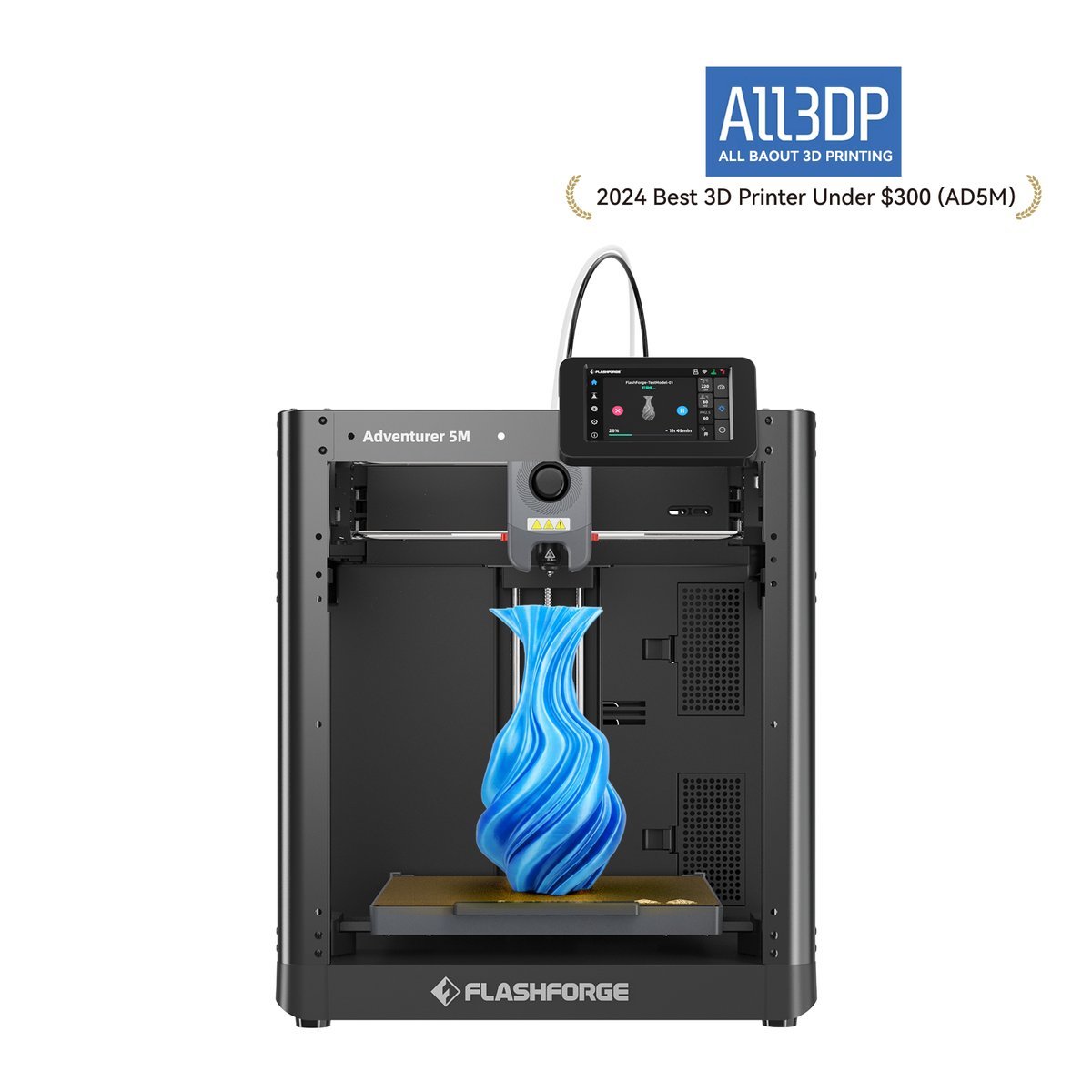


Flashforge Adventurer 5M
The budget headline of 2026: real CoreXY speed (600 mm/s) under a modest price, with direct drive and a quick-swap nozzle. For buyers who mainly print PLA and PETG, nothing else in the tier touches it.
- Real CoreXY speed (600 mm/s) at the best deal in years
- Direct-drive extruder with quick-swap nozzle
- 110°C bed (spec varies by source 100–110°C) handles PETG well
- Open frame: ABS/ASA warp without the enclosure add-on
- 280°C hotend ceiling excludes the hottest engineering filaments
- No multi-color option in this model line
- Smaller community than the big two ecosystems
- Build volume: 220 × 220 × 220 mm
- Max speed: 600 mm/s
- Hotend: 280°C, 110°C bed
Best for: Budget buyers who want real CoreXY speed under a modest price
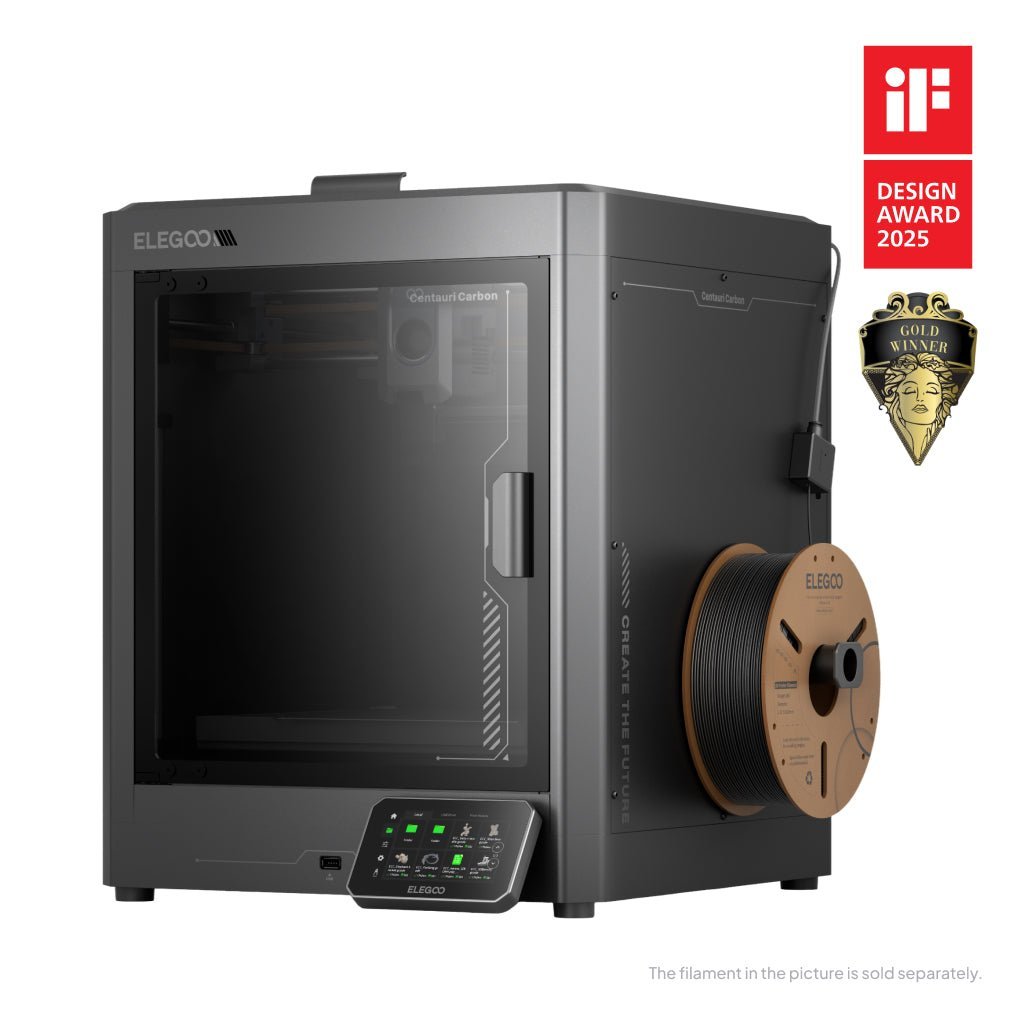
ELEGOO Centauri Carbon: Best Budget Enclosed CoreXY
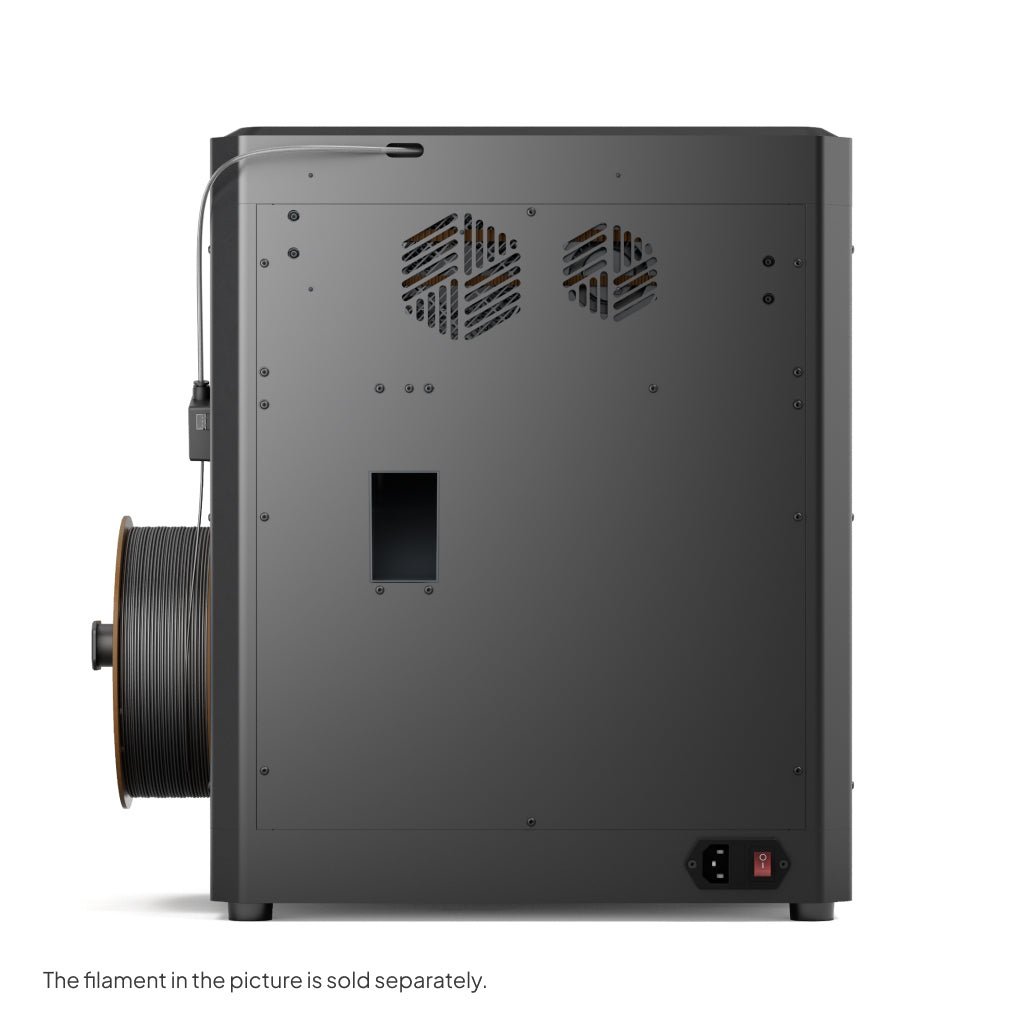
Type: Fully enclosed CoreXY FDM printer · Build volume: 256 × 256 × 256 mm · Max speed: 500 mm/s · Max nozzle temp: 320°C (hardened steel) · Max bed temp: 110°C · Extras: Built-in camera, 121-point auto-leveling, ≤55 dB
The Centauri Carbon is the value answer to the enclosed-printer question. A 320°C hardened-steel nozzle, a fully enclosed chamber with filtration, and a 256 mm cube build volume, hardware that prints carbon-fiber and glass-fiber composites, launched at $299.99, undercutting every established enclosed CoreXY competitor. The 121-point auto-leveling, built-in camera, and power-loss recovery round out a spec sheet that reads like a machine twice the price.
The caveats are maturity-related. The ELEGOO slicer ecosystem is less refined than Bambu Studio, independent 2026 roundups note the 500 mm/s ceiling sits below the 600 mm/s rivals advertise, and multi-color requires the separate Canvas system rather than arriving in the box. But for the buyer whose actual goal is strong functional parts in PETG, ABS, ASA, or PA-CF, those are acceptable trades, as most such buyers print single-material anyway.
This is the pick that makes the "best value" math interesting: it costs little more than the open-frame Flashforge 5M while adding the enclosure and the hotend headroom that future-proofs your material ambitions.
Pros - 320°C hotend + enclosure at a price no competitor matched at launch - Large 256 mm cube build volume with a rigid die-cast frame - Built-in camera and full-auto calibration included - Genuinely ready to print out of the box
Cons - 500 mm/s ceiling vs. 600 mm/s on rivals (matters less than marketing suggests) - No multi-color on the base model; Canvas system is a separate purchase - Newer platform with a smaller long-term reliability record - ELEGOO's slicer lags Bambu Studio for polish
Bottom line: the cheapest credible way into enclosed, high-temp 3D printing.

ELEGOO Centauri Carbon
The cheapest credible way into enclosed, high-temp 3D printing: a fully enclosed CoreXY with a 320°C hardened-steel hotend, 110°C bed, 121-point auto-leveling and a built-in camera. ABS and carbon fiber without the flagship price.
- 320°C hardened-steel hotend, the hottest ceiling in the tier
- Fully enclosed with built-in camera and 121-point auto-leveling
- ≤55 dB, quiet for an enclosed machine
- 500 mm/s ceiling vs. 600 mm/s on rivals (matters less than marketing suggests)
- No multi-color on the base model; Canvas system is a separate purchase
- Newer platform with a smaller long-term reliability record
- ELEGOO's slicer lags Bambu Studio for polish
- Build volume: 256 × 256 × 256 mm
- Max speed: 500 mm/s
- Hotend: 320°C hardened steel
Best for: High-temp filaments (ABS, carbon fiber) without the flagship price
ELEGOO Saturn 4 Ultra 16K: Best Resin
Type: MSLA resin printer · Screen: 10-inch 16K monochrome LCD (15,120 × 6,230; 14 × 19 µm pixels) · Build volume: 211.68 × 118.37 × 220 mm · Max speed: 150 mm/h · Features: Tilt release, 30°C smart tank heating, auto-leveling, AI camera
Resin is a different sport from filament, and the Saturn 4 Ultra 16K is its current flagship for detail. The 10-inch 16K LCD resolves 14 × 19 micron pixels, features roughly half the width of what a budget 4K resin machine can manage, which is why miniature painters, jewelers, and dental model makers keep choosing it. Tilt-release technology peels each layer faster, the heated tank holds resin at 30°C (cold resin is viscous, failure-prone resin), and auto-leveling plus an AI camera reduce the setup ritual that resin printers were once infamous for.
The mandatory warning, which too many roundups bury: resin printing is a chemical process. Uncured photopolymer resin requires nitrile gloves, ventilation or air purification, and a wash-and-cure station after every print. Resin costs more per kilogram than filament, build volumes are smaller than FDM equivalents, and printed parts are brittle compared with PETG or nylon. Buy this only if fine surface detail is your primary goal. For functional brackets and household fixes, an FDM machine wins on every practical axis.
Pros - 16K resolution: the finest detail of any consumer printer in this roundup - Heated resin tank solves cold-room reliability problems - Tilt release + 150 mm/h makes it fast for resin - Auto-leveling and AI camera lower the learning curve
Cons - Requires PPE, ventilation, and wash/cure equipment (real added cost) - Resin is pricier than filament and parts need post-processing - Brittle parts: unsuitable for load-bearing functional prints - Messy workflow; not a living-room appliance
Bottom line: unmatched for miniatures and fine detail, but only if you accept the resin workflow.


ELEGOO Saturn 4 Ultra 16K
The detail king: a 10-inch 16K monochrome LCD (15,120 × 6,230; 14 × 19 µm pixels) for miniatures, jewelry and dental models that filament can't touch. Tilt release, 30°C smart tank heating, auto-leveling and an AI camera complete the package, but only if you accept the resin workflow.
- 10-inch 16K LCD: unmatched surface detail for miniatures
- Tilt release + 30°C smart tank heating for reliable prints
- Auto-leveling and AI camera monitoring
- Requires PPE, ventilation, and wash/cure equipment (real added cost)
- Resin is pricier than filament and parts need post-processing
- Brittle parts: unsuitable for load-bearing functional prints
- Messy workflow; not a living-room appliance
- Screen: 10" 16K monochrome LCD
- Build volume: 211.68 × 118.37 × 220 mm
- Speed: 150 mm/h max
Best for: Miniatures, jewelry, and dental models with extreme detail
Anycubic Kobra 3 Max Combo: Best Large Format
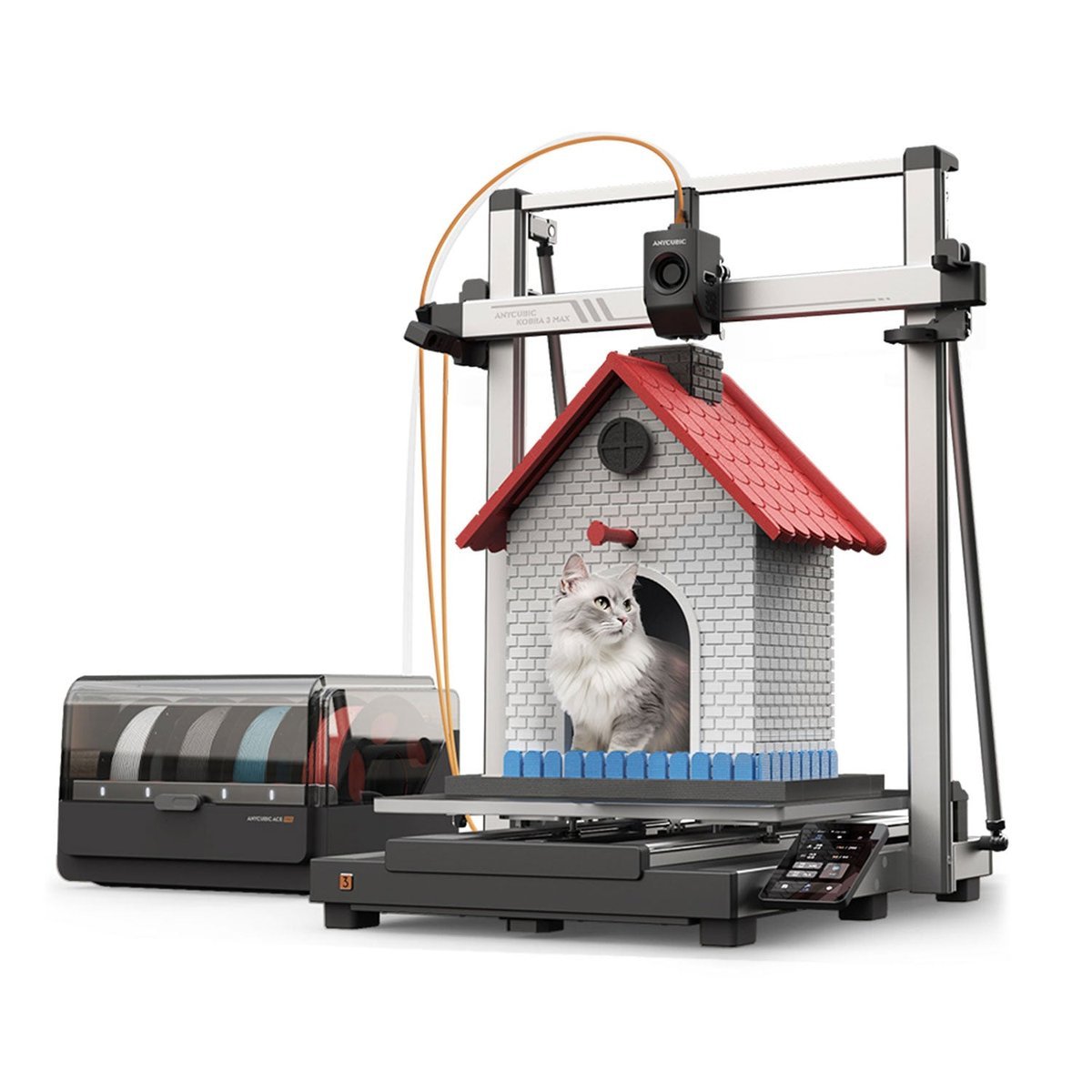
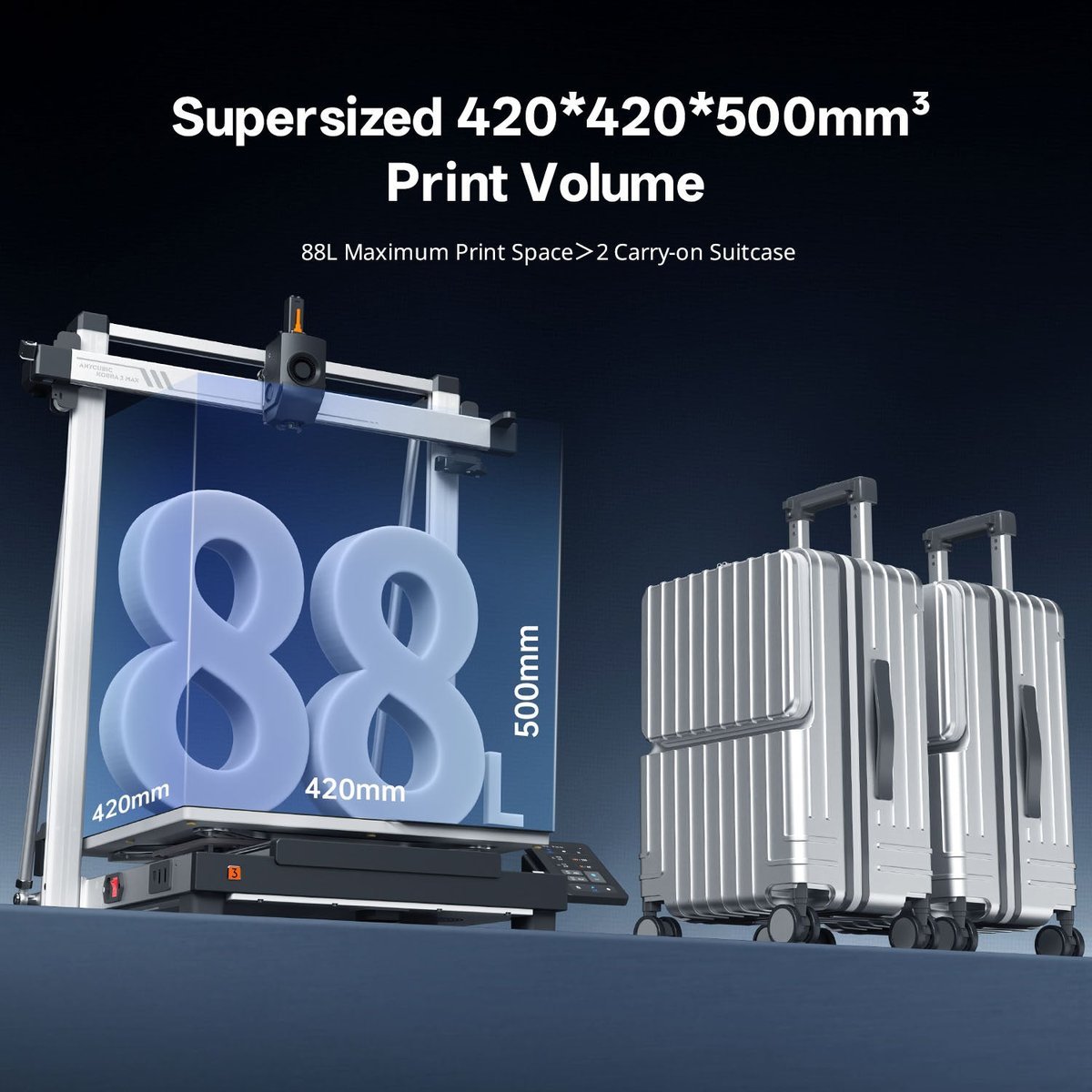
Type: Large-format gantry FDM printer with ACE Pro multi-color · Build volume: 420 × 420 × 500 mm (88 L) · Max speed: 600 mm/s · Max nozzle temp: 300°C · Max bed temp: 90°C · Leveling: LeviQ 3.0 auto-leveling · Multi-color: ACE Pro, 4 or 8 colors
Some prints cannot be split into pieces: full cosplay helmets, life-size busts, architectural models. The Kobra 3 Max Combo's 420 × 420 × 500 mm build volume is more than four times the volume of a standard 256 mm cube machine, and it is the only printer in this roundup that pairs that scale with multi-color printing. The ACE Pro system supports 4 colors, expandable to 8 with a second unit, and even dries filament at up to 55°C.
The honest costs of scale: the machine alone weighs 19 kg and occupies a 706 × 640 × 753 mm footprint. It needs dedicated space, not a desk corner. The 90°C bed ceiling is lower than the 100–110°C of the enclosed machines here, so warp-prone ABS at maximum size needs care. And at a reported $649.99 bundle price (March 2026 roundups), it is a specialist purchase, not a first printer. Note also that TPU is not compatible with the ACE Pro multi-color unit per Anycubic's own documentation. Flexible filaments are single-spool only.
Pros - Largest build volume in this roundup by a wide margin - Multi-color included in the bundle at large scale: unique combination - 300°C nozzle covers PETG, ABS, and ASA - LeviQ 3.0 auto-leveling, quick-swap nozzle, AI spaghetti detection
Cons - Huge footprint and 19 kg weight: needs a dedicated spot - 90°C bed ceiling is the lowest here; large ABS prints need care - Higher power draw than desktop-class machines - TPU excluded from the multi-color system
Bottom line: the only rational pick for big, multi-color prints. Overkill for everyone else.

Anycubic Kobra 3 Max Combo
The large-format answer: a 420 × 420 × 500 mm (88 L) gantry printer at 600 mm/s with LeviQ 3.0 auto-leveling and the ACE Pro multi-color system (4–8 colors). Cosplay, props and large models in multiple colors. Overkill for everyone else.
- 88 L build volume: print life-size parts in one go
- ACE Pro multi-color system (4–8 colors) at 600 mm/s
- LeviQ 3.0 auto-leveling + filament runout sensor + power-loss resume
- Huge footprint and 19 kg weight: needs a dedicated spot
- 90°C bed ceiling is the lowest here; large ABS prints need care
- Higher power draw than desktop-class machines
- TPU excluded from the multi-color system
- Build volume: 420 × 420 × 500 mm (88 L)
- Max speed: 600 mm/s
- Multi-color: ACE Pro, 4–8 colors
Best for: Cosplay, props, and large models in multiple colors
How to Choose a 3D Printer: The Buying Guide
1. Start with the material, not the machine
Everything downstream follows from what you will actually print. PLA (easy, cheap, biodegradable-ish) runs on every printer here. PETG (stronger, weather-resistant) needs a bit more heat. TPU (flexible) wants a direct-drive extruder. The Flashforge 5M has one; Bowden setups struggle with it. ABS and ASA (heat-resistant, acetone-smoothable) demand an enclosure to prevent warping. This is the entire reason the P2S Combo and Centauri Carbon exist. Carbon-fiber and glass-fiber composites need a hardened-steel nozzle (P2S Combo, Centauri Carbon) or they will chew through a brass nozzle in a single spool.
2. Match the motion system to your patience
Bed-slingers move the print bed back and forth: cheap, proven, slow (around 120 mm/s practical). CoreXY machines (P2S Combo, 5M, Centauri Carbon) move the lightweight printhead in X and Y while the bed only drops in Z, faster with less ringing on tall prints. For most buyers in 2026, the modest premium for CoreXY is worth it. Buy a bed-slinger only if learning and tinkering are the point.
3. Decide about the enclosure up front
An enclosure does three jobs: holds heat for warp-prone filaments, keeps dust and drafts off the print, and (with filtration) reduces fume and particle exposure. If you will ever print ABS, ASA, or nylon, buy enclosed now. Retrofitting is possible (the "ender 3 pro enclosure" and "ender 5 plus enclosure" accessory market proves it) but always uglier and pricier than buying the right machine.
4. Anatomy of a 3D printer: the parts that actually matter
Searches for "3d printer anatomy" and "anatomy of 3d printer" show buyers want to know what's inside the box. Five components decide 90% of your experience: the hotend (melts filament; its max temperature sets your material ceiling), the nozzle (the brass or hardened-steel tip; diameter sets detail vs. speed), the extruder (pushes filament; direct-drive beats Bowden for flexibles), the motion system (bed-slinger vs. CoreXY, above), and the bed (heated, with a removable flexible plate, non-negotiable in 2026 on the FDM picks here). Auto-leveling sensors, cameras, and touchscreens are quality-of-life layers on top of these five.
5. Multi-color: a luxury, not a default
Multi-color FDM (Bambu AMS 2 Pro, Anycubic ACE Pro, ELEGOO Canvas) works by cutting and swapping filaments mid-print. It is magical for decorative pieces and signage, and it generates purge waste on every color change, slows prints significantly, and adds $60–$200 to the effective price. If you print functional parts in one material, skip it and put the money toward a better single-material machine.
6. Budget for the hidden costs
Filament ($20–$30 per kg of decent PLA), a dry box or dryer if you live somewhere humid, replacement nozzles, and, for resin, the wash/cure station, gloves, and ventilation. The printer is roughly two-thirds of the first-year cost.
The Three Product Types, Explained
FDM (filament) printers: four of the five picks. They melt plastic filament and lay it down layer by layer. Versatile, cheap to run, good for functional parts and large objects. This is the default choice.
Resin (MSLA) printers: the Saturn 4 Ultra 16K. UV light cures liquid photopolymer layer by layer through an LCD mask. Vastly finer detail than FDM, but with chemical handling, post-processing, higher consumable costs, and brittle parts. Choose only for detail-first work.
Multi-color systems: not a printer type but an add-on architecture (AMS 2 Pro, ACE Pro, Canvas). They turn any compatible single-extruder printer into a multi-material one at the cost of purge waste and print time. Worth it for decorative work; dead weight for functional printing.
Head-to-Head Comparisons
Bambu Lab P2S Combo vs. ELEGOO Centauri Carbon. Both are enclosed CoreXY machines, but they aim at different budgets. The P2S Combo adds the AMS 2 Pro multi-color system with active filament drying, AI error detection on a 1080p feed, and a 600 mm/s top speed. The Centauri Carbon counters with a hotter 320°C hardened-steel nozzle at a much lower price point, at the cost of multi-color (a separate Canvas system) and a 500 mm/s ceiling. Buy the P2S Combo if multi-color and AI monitoring matter to you. Buy the Centauri Carbon if enclosed high-temperature printing on a budget is the job.
ELEGOO Centauri Carbon vs. Flashforge Adventurer 5M. The two value champions. The 5M is cheaper and faster on paper (600 mm/s) but open-frame with a 280°C ceiling; the Centauri Carbon costs more while adding the enclosure, a 320°C hardened nozzle, and a bigger build volume. If you might ever print carbon fiber or ABS, the Centauri Carbon is the cheaper long-term buy. If you are certain about PLA/PETG, the 5M keeps more money in your pocket.
FDM vs. resin (Saturn 4 Ultra 16K vs. everything else). They do different jobs. FDM builds strong, large, cheap parts. Resin builds tiny, exquisite, brittle ones. Households get FDM; miniature studios get resin; some enthusiasts eventually own both.
Common Mistakes Buyers Make
- Shopping by max speed. Every modern printer advertises 500–600 mm/s, but sustained quality speeds run far lower. Acceleration, cooling, and hotend flow are the real limits. A 600 mm/s machine printing beautiful parts at 250 mm/s beats a 600 mm/s machine printing spaghetti at 600 mm/s.
- Buying multi-color you won't use. Purge waste, slower prints, higher cost. Multi-color is wonderful for the people who need it and a tax on everyone else.
- Ignoring the enclosure question. Buying an open-frame printer and then discovering your project needs ABS is the most expensive beginner mistake; the enclosure costs double as a retrofit.
- Skipping ventilation planning for resin. Resin printers belong in ventilated spaces with PPE on hand, not on the desk next to your keyboard.
- Trusting AI-generated "review" roundups. The current SERPs for 3D printers are crowded with machine-written listicles that never touched the products. Favor roundups with named authors, dated updates, and disclosed testing methods.
- Forgetting filament storage. Damp filament, especially in humid climates, causes stringing, popping, and failed prints on any machine. A dry box is the cheapest upgrade in the hobby.
Buyer Beware: Bad Advice in the 3D Printer Search Results
"Max speed is the spec that matters." Several ranking-style results present 600 mm/s figures as though printers sustain them. In practice, quality printing happens well below advertised ceilings; acceleration, part cooling, and hotend flow rate decide real throughput. Treat max speed as a ceiling, not a cruising speed.
Multi-color with no mention of purge waste. Some listicles praise multi-color systems without noting that every filament swap purges grams of plastic. On color-dense models this can double material use. It is not a dealbreaker, but it is a cost the buyer deserves to know.
Resin recommendations without safety context. A few results rank resin printers purely on resolution while omitting ventilation, gloves, and wash/cure requirements. Resin is safe to handle with proper precautions and genuinely unpleasant without them, so any guide that skips this is incomplete.
AI-generated roundups with invented specifics. The SERP includes machine-written "best of" pages (some disclose AI assistance; some do not) whose product details cannot be traced to testing. Cross-check any surprising claim against the manufacturer's spec sheet before trusting it.
"3D Lego printer" hype. Low-quality results promote novelty "lego printers" as though they were a product category. In reality these are either concept projects or standard FDM printers running brick-compatible models. There is no established, reviewable "3D Lego printer" product line from a major manufacturer. Treat such listings as curiosities, not buying advice.
Frequently Asked Questions
The Flashforge Adventurer 5M is the most beginner-friendly pick among the verified machines here: full-auto bed leveling, a direct-drive extruder, and a 3-second tool-free nozzle swap at a budget price. One honest caveat: no retained pick matches the appliance-like ease of the best-known beginner machines. The 5M is open-frame, so ABS and ASA are off the table without an enclosure, and it has no multi-color option. If you want enclosed printing and multi-color from the start, the Bambu Lab P2S Combo is the step up.
Buy FDM unless extreme surface detail is your primary goal. FDM printers (four of the five picks here) make strong, large, inexpensive parts with a clean workflow. Resin printers like the ELEGOO Saturn 4 Ultra 16K produce far finer detail for miniatures and jewelry but require gloves, ventilation, and wash/cure post-processing, and their parts are brittle.
The five parts that decide your experience: the hotend (melts filament; its max temperature sets which materials you can print), the nozzle (the tip; smaller diameters mean finer detail, larger mean faster prints), the extruder (feeds filament; direct-drive handles flexibles better than Bowden), the motion system (CoreXY vs. bed-slinger), and the heated build plate (removable flexible plates are standard on the FDM picks here). See the buying guide's anatomy section for how each one affects your purchase.
For most buyers, yes. CoreXY machines keep the bed still and move a light printhead, enabling higher speeds with less ringing on tall prints. Bed-slingers are cheaper and have the biggest mod community, but they top out around 120–200 mm/s of practical speed. Buy CoreXY for output; buy a bed-slinger to learn and tinker.
You need one if you print ABS, ASA, or nylon, since these warp without a warm, draft-free chamber. PLA and PETG print fine open-frame. Enclosed machines (P2S Combo, Centauri Carbon) include it; open-frame machines can be retrofitted with third-party enclosures, but buying enclosed from the start is cheaper and tidier.
There is no established "3D Lego printer" product category from a major manufacturer. The term covers concept projects and standard FDM printers used with brick-compatible 3D models. If you want to print bricks, any accurate FDM printer here (the P2S Combo, for example) can do it with the right models and tight tolerances, but expect trial and error on clutch fit.
Credible entry points start with value CoreXY machines in the low-hundreds (independent roundups reported the Flashforge Adventurer 5M at $239 in March 2026), enclosed high-temp machines run higher, and the large-format Kobra 3 Max Combo bundle was reported at $649.99 in March 2026 roundups. Always check the live listing. Printer prices move with promotions, and this article's figures are reported snapshots, not live prices.
Deliberately Excluded Claims
This guide is built from manufacturer-verified specifications, reputable independent roundups, and documented buyer consensus. For the record, the following were deliberately left out rather than invented or guessed:
- Hands-on testing claims. No MoleMarket hands-on testing was performed. There are no "we printed," "in our lab," or "in our tests" claims anywhere in this guide, and comparative language is limited to documented specification differences and cited roundup consensus.
- Print-quality comparisons from personal testing. None were performed, so none are stated. Quality judgments here come from independent published roundups, attributed as such.
- Exact current prices, discounts, and "X% off" figures. Prices are volatile; this guide uses only dated, attributed reported listings. Always check the live listing before buying.
- Star ratings and review counts as MoleMarket's own scores. No genuine review data was collected by MoleMarket; publishing our own ratings or counts would be fabrication.
- QIDI Q2C. It was considered as a pick but excluded because it could not be verified against manufacturer documentation.
- Claims about products not covered. This guide makes no statements about printers outside the five picks above.
- Warranty terms per retailer. These vary by seller and are omitted rather than generalized.
Final Verdict
The 3D printer market in 2026 has split cleanly into jobs, and the right buy is the one that matches yours. Makers moving into technical materials should step up to the enclosed Bambu Lab P2S Combo or save money with the ELEGOO Centauri Carbon. Budget buyers cannot go wrong with the Flashforge Adventurer 5M. Detail-obsessed modelers need the resin ELEGOO Saturn 4 Ultra 16K (with proper ventilation), and large-format builders need the Anycubic Kobra 3 Max Combo.
Whatever you choose, buy the printer for the filament you will actually print, not the spec sheet you admire.
Final Recommendations
Best Premium Enclosed: Bambu Lab P2S Combo: the safest single purchase for a serious maker who prints technical materials
Best Value: Flashforge Adventurer 5M: the smartest money in 3D printing for anyone who mainly prints PLA and PETG
Best Budget Enclosed CoreXY: ELEGOO Centauri Carbon: the cheapest credible way into enclosed, high-temp 3D printing
Best Resin: ELEGOO Saturn 4 Ultra 16K: unmatched for miniatures and fine detail, with proper ventilation
Best Large Format: Anycubic Kobra 3 Max Combo: the only rational pick for big, multi-color prints