
A classroom projector lives a harder life than almost any other display on campus. It runs five to seven periods a day, five days a week, in rooms where the lights stay on and the blinds stay open. It gets ceiling-mounted by a custodian, driven by a teacher's ten-year-old laptop, and used by substitute teachers who have never seen its remote. Buying one, or buying thirty for a whole building, is an infrastructure decision, not a gadget purchase.
This guide cuts through the noise. We researched current, purchasable classroom projectors from established education AV brands (Epson, ViewSonic, BenQ), cross-checked specifications against manufacturer documentation, and weighed what independent reviewers and school-focused buying guides actually measured. Every pick below is a real, currently sold model with verifiable specifications: no inflated lumen claims, no mystery brands, no "4K" projectors that are really 480p. We did not hands-on test these projectors; the recommendations are research-based, built from manufacturer-documented specifications and published independent reviews.
If you're in a hurry, here's the short version.
The Short Answer
Best overall classroom projector: the Epson PowerLite 982W, with 4,200 lumens of color and white brightness that stays readable with the lights on, WXGA resolution, dual HDMI, and a lamp rated up to 17,000 hours in ECO mode.
Best Full HD: the Epson Pro EX9270, stepping up to 1920x1080 resolution at 4,100 lumens, with wireless mirroring including AirPlay for teachers who present from a tablet.
Best short throw: the ViewSonic PS502X, whose 0.6 throw ratio fills the screen from close above the whiteboard, so foot traffic never casts shadows across the image.
Best non-Epson alternative: the BenQ MW560, a 4,000 ANSI lumen WXGA DLP model with SmartEco lamp saving and sealed, dust-resistant optics.
Best value: the ViewSonic PA503W, an independently lab-reviewed 3,600 ANSI lumen WXGA pick with a 15,000-hour SuperEco lamp mode and legacy VGA connectivity for older AV closets.
Best portable: the Epson EpiqVision Flex CO-W01, a compact 3,000-lumen 3LCD projector built to travel between rooms on a cart.
Quick Picks
Short on time? These are our top recommendations, each button takes you to the exact product on Amazon.
Comparison Table
| Product | Key Specs | Best Use Case | Standout Feature | Amazon Link |
|---|---|---|---|---|
| Epson PowerLite 982W Best Overall |
4,200 lm; WXGA; 3LCD; 17,000 h ECO lamp | schools standardizing on one bright, networkable projector for lit classrooms across a whole building. | Equal color and white brightness | Check Price |
| Epson Pro EX9270 Best Full HD |
4,100 lm; Full HD; 3LCD; AirPlay wireless | science labs, art rooms and design departments where fine diagram and map detail is the lesson. | 1080p detail plus AirPlay mirroring | Check Price |
| ViewSonic PS502X Best Short Throw |
4,000 ANSI lm; XGA; DLP; 0.6 short throw | small or awkward classrooms and retrofit installs where the mount must sit close to the screen. | 0.6 short-throw lens | Check Price |
| BenQ MW560 Best Non-Epson Alternative |
4,000 ANSI lm; WXGA; DLP; SmartEco | schools that prefer DLP, want a non-Epson option for procurement, or need one model for classrooms and meeting rooms. | SmartEco lamp saving | Check Price |
| ViewSonic PA503W Best Value |
3,600 ANSI lm; WXGA; DLP; 15,000 h SuperEco lamp | tight AV budgets, teachers buying their own classroom projector, and rooms with legacy VGA equipment. | Independently lab-reviewed value | Check Price |
| Epson EpiqVision Flex CO-W01 Best Portable |
3,000 lm; WXGA; 3LCD; portable | shared AV carts, teachers who move between rooms, after-school clubs and evening community use. | Compact carry-anywhere design | Check Price |
Specifications are manufacturer-documented. Epson specifies color and white brightness equally on these 3LCD models; ViewSonic and BenQ specify ANSI lumens. Eco-mode lamp figures are manufacturer estimates and vary with usage.
Detailed Reviews
1. Epson PowerLite 982W: Best Overall
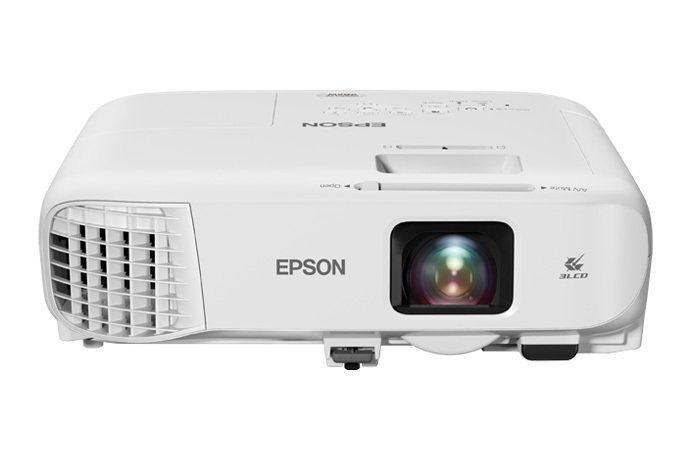
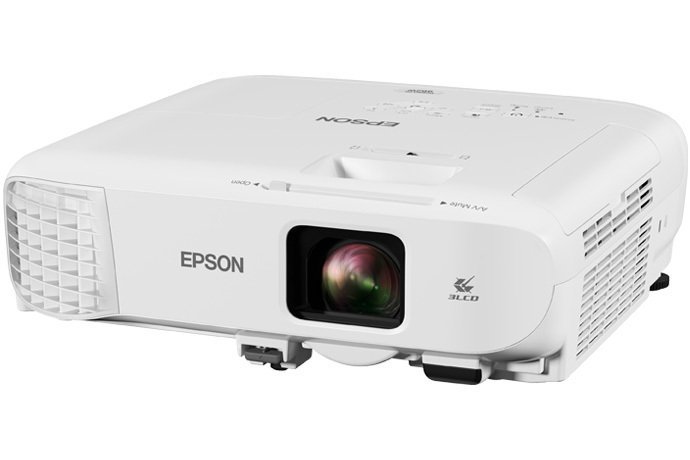
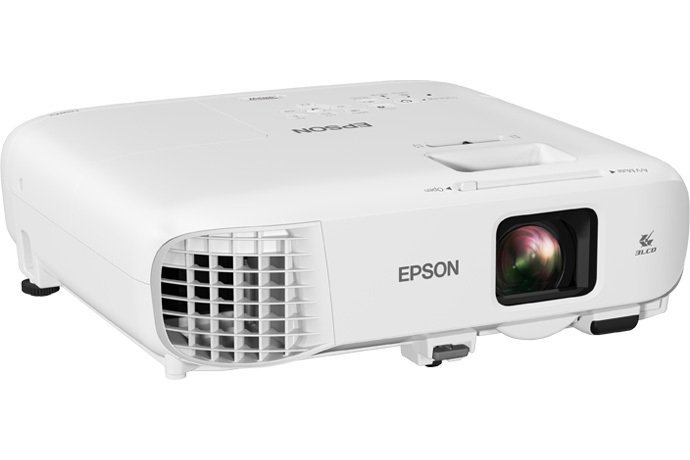
Epson PowerLite 982W
The PowerLite 982W is the archetypal school projector: a lamp-based 3LCD workhorse built for rooms where the lights stay on. Epson's education line positions it for exactly this job, and the specification sheet reads like a checklist of classroom requirements. It delivers 4,200 lumens of both color and white brightness, and the equal ratings matter, because 3LCD technology projects all three primary colors simultaneously, so color content doesn't dim the way it can on single-chip designs. In practice, that means a pie chart in a social studies slideshow looks as bright as the white slide behind it.
- Equal color and white brightness: charts, maps and colored diagrams stay as readable as plain text slides in a lit room
- Dual HDMI inputs: the teacher's laptop and a document camera or streaming stick stay connected, with no cable-swapping between periods
- Network monitoring over wired or wireless LAN lets IT check lamp hours and filter warnings for a whole building from one desk
- Lamp rated up to 17,000 hours in ECO mode: at six hours a day across a 180-day school year, that is the better part of a decade between replacements
Reasons to avoid:
- WXGA resolution softens fine detail: CAD drawings, lab microscopy and dense diagrams are better served by the Full HD EX9270
- Standard throw needs ceiling space and roughly 8 to 12 feet of distance for a 100-inch image
- It is a lamp model, so a replacement lamp eventually lands on the budget, unlike a laser projector
- Brightness: 4,200 lumens (color and white)
- Resolution: WXGA (1280x800)
- Technology: 3LCD
- Inputs: 2x HDMI, networking (wired/wireless)
- Lamp life: up to 17,000 hours (ECO mode)
Best for: schools and teachers who want the proven classroom standard: bright enough for lit rooms, networkable for IT, and cheap to run for years.
Resolution is WXGA (1280x800), the sensible classroom middle ground: sharper than XGA for text-heavy slides, cheaper and brighter per dollar than Full HD. Dual HDMI inputs mean the teacher's laptop and a document camera (or an Apple TV-style streaming stick) can both stay connected without cable-swapping between periods. School IT departments will appreciate the wired and wireless networking options: projectors networked over the building's LAN can be monitored for lamp hours and filter warnings from one desk, a real consideration when you manage dozens of rooms.
The long game is lamp life. Epson rates the lamp at up to 17,000 hours in ECO mode, and replacement lamps for Epson's education line are commodity-priced. This is the projector to spec when the district is buying in bulk and the total cost of ownership has to survive a budget committee.
Best for: schools and teachers who want the proven classroom standard, bright enough for lit rooms, networkable for IT, and cheap to run for years.
Watch out for: classrooms that need fine-detail 1080p for CAD, lab microscopy, or detailed science diagrams should step up to the Pro EX9270 instead.
2. Epson Pro EX9270: Best Full HD
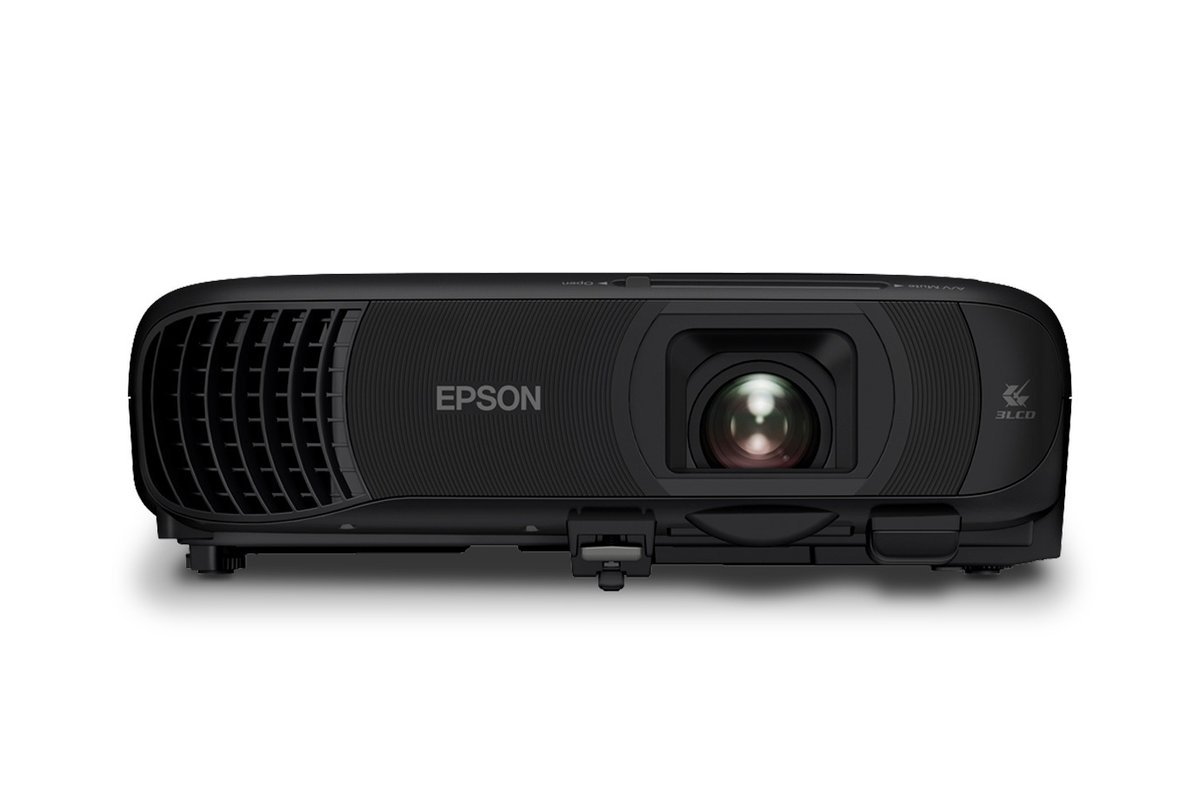
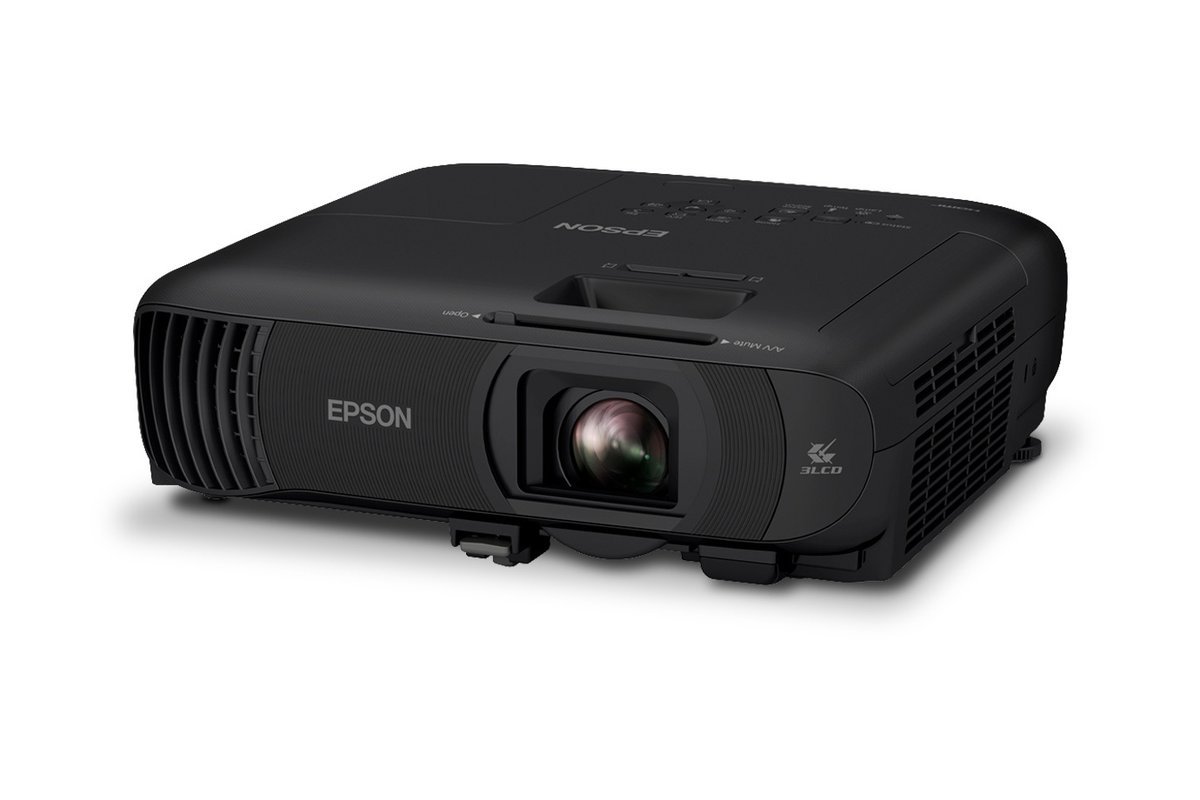
Epson Pro EX9270
When the content demands real detail (anatomy diagrams, engineering drawings, geography maps with fine labels), WXGA starts to soften, and the Pro EX9270 is Epson's answer for the classroom. It steps the resolution up to Full HD (1920x1080) while holding brightness at 4,100 lumens of color and white, so the extra pixels don't come at the cost of readability in lit rooms.
- Full HD resolution keeps fine diagrams, map labels and small text legible from the back row
- Wireless screen mirroring including AirPlay: teachers can circulate with a tablet and push student work to the big screen
- 4,100 lumens of equal color and white brightness, with the 3LCD no-rainbow-effect advantage
- 1.6x optical zoom gives real placement flexibility when the ceiling mount point is not ideal
Reasons to avoid:
- Full HD classroom projectors sit a price tier above WXGA models, to buy and to lamp
- For text-and-slides teaching the extra resolution is subtle; the 982W is the better-value standard room pick
- Still a lamp-based model, so long-term running costs include an eventual lamp replacement
- Brightness: 4,100 lumens (color and white)
- Resolution: Full HD (1920x1080)
- Technology: 3LCD
- Wireless: screen mirroring with AirPlay and Miracast
- Zoom: 1.6x optical
Best for: science labs, art rooms, and design and technology departments, anywhere fine visual detail is the lesson.
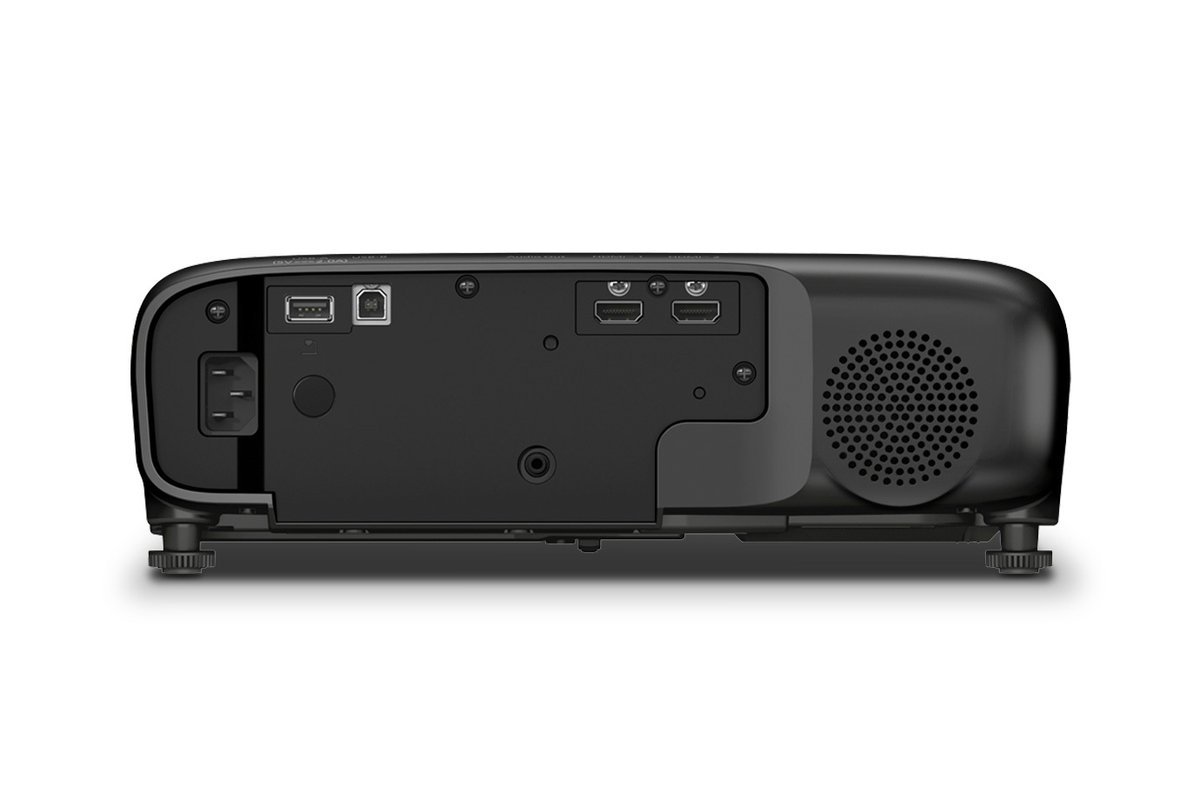
The connectivity story is the EX9270's second selling point. Beyond its dual HDMI inputs (visible on the rear panel) and USB, it supports wireless screen mirroring including AirPlay, which matters more in schools than it sounds: teachers can walk the room with a tablet, push student work to the big screen wirelessly, and never be tethered to the front desk. That mobility is genuinely pedagogical; it is the difference between a teacher who presents and a teacher who circulates.
As a 3LCD projector it shares the 982W's color-brightness advantage, and it is built on the same Pro-series reliability chassis Epson sells into corporate installations. The trade-off is cost: Full HD classroom projectors sit a tier above WXGA models, and for text-and-slides teaching the difference is subtle. Buy this when your subject matter genuinely benefits from fine detail, not just because Full HD sounds better.
Best for: science labs, art rooms, and design and technology departments, anywhere fine visual detail is the lesson.
Watch out for: standard lecture-style classrooms showing slides and videos will not see their money's worth; the 982W's WXGA is plenty and costs less to buy and run.
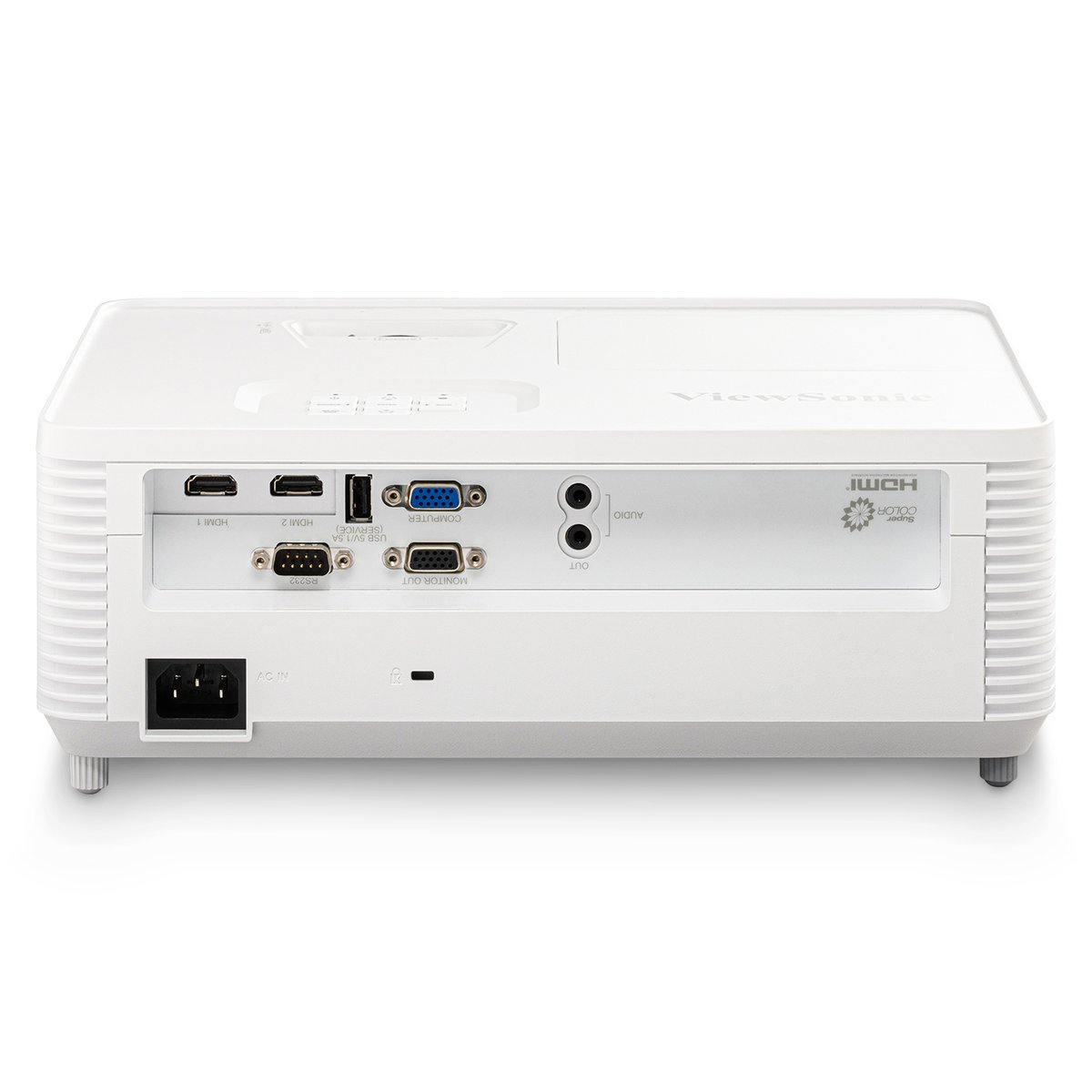
3. ViewSonic PS502X: Best Short Throw
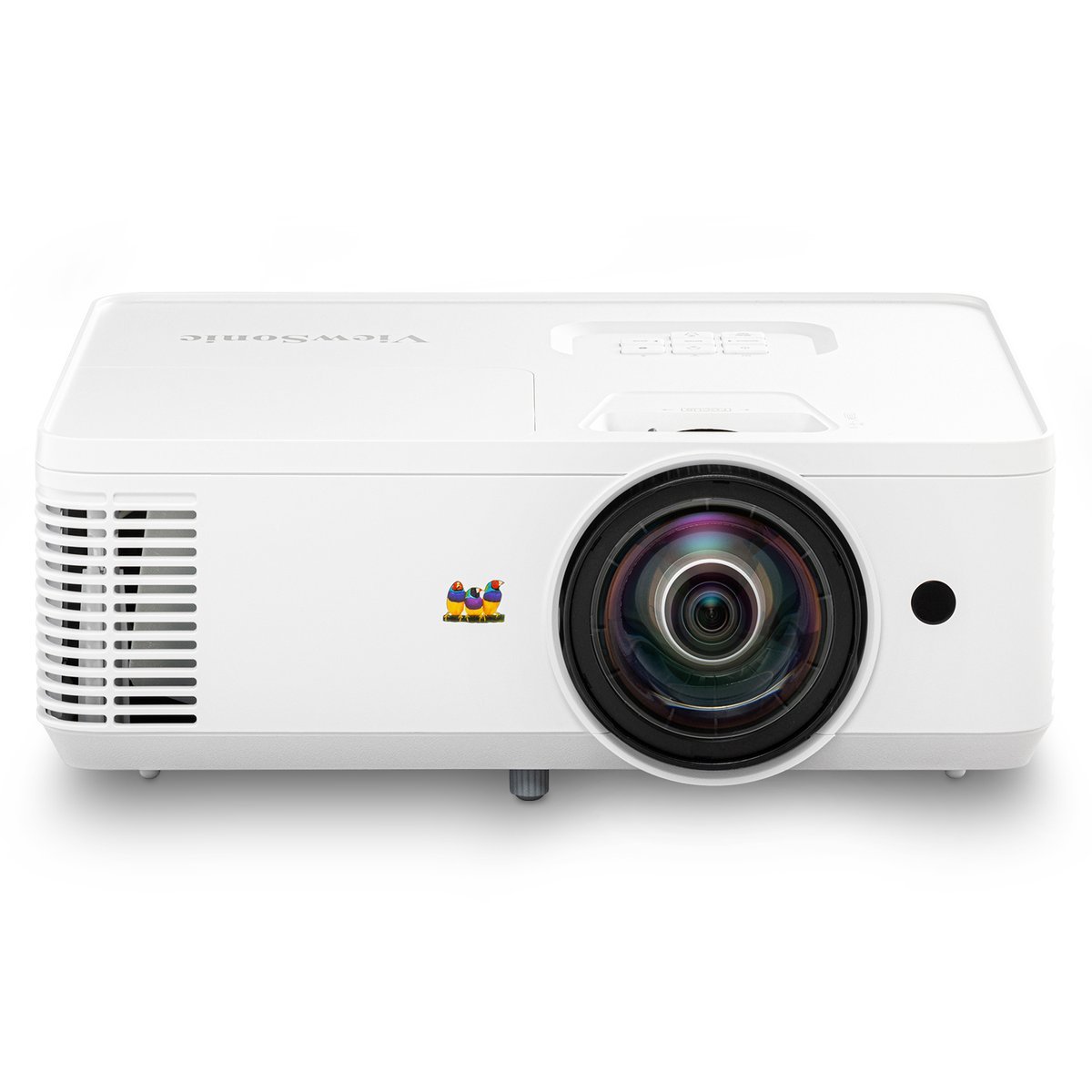
ViewSonic PS502X
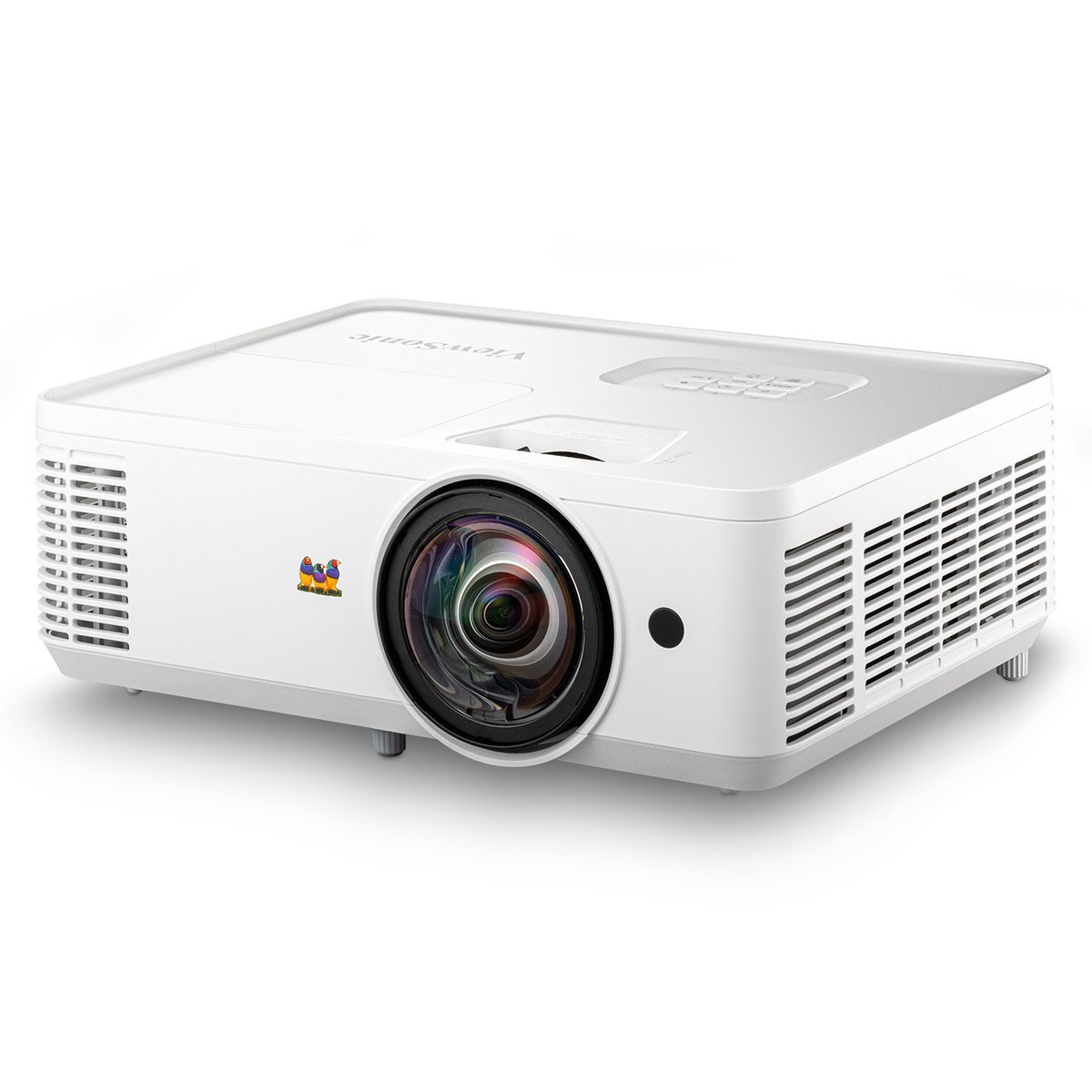
Some classrooms can't fit a standard-throw projector. Low ceilings, a fan or light fixture exactly where the mount would go, or a teacher's desk arrangement that puts bodies in the beam path: these rooms need short throw. The ViewSonic PS502X throws a large image from a 0.6 throw ratio, meaning it can sit roughly half the distance from the screen that a conventional projector needs, mounted close above the whiteboard where it stays out of traffic and shadows.
- 0.6 short-throw lens fills the screen from close above the whiteboard, ideal for tight rooms
- No shadows from students walking past, and the presenter is never staring into the lens
- 4,000 ANSI lumens stays bright in lit rooms; the short-throw optics do not cost brightness
- Dual HDMI plus USB input, with monitor out and RS-232 control on the rear panel
Reasons to avoid:
- XGA (1024x768) resolution is a step below WXGA, so very small text at large screen sizes is slightly softer
- Short-throw optics carry a price premium over equivalent standard-throw models
- The mount must sit close to the screen, which is less flexible if the room layout changes
- Brightness: 4,000 ANSI lumens
- Resolution: XGA (1024x768)
- Technology: DLP
- Throw ratio: 0.6 (short throw)
- Inputs: 2x HDMI, USB, VGA
Best for: small or awkwardly shaped classrooms, retrofit installs where the ceiling mount position is constrained, and rooms where shadows from foot traffic are a problem.
The core specs don't compromise for the short-throw optics: 4,000 ANSI lumens of brightness, XGA (1024x768) resolution, dual HDMI plus USB input. The XGA resolution is the honest trade-off here; it is a step below WXGA, so very small text at large screen sizes is slightly softer, but for most classroom content at typical viewing distances it is perfectly legible, and the brightness carries it in lit rooms.
Short throw is also a classroom-management feature: because the projector sits close to the wall, students walking past don't cast shadows across the image, and the teacher presenting from the front isn't staring into the lens. For retrofitting older classrooms with awkward ceiling geometry, this solves more real problems than an extra 500 lumens would.
Best for: small or awkwardly shaped classrooms, retrofit installs where the ceiling mount position is constrained, and rooms where shadows from foot traffic are a problem.
Watch out for: large rooms where a standard throw works fine will pay a premium for optics they don't need.
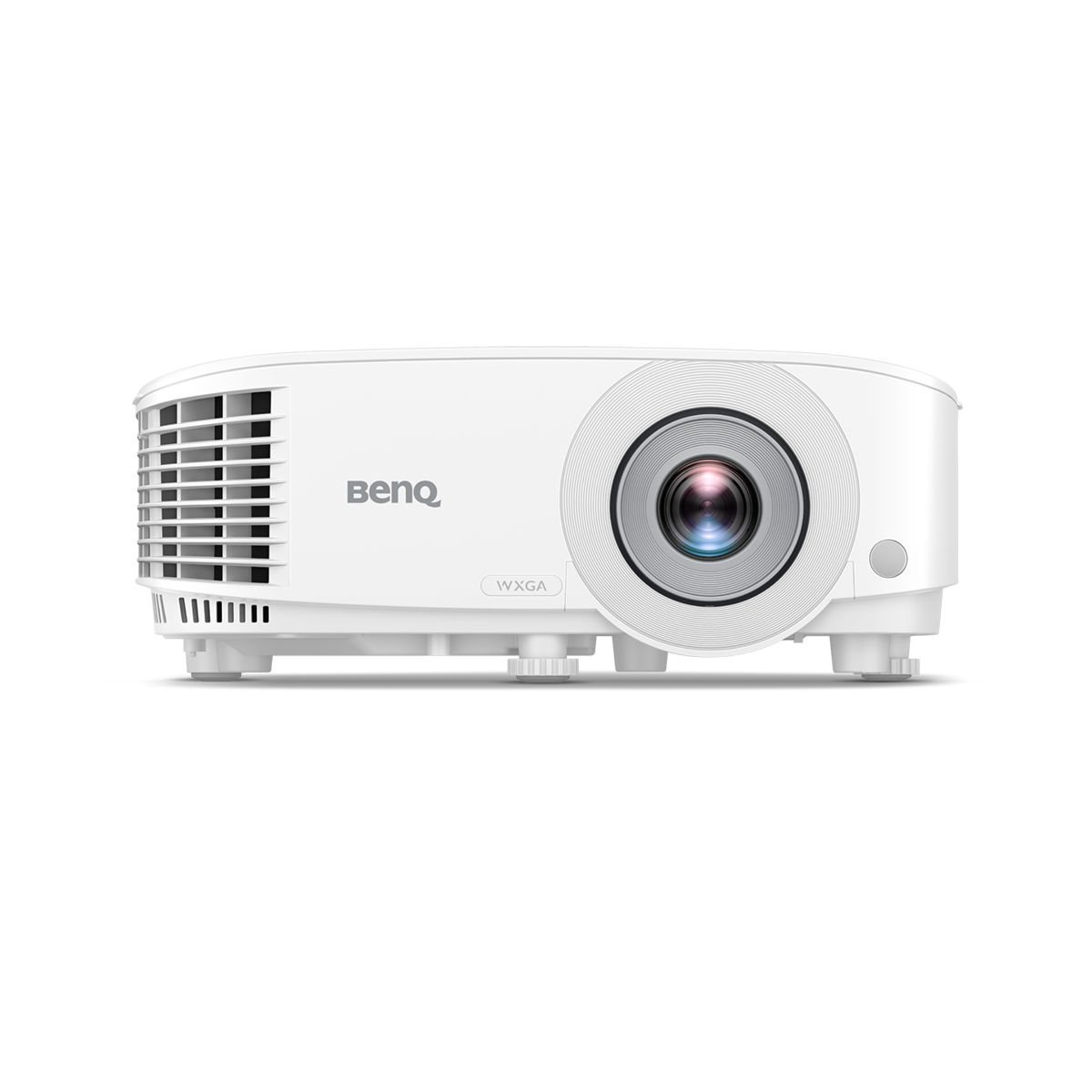
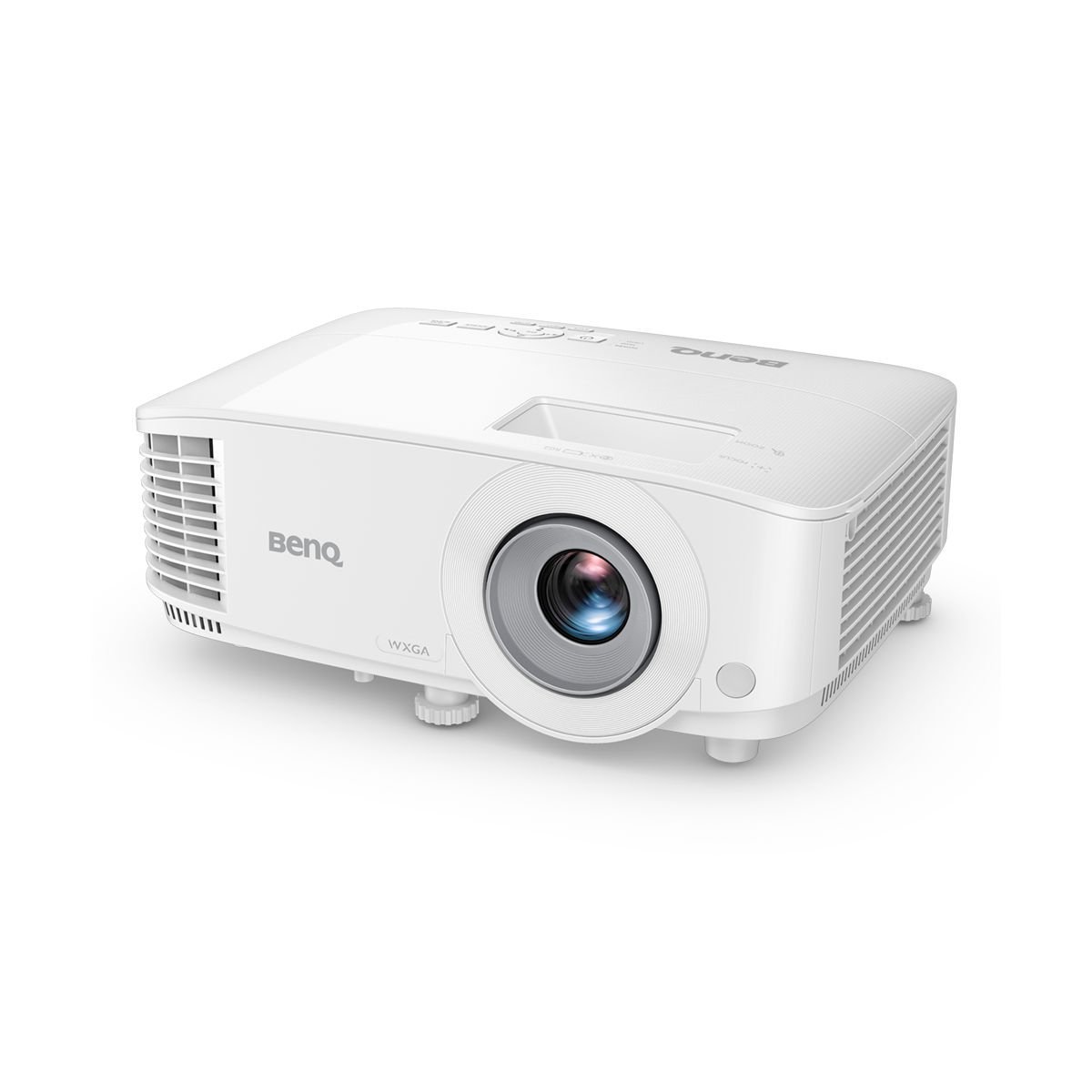
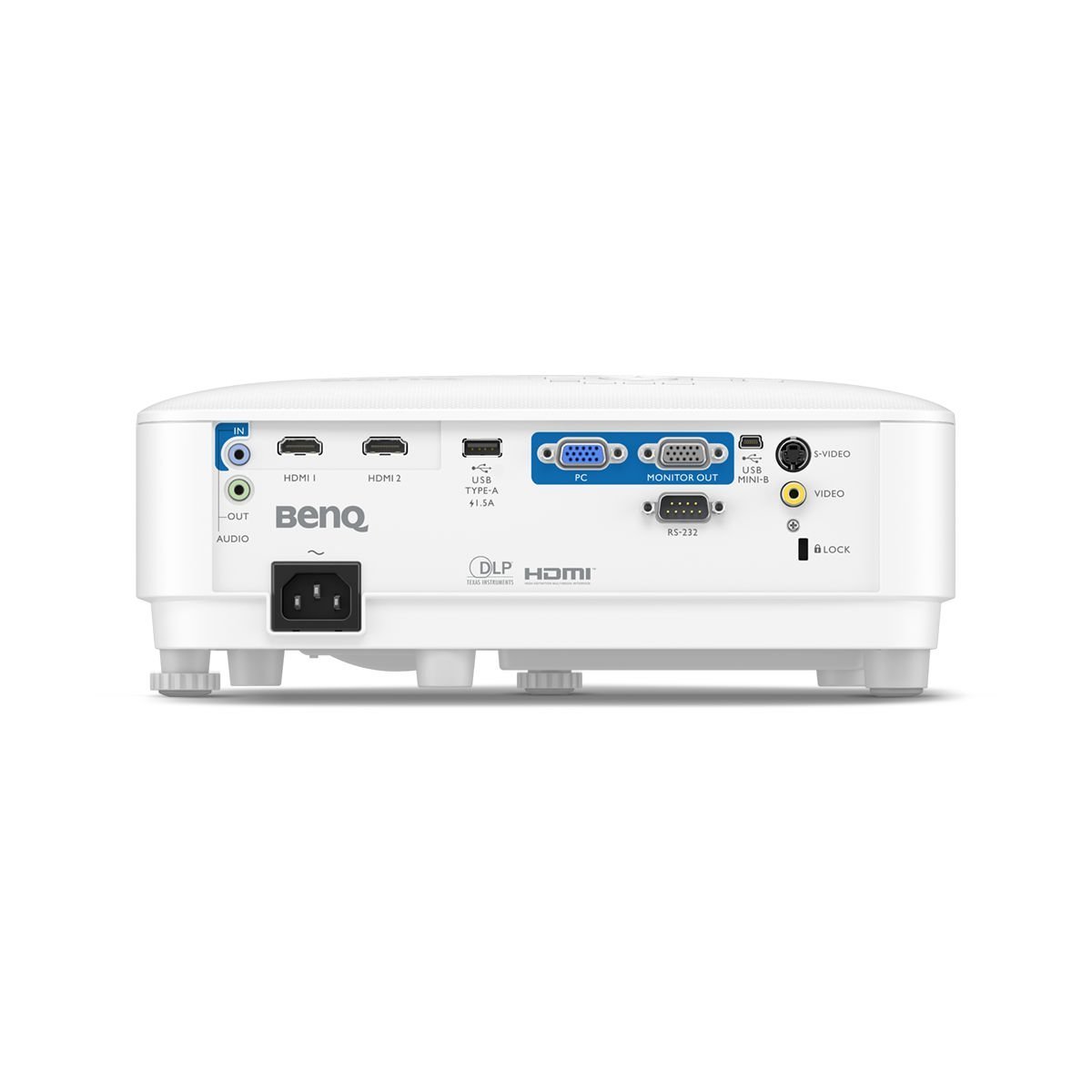
4. BenQ MW560: Best Non-Epson Alternative
BenQ MW560
Not every procurement office wants to standardize on one vendor, and BenQ's MW560 is the strongest DLP counterpoint to the Epson-dominated classroom market. The headline numbers are competitive: 4,000 ANSI lumens, WXGA (1280x800) resolution, and BenQ's SmartEco lamp-saving mode, which dynamically adjusts lamp power to content and extends lamp life while cutting energy use, a meaningful line item when the district pays the electric bill for fifty classrooms.
- 4,000 ANSI lumens at WXGA matches the Epson rivals on the two specs classrooms feel most
- SmartEco mode extends lamp life and cuts power draw across a whole building's fleet
- Sealed DLP optics resist dust, a real factor in school environments, and keep maintenance low
- Data Review Mode is a picture preset tuned for text clarity and chart legibility, the right priority for lessons
Reasons to avoid:
- DLP rainbow effect: brief color fringing is visible to a small minority of viewers, which 3LCD designs avoid entirely
- As a business-positioned model it has fewer education-specific extras than Epson's classroom line
- Single-chip DLP color brightness can trail 3LCD on fully saturated color content
- Brightness: 4,000 ANSI lumens
- Resolution: WXGA (1280x800)
- Technology: DLP
- Lamp mode: SmartEco power saving
- Inputs: 2x HDMI, USB, VGA, monitor out
Best for: schools that prefer DLP, want a non-Epson option for competitive procurement, or need one model that covers classrooms and meeting rooms.
BenQ includes a Data Review Mode tuned for presentations, a picture preset that emphasizes text clarity and chart legibility rather than cinematic color, which is precisely the right priority for a classroom. DLP technology brings its own advantages: higher native contrast than budget LCD designs, sealed optics that resist dust, and generally lower maintenance. The known DLP caveat is the rainbow effect, brief color fringing visible to a small minority of viewers, which LCD designs avoid entirely.
The MW560 is also worth a look for mixed business-education buying: it is positioned as a business projector, so it works equally well in staff meeting rooms and training spaces, simplifying spares and support when the school buys one model for everything.
Best for: schools that prefer DLP, want a non-Epson option for competitive procurement, or need one model that covers classrooms and meeting rooms.
Watch out for: viewers sensitive to DLP rainbow artifacts (rare, but real) should choose a 3LCD Epson instead.
5. ViewSonic PA503W: Best Value
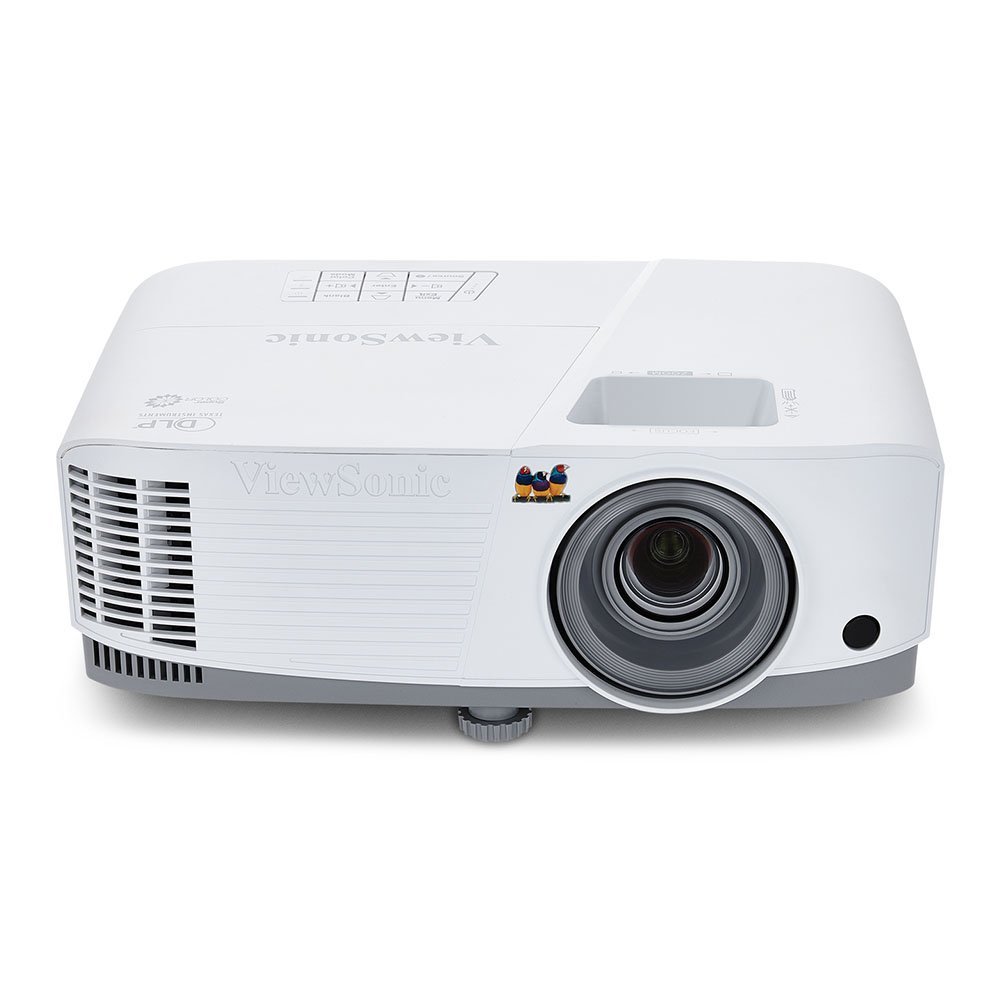
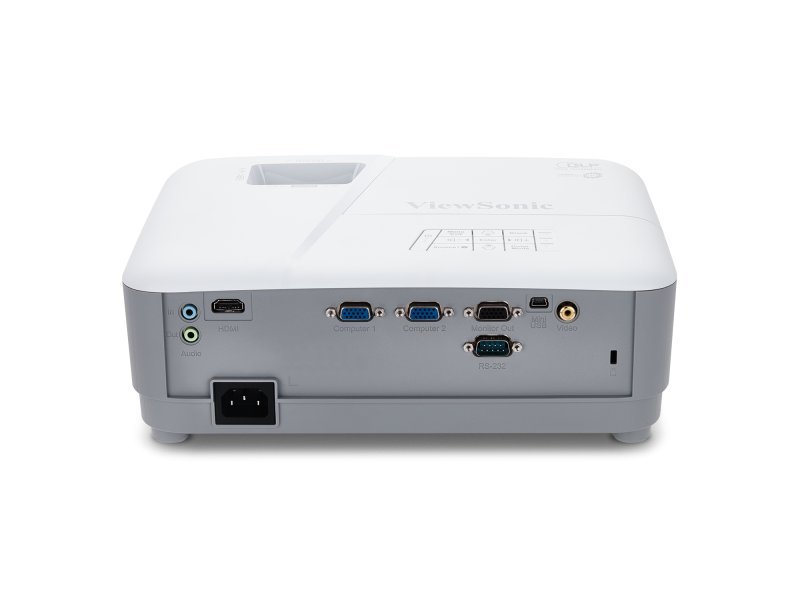
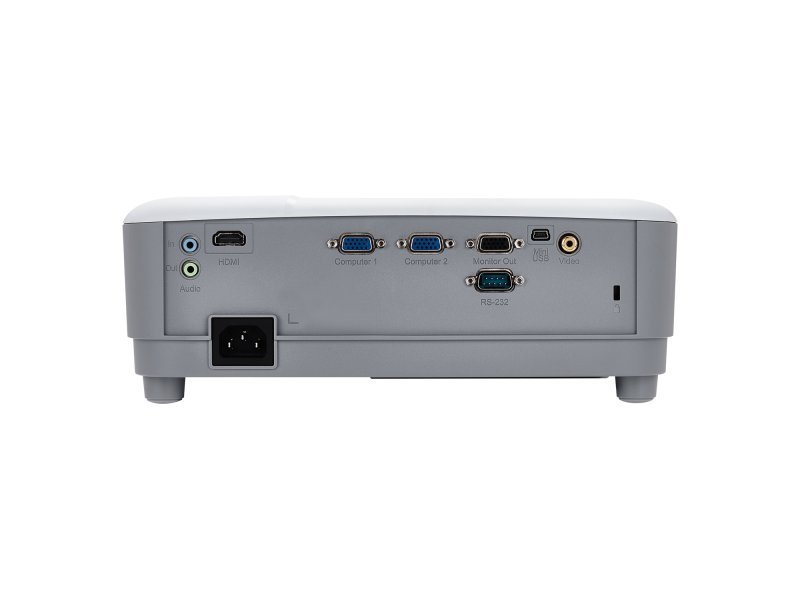
ViewSonic PA503W
The PA503W is the classroom projector for tight AV budgets that can't accept a dim image. ViewSonic's official product page documents the key specs: 3,600 ANSI lumens, native WXGA (1280x800) resolution, DLP display technology with SuperColor processing for a wider color range, a 22,000:1 dynamic contrast ratio, and a SuperEco mode that stretches lamp life to 15,000 hours while cutting power consumption by up to 70%. Extensive connectivity (HDMI, two VGA inputs, composite video, VGA output, and audio in/out) means it talks to both new laptops and the legacy equipment still living in school AV closets.
- Independently verified: TechGearLab tested the PA503W, awarded it "Best Bang for the Buck," and measured 2,664 ANSI lumens in their lab
- SuperEco mode stretches lamp life to 15,000 hours while cutting power consumption
- Legacy-friendly connectivity: two VGA inputs, composite video and monitor out suit older school AV closets
- SuperColor processing delivers a wider color range than basic DLP models at this price tier
Reasons to avoid:
- At 3,600 ANSI lumens it is a step below the 4,000+ models for the brightest, fully lit rooms
- A single HDMI input means cable-swapping if you run two digital sources
- The 2W built-in speaker won't fill a large room; budget for a modest external speaker
- Brightness: 3,600 ANSI lumens (manufacturer); 2,664 ANSI measured by TechGearLab
- Resolution: WXGA (1280x800)
- Technology: DLP with SuperColor
- Lamp life: up to 15,000 hours (SuperEco)
- Inputs: HDMI, 2x VGA, composite, monitor out
Best for: budget-constrained schools, individual teachers buying their own classroom projector, and anyone who wants maximum brightness per dollar.
What elevates the PA503W above other budget picks is independent verification. TechGearLab tested it and awarded it "Best Bang for the Buck," measuring 2,664 ANSI lumens in their lab: below the headline spec, as is normal for eco-conscious test settings, but still a genuinely bright image, with strong brightness and contrast scores across their categories. That third-party measurement is worth more than any spec sheet: it confirms the projector is bright enough for real classrooms, not just bright on paper.
The honest limitations: at 3,600 ANSI lumens it is a step below the 4,000+ models for the brightest rooms, the single HDMI input means cable-swapping if you run two sources, and the 2W speaker won't fill a large room, so budget for a modest external speaker or a classroom audio system. But for the price tier, this is the value benchmark, and it is the pick we would recommend to a teacher spending their own money.
Best for: budget-constrained schools, individual teachers buying their own classroom projector, and anyone who wants maximum brightness per dollar.
Watch out for: rooms that stay fully lit all day with large screens should step up to 4,000+ lumens so text stays crisp at the back row.
6. Epson EpiqVision Flex CO-W01: Best Portable
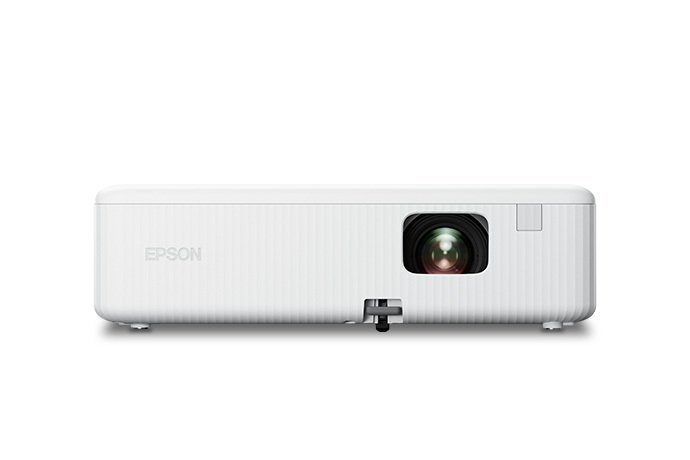
Epson EpiqVision Flex CO-W01
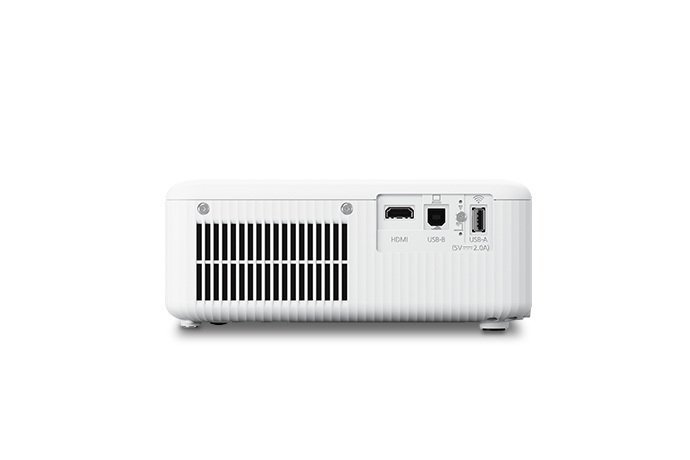
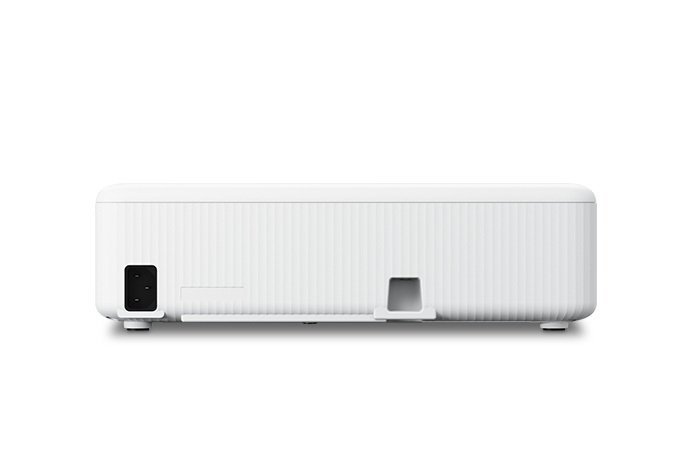
Fixed installs don't suit every teaching reality. Shared projectors that travel between rooms on a cart, after-school clubs, outdoor movie nights, and teachers who split time across buildings all need something they can carry. The Epson EpiqVision Flex CO-W01 is built for that life: a compact 3LCD projector delivering 3,000 lumens with HDMI and USB connectivity and simple setup.
- Compact, light body designed to move: one unit can serve many rooms instead of one
- 3LCD projection keeps color brightness equal to white brightness, so slides stay vivid
- Simple setup any teacher can run without calling IT: plug in HDMI, focus, teach
- HDMI and USB on the side panel, including USB power for a streaming stick
Reasons to avoid:
- 3,000 lumens won't compete with ceiling-mounted 4,000-lumen units in a sunlit room
- Built-in audio is sized for small groups, not a full classroom video lesson
- Needs a screen or a clean wall in every room it visits; a tripod screen adds cost
- Brightness: 3,000 lumens (color and white)
- Resolution: WXGA (1280x800)
- Technology: 3LCD
- Inputs: HDMI, USB (with 5V/2.0A power output)
- Speaker: 5W built-in
Best for: teachers who move between rooms, schools sharing AV resources across classrooms, clubs, and evening or community use.
The 3,000-lumen rating is the right number for portability: enough for a darkened or dimmed room and evening use, honest about its limits in bright daylight classrooms. Independent review coverage (TechGearLab's projector comparisons include the CO-W01) confirms it is a current, purchasable model, and its straightforward feature set means any teacher can set it up without calling IT.
The trade-offs are the ones inherent to portability. Three thousand lumens won't compete with ceiling-mounted 4,000-lumen classroom units in a sunlit room, the built-in audio is sized for small groups, and a portable projector needs a screen or a clean wall, so factor in a tripod screen if the rooms you'll visit don't have one. But as a shared resource that serves many rooms instead of one, the economics are compelling: one portable unit can cover the classrooms that don't justify a fixed install.
Best for: teachers who move between rooms, schools sharing AV resources across classrooms, clubs, and evening or community use.
Watch out for: anyone who needs a permanent, bright, networked classroom install should look at the PowerLite 982W instead; that is its job.
Buying Guide: How to Choose a Classroom Projector
Brightness comes first
Brightness is the single most important specification for a classroom projector. Classrooms have ambient light (fluorescent fixtures, windows without blackout blinds), and a dim projector produces a washed-out image that students in the back row simply can't read. School-focused buying guides converge on the same rule: at least 3,000 lumens for a classroom where lights can be dimmed, and 4,000+ lumens for rooms that stay fully lit (School Outfitters; XTEN-AV's projector lumens guide). The projectors in this guide range from 3,000 to 4,200 lumens, so match the rating to your room: bigger rooms and brighter lighting need more.
One critical warning about brightness specs: only trust ANSI lumens (or ISO lumens) on the spec sheet. The projector market is flooded with listings advertising enormous lumen numbers with no measurement standard, and independent brightness guides advise assuming the real brightness is significantly lower than advertised when no standard is stated. Every pick in this guide carries a manufacturer-specified ANSI or standard lumen rating.
Resolution: WXGA is the sweet spot
For most classroom content (slides, documents, educational video), WXGA (1280x800) is the practical sweet spot: noticeably sharper than XGA for text, and much cheaper than Full HD at high brightness. Step up to Full HD (1920x1080) for subjects built on fine detail: science diagrams, maps, CAD, art. Avoid SVGA (800x600) for text-heavy teaching; it is adequate for video but soft for documents at large screen sizes.
Throw distance and room geometry
Measure before you buy. A standard-throw projector needs roughly 8 to 12 feet to fill a 100-inch image; a short-throw model like the PS502X does it from a few feet; an ultra-short-throw sits inches from the wall. Short and ultra-short throw cost more per lumen but solve real problems: no shadows from people walking through the beam, no presenter staring into the lens, and workable installs in rooms with low or obstructed ceilings.
Lamp life and total cost of ownership
A projector's purchase price is only the down payment. Lamp replacements historically cost $100 to $300, so a lamp rated for 15,000 to 17,000 hours in Eco mode, as on the 982W and PA503W, can mean the difference between one lamp per decade and one every two years. Laser projectors eliminate the lamp entirely (20,000+ hour light sources) but cost significantly more upfront; for most schools, a long-life lamp model is the better value.
Connectivity and networking
HDMI is the baseline; make sure every source you'll use (laptops, document cameras, streaming devices) has a path in. Dual HDMI avoids daily cable-swapping. For multi-classroom deployments, network monitoring (wired LAN or wireless) lets IT check lamp hours, filter status, and power state for every projector in the building from one console, a feature worth specifying when buying in quantity. Wireless mirroring and AirPlay (as on the EX9270) free the teacher from the front desk.
Audio: plan for it separately
Projector speakers are an afterthought, typically 2W to 10W, adequate for a small quiet room and nothing more. If your lessons include video with dialogue, budget for classroom audio: a modest powered speaker, a soundbar, or the school's installed audio system, connected via the projector's audio output.
Projector Types for Classrooms
Standard lamp projectors (all six picks here) remain the classroom default: bright, affordable, and proven. Lamp life of 10,000 to 17,000 hours in Eco mode makes running costs predictable.
Laser projectors replace the lamp with a laser light source rated for 20,000+ hours, effectively maintenance-free for a school's lifetime. They're brighter per dollar over time and switch on instantly, but the upfront cost is substantially higher. Consider laser when buying for a new building or a long refresh cycle.
Short-throw and ultra-short-throw projectors mount close to the screen, ideal for small rooms, interactive whiteboard setups, and shadow-free presenting. They cost more than equivalent standard-throw models.
Interactive projectors (such as Epson's BrightLink line) turn any wall or whiteboard into a touch surface for annotation and collaboration. They're powerful for active-learning classrooms but cost two to three times a standard projector, worth it only if teachers are trained to use the interactivity.
Portable projectors trade brightness for mobility. They're the right call for shared resources, but they're not a substitute for a fixed classroom install in a bright room.
DLP vs 3LCD, and Throw Distance Compared
DLP vs 3LCD is the fundamental technology choice. 3LCD (Epson's technology) delivers equal color and white brightness, so charts and graphics stay vivid, with no rainbow effect, and is generally cheaper at a given brightness. DLP (ViewSonic, BenQ) offers higher native contrast, sharper pixel structure, sealed dust-resistant optics, and lower maintenance, at the risk of rainbow artifacts visible to a small minority of viewers. For text-heavy teaching in bright rooms, 3LCD's color brightness is a genuine advantage; for mixed media and low maintenance, DLP is excellent. Neither is wrong, but know which you're buying and why.
Standard vs short throw: standard throw is cheaper and brighter per dollar, the default when the room allows it. Short throw costs more but eliminates shadows and works in tight rooms. Choose by measuring your room, not by feature-list appeal.
Common Mistakes to Avoid
- Buying on headline lumens with no measurement standard. A listing that claims "12,000 lumens" without saying ANSI or ISO is not 12,000 lumens. Independent lab tests have measured such budget models at a few hundred ANSI lumens. Only ANSI/ISO ratings are comparable.
- Under-buying brightness for a lit room. A 2,000-lumen home-theater projector looks great in a dark living room and unreadable in a sunlit classroom. Match lumens to your lighting: 3,000 minimum, 4,000+ for bright rooms.
- Ignoring throw distance. Buying a standard-throw projector for a room where the mount point is six feet from the screen guarantees a tiny image or an expensive return. Measure the room first.
- Forgetting the total cost of ownership. A cheap projector with a 3,000-hour lamp and $250 replacements costs more over five years than a pricier model with a 15,000-hour lamp. Multiply lamp cost by classrooms, not just units.
- Skipping audio and networking. No speaker plan means unintelligible video; no network monitoring across a building full of projectors means dead lamps discovered mid-lesson. Spec both when buying in quantity.
Frequently Asked Questions
At least 3,000 lumens for a classroom where lights can be dimmed, and 4,000 to 5,000 lumens for rooms that stay fully lit with large screens (guidance: School Outfitters; XTEN-AV projector lumens guide). More is better up to a point, but beyond roughly 5,000 lumens you're paying for auditorium-grade brightness a standard classroom doesn't need.
Brightness. School AV specialists rank it above resolution and features because ambient classroom light is the constant enemy of image quality. Get the lumens right first, then optimize resolution, throw distance, and connectivity.
WXGA (1280x800) is the common, adequate classroom resolution, a good balance of sharpness and cost. Choose Full HD (1920x1080) when lessons depend on fine detail: science diagrams, maps, technical drawings. SVGA (800x600) is only suitable for video-heavy use, not text.
Both work. 3LCD projectors offer higher color brightness and no rainbow effect at generally lower cost; DLP projectors offer higher contrast, sharper pixels, and lower maintenance with sealed optics. DLP's one caveat is the rainbow effect, visible to a small minority of viewers.
Short-throw projectors produce a large image from a few feet away; ultra-short-throw models do it from inches away from the screen. Both eliminate the long ceiling throw, useful in small rooms and for shadow-free presenting, but cost more per lumen than standard-throw equivalents.
Traditional projector lamps last roughly 2,000 to 5,000 hours depending on the model and mode, with replacements typically costing $100 to $300. Long-life Eco modes on modern education projectors extend this to 10,000 to 17,000 hours, which is why lamp-life specs matter as much as brightness for school budgets.
They can be, for active-learning classrooms where teachers annotate, collaborate, and run interactive lessons; the engagement payoff is real. But they cost multiples of a standard projector, and the investment is wasted if teachers aren't trained to use the interactive features. Buy the pedagogy first, the hardware second.
Final Verdict
Most classrooms should buy the Epson PowerLite 982W: 4,200 lumens that stays readable with the lights on, classroom-sensible WXGA resolution, dual HDMI, and a lamp life measured in years of school days. It's the safe, proven, budget-committee-friendly choice. Teachers and departments working with fine visual detail should choose the Full HD Epson Pro EX9270; tight rooms need the short-throw ViewSonic PS502X; DLP loyalists get the BenQ MW560; tight budgets are best served by the independently reviewed ViewSonic PA503W; and shared carts belong to the Epson EpiqVision Flex CO-W01. Whatever you choose, buy on ANSI lumens, measure your throw distance, and budget for audio: the projector is only one part of a classroom that works.
Final Recommendations
Best Overall: Epson PowerLite 982W, 4,200 lumens color and white; WXGA; 17,000 h ECO lamp.
Best Full HD: Epson Pro EX9270, 1080p detail; 4,100 lumens; AirPlay wireless mirroring.
Best Short Throw: ViewSonic PS502X, 0.6 throw ratio; 4,000 ANSI lumens; XGA.
Best Non-Epson Alternative: BenQ MW560, 4,000 ANSI lumens; WXGA DLP; SmartEco.
Best Value: ViewSonic PA503W, 3,600 ANSI lumens; WXGA; 15,000 h SuperEco lamp.
Best Portable: Epson EpiqVision Flex CO-W01, 3,000 lumens; WXGA 3LCD; compact.
Related Guides
- evening and media-room use instead: our guide to the best home projectors.
- projectors that travel: portable projectors compared.
- tight rooms explained: the short throw projector guide.
- the other half of the picture: projector screens, choosing the right surface.